Adobe Podcast AI — Enhance Speech: Turn Your Rough Recordings into Studio-Quality Gold!
Ever recorded the perfect podcast episode, interview, or voice-over, only to find it ruined by distracting background noise, echo, or a less-than-ideal microphone? We’ve all been there. But what if you could fix it with a single click? Introducing Adobe Podcast AI — Enhance Speech, a game-changing tool from the creative geniuses at Adobe, designed to magically clean up your voice recordings and make them sound as if they were recorded in a professional, soundproofed studio.
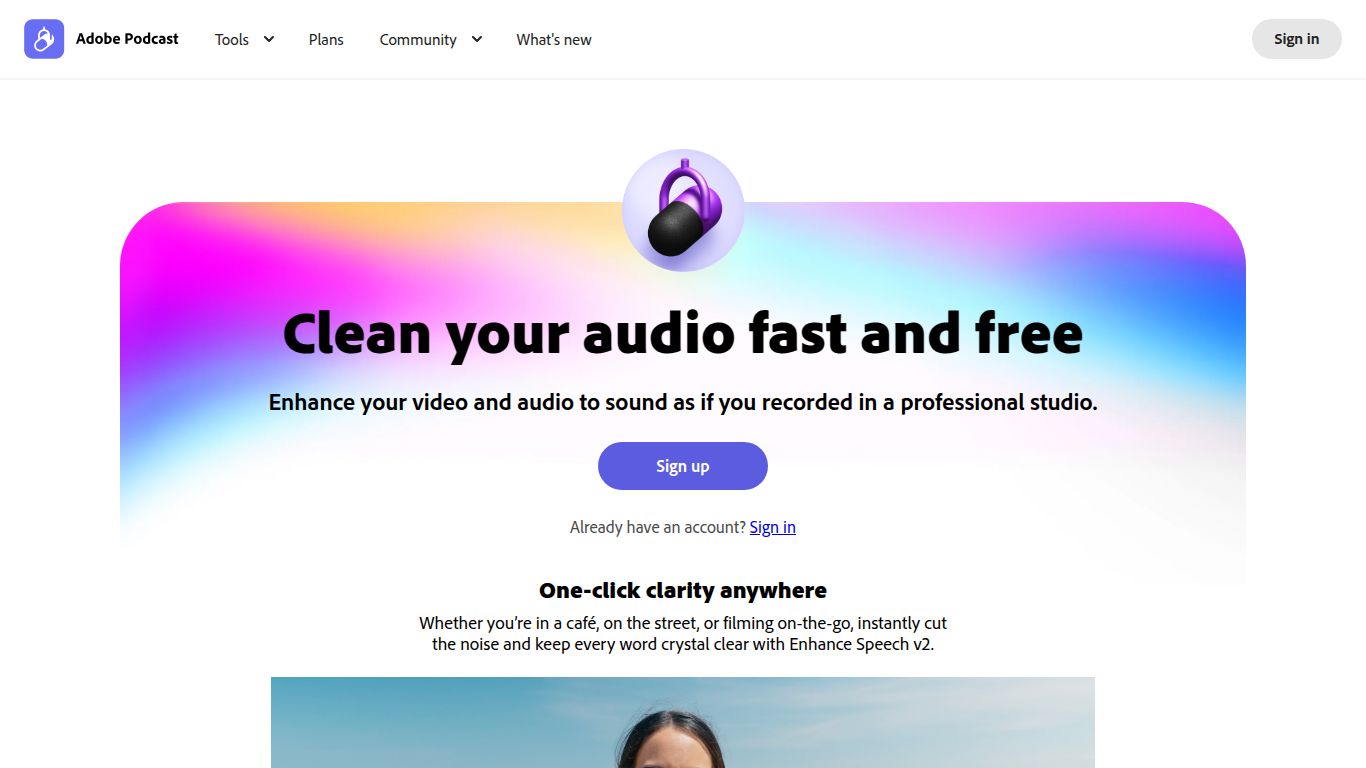
This powerful, web-based utility leverages sophisticated AI to analyze your audio, distinguish speech from unwanted noise, and deliver a crisp, clear, and rich voice track. Forget spending hours fiddling with complex equalizers and noise gates; Adobe Enhance Speech streamlines the entire process into a simple drag-and-drop interface, making professional audio enhancement accessible to everyone.
Capabilities: Pure Audio Alchemy
While some AI tools cast a wide net across text, images, and video, Adobe Podcast AI — Enhance Speech has a laser focus on one thing and does it exceptionally well: Audio Enhancement. It doesn’t generate content; it perfects it. Its core capabilities include:
- Noise Removal: The AI intelligently identifies and removes a wide range of background noise, from humming air conditioners and computer fans to street traffic and café chatter.
- Echo & Reverb Reduction: Recording in an empty room? The tool dramatically reduces that hollow, echoing sound, giving your voice presence and clarity.
- Voice Focusing & Equalization: Beyond just cleaning, the AI enhances the specific frequencies of the human voice, making it sound richer, fuller, and more professional without you needing to know a thing about audio engineering.
Jaw-Dropping Features
What makes Adobe Enhance Speech a must-have in your toolkit? It’s all in the details.
- One-Click Simplicity: The user experience couldn’t be easier. You literally upload your audio file (like MP3 or WAV), and the AI handles the rest. There are no complicated settings to adjust.
- Web-Based Access: No need to download or install bulky software. You can access this powerful tool directly from your browser, making it perfect for quick fixes on the go.
- Incredible Effectiveness: The difference between the original and enhanced audio is often staggering. It can salvage recordings that you might have previously considered unusable.
- Part of a Growing Ecosystem: Enhance Speech is a standout feature of the larger Adobe Podcast suite, which also includes web-based multi-track recording and editing tools, signaling Adobe’s strong commitment to creators in the audio space.
Pricing: Generosity Meets Power
Adobe has structured the pricing to be incredibly accessible, which is one of its biggest draws.
- Free Plan: Unbelievably, the core Enhance Speech functionality is available for free. You can typically process files up to 30 minutes in length, with a daily limit of 1 hour of total audio. This is more than enough for most content creators, podcasters, and social media managers for their daily needs.
- Premium Plan (via Adobe Express): For users who need more power, the full Adobe Podcast suite is included with an Adobe Express Premium subscription. This unlocks higher limits, batch processing, and access to other advanced features within the full podcasting platform.
Who Is This Tool For?
Adobe Podcast AI — Enhance Speech is a versatile tool that caters to a wide range of users who work with voice recordings:
- Podcasters: The primary audience. Elevate your show’s production value instantly, regardless of your recording environment.
- YouTubers & Content Creators: Ensure your voice-overs are crystal clear and free of distracting background noise.
- Online Course Instructors & Educators: Deliver professional-sounding lectures and instructional videos that keep students engaged.
- Journalists & Interviewers: Clean up field interviews recorded on the go, in cars, or in busy public spaces.
- Video Editors: Quickly fix problematic audio from clients without needing to be an audio expert.
- Anyone Recording Voice Memos: Turn a muffled phone memo into a clear, understandable audio note.
Alternatives & Comparison
While Adobe has created something special, it’s helpful to see how it stacks up against others in the space.
- Descript’s Studio Sound: A direct competitor, Descript’s “Studio Sound” feature is also a one-click AI enhancement tool. The main difference is that it’s integrated within Descript’s all-in-one transcription and video/audio editing platform. Adobe’s tool is a standalone, more focused solution that many find to be slightly more effective at noise reduction.
- Audacity (with Plugins): A classic free, open-source audio editor. Audacity is incredibly powerful but requires manual work. You’ll need to learn how to use its Noise Reduction, Compressor, and EQ effects, which comes with a steep learning curve compared to Adobe’s automated process.
- iZotope RX: This is the industry-standard, professional-grade audio repair suite used by Hollywood sound engineers. It offers unparalleled control but comes with a very high price tag and is overkill for most creators. Adobe Enhance Speech provides 80% of the results for 0% of the cost and complexity.
In conclusion, Adobe Podcast AI — Enhance Speech stands out for its remarkable combination of power, simplicity, and accessibility. It democratizes professional audio production, empowering creators of all levels to sound their absolute best. For anyone who records their voice, this tool isn’t just a nice-to-have; it’s an essential.
