Qwen2.5-Coder (Open Models)
Code-specialized model family (0.5B–32B) with competitive generation and reasoning.
On-device AI memory for code; snippet management, context recall, and IDE integrations.
GitHub Copilot / Codeium: These are primarily AI-powered code completion and generation tools that work inside the IDE. Pieces complements them by acting as a long-term memory and asset manager. It saves, enriches, and reuses your best code, while Copilot generates new code.
Raycast / Alfred: These are powerful productivity launchers with snippet functionalities. However, Pieces is purpose-built for developers, offering deeper AI integration, automatic code-specific metadata, and features like screenshot-to-code, which are absent in general-purpose tools.
SnippetsLab / Other Snippet Managers: Traditional snippet managers lack the AI-powered intelligence of Pieces. They require manual organization, whereas Pieces automates the entire process, making it far more efficient to manage and find what you need.
In conclusion, Pieces for Developers is more than just a tool—it’s a comprehensive, intelligent ecosystem designed to supercharge your entire development workflow. Its focus on on-device AI and seamless integration makes it a must-have for any modern developer looking to code smarter, not harder.
Raycast / Alfred: These are powerful productivity launchers with snippet functionalities. However, Pieces is purpose-built for developers, offering deeper AI integration, automatic code-specific metadata, and features like screenshot-to-code, which are absent in general-purpose tools.
SnippetsLab / Other Snippet Managers: Traditional snippet managers lack the AI-powered intelligence of Pieces. They require manual organization, whereas Pieces automates the entire process, making it far more efficient to manage and find what you need.
In conclusion, Pieces for Developers is more than just a tool—it’s a comprehensive, intelligent ecosystem designed to supercharge your entire development workflow. Its focus on on-device AI and seamless integration makes it a must-have for any modern developer looking to code smarter, not harder.
DevOps & SREs: To keep track of shell commands, configuration files, and infrastructure-as-code snippets.
Technical Writers & Documentarians: For organizing code examples and technical documentation.
Students & Coding Learners: As an excellent tool for building a personal knowledge base and learning from saved examples.
While the AI space is crowded, Pieces carves out a unique niche. Let’s see how it compares.
Raycast / Alfred: These are powerful productivity launchers with snippet functionalities. However, Pieces is purpose-built for developers, offering deeper AI integration, automatic code-specific metadata, and features like screenshot-to-code, which are absent in general-purpose tools.
SnippetsLab / Other Snippet Managers: Traditional snippet managers lack the AI-powered intelligence of Pieces. They require manual organization, whereas Pieces automates the entire process, making it far more efficient to manage and find what you need.
In conclusion, Pieces for Developers is more than just a tool—it’s a comprehensive, intelligent ecosystem designed to supercharge your entire development workflow. Its focus on on-device AI and seamless integration makes it a must-have for any modern developer looking to code smarter, not harder.
Data Scientists & Analysts: For managing complex scripts, queries, and data manipulation snippets.
DevOps & SREs: To keep track of shell commands, configuration files, and infrastructure-as-code snippets.
Technical Writers & Documentarians: For organizing code examples and technical documentation.
Students & Coding Learners: As an excellent tool for building a personal knowledge base and learning from saved examples.
While the AI space is crowded, Pieces carves out a unique niche. Let’s see how it compares.
Raycast / Alfred: These are powerful productivity launchers with snippet functionalities. However, Pieces is purpose-built for developers, offering deeper AI integration, automatic code-specific metadata, and features like screenshot-to-code, which are absent in general-purpose tools.
SnippetsLab / Other Snippet Managers: Traditional snippet managers lack the AI-powered intelligence of Pieces. They require manual organization, whereas Pieces automates the entire process, making it far more efficient to manage and find what you need.
In conclusion, Pieces for Developers is more than just a tool—it’s a comprehensive, intelligent ecosystem designed to supercharge your entire development workflow. Its focus on on-device AI and seamless integration makes it a must-have for any modern developer looking to code smarter, not harder.
Software Developers & Engineers: To speed up development by reusing code and reducing time spent searching for solutions.
Data Scientists & Analysts: For managing complex scripts, queries, and data manipulation snippets.
DevOps & SREs: To keep track of shell commands, configuration files, and infrastructure-as-code snippets.
Technical Writers & Documentarians: For organizing code examples and technical documentation.
Students & Coding Learners: As an excellent tool for building a personal knowledge base and learning from saved examples.
While the AI space is crowded, Pieces carves out a unique niche. Let’s see how it compares.
Raycast / Alfred: These are powerful productivity launchers with snippet functionalities. However, Pieces is purpose-built for developers, offering deeper AI integration, automatic code-specific metadata, and features like screenshot-to-code, which are absent in general-purpose tools.
SnippetsLab / Other Snippet Managers: Traditional snippet managers lack the AI-powered intelligence of Pieces. They require manual organization, whereas Pieces automates the entire process, making it far more efficient to manage and find what you need.
In conclusion, Pieces for Developers is more than just a tool—it’s a comprehensive, intelligent ecosystem designed to supercharge your entire development workflow. Its focus on on-device AI and seamless integration makes it a must-have for any modern developer looking to code smarter, not harder.
Data Scientists & Analysts: For managing complex scripts, queries, and data manipulation snippets.
DevOps & SREs: To keep track of shell commands, configuration files, and infrastructure-as-code snippets.
Technical Writers & Documentarians: For organizing code examples and technical documentation.
Students & Coding Learners: As an excellent tool for building a personal knowledge base and learning from saved examples.
While the AI space is crowded, Pieces carves out a unique niche. Let’s see how it compares.
Raycast / Alfred: These are powerful productivity launchers with snippet functionalities. However, Pieces is purpose-built for developers, offering deeper AI integration, automatic code-specific metadata, and features like screenshot-to-code, which are absent in general-purpose tools.
SnippetsLab / Other Snippet Managers: Traditional snippet managers lack the AI-powered intelligence of Pieces. They require manual organization, whereas Pieces automates the entire process, making it far more efficient to manage and find what you need.
In conclusion, Pieces for Developers is more than just a tool—it’s a comprehensive, intelligent ecosystem designed to supercharge your entire development workflow. Its focus on on-device AI and seamless integration makes it a must-have for any modern developer looking to code smarter, not harder.
Data Scientists & Analysts: For managing complex scripts, queries, and data manipulation snippets.
DevOps & SREs: To keep track of shell commands, configuration files, and infrastructure-as-code snippets.
Technical Writers & Documentarians: For organizing code examples and technical documentation.
Students & Coding Learners: As an excellent tool for building a personal knowledge base and learning from saved examples.
While the AI space is crowded, Pieces carves out a unique niche. Let’s see how it compares.
Raycast / Alfred: These are powerful productivity launchers with snippet functionalities. However, Pieces is purpose-built for developers, offering deeper AI integration, automatic code-specific metadata, and features like screenshot-to-code, which are absent in general-purpose tools.
SnippetsLab / Other Snippet Managers: Traditional snippet managers lack the AI-powered intelligence of Pieces. They require manual organization, whereas Pieces automates the entire process, making it far more efficient to manage and find what you need.
In conclusion, Pieces for Developers is more than just a tool—it’s a comprehensive, intelligent ecosystem designed to supercharge your entire development workflow. Its focus on on-device AI and seamless integration makes it a must-have for any modern developer looking to code smarter, not harder.
Free Plan: Perfect for individual developers, this plan offers the core features, including the on-device AI, unlimited snippet saving, IDE integrations, and screenshot-to-code capabilities.
Pro Plan ($9.99/month): Aimed at power users, this plan adds advanced features like cloud sync across multiple devices, more powerful cloud-based AI models, and priority support.
Business Plan (Custom Pricing): Designed for teams and enterprises, this plan provides enhanced security, team collaboration features, on-premise deployment options, and dedicated support.
This tool is a game-changer for anyone who writes code or works with technical information regularly. The target audience includes:
Data Scientists & Analysts: For managing complex scripts, queries, and data manipulation snippets.
DevOps & SREs: To keep track of shell commands, configuration files, and infrastructure-as-code snippets.
Technical Writers & Documentarians: For organizing code examples and technical documentation.
Students & Coding Learners: As an excellent tool for building a personal knowledge base and learning from saved examples.
While the AI space is crowded, Pieces carves out a unique niche. Let’s see how it compares.
Raycast / Alfred: These are powerful productivity launchers with snippet functionalities. However, Pieces is purpose-built for developers, offering deeper AI integration, automatic code-specific metadata, and features like screenshot-to-code, which are absent in general-purpose tools.
SnippetsLab / Other Snippet Managers: Traditional snippet managers lack the AI-powered intelligence of Pieces. They require manual organization, whereas Pieces automates the entire process, making it far more efficient to manage and find what you need.
In conclusion, Pieces for Developers is more than just a tool—it’s a comprehensive, intelligent ecosystem designed to supercharge your entire development workflow. Its focus on on-device AI and seamless integration makes it a must-have for any modern developer looking to code smarter, not harder.
Pro Plan ($9.99/month): Aimed at power users, this plan adds advanced features like cloud sync across multiple devices, more powerful cloud-based AI models, and priority support.
Business Plan (Custom Pricing): Designed for teams and enterprises, this plan provides enhanced security, team collaboration features, on-premise deployment options, and dedicated support.
This tool is a game-changer for anyone who writes code or works with technical information regularly. The target audience includes:
Data Scientists & Analysts: For managing complex scripts, queries, and data manipulation snippets.
DevOps & SREs: To keep track of shell commands, configuration files, and infrastructure-as-code snippets.
Technical Writers & Documentarians: For organizing code examples and technical documentation.
Students & Coding Learners: As an excellent tool for building a personal knowledge base and learning from saved examples.
While the AI space is crowded, Pieces carves out a unique niche. Let’s see how it compares.
Raycast / Alfred: These are powerful productivity launchers with snippet functionalities. However, Pieces is purpose-built for developers, offering deeper AI integration, automatic code-specific metadata, and features like screenshot-to-code, which are absent in general-purpose tools.
SnippetsLab / Other Snippet Managers: Traditional snippet managers lack the AI-powered intelligence of Pieces. They require manual organization, whereas Pieces automates the entire process, making it far more efficient to manage and find what you need.
In conclusion, Pieces for Developers is more than just a tool—it’s a comprehensive, intelligent ecosystem designed to supercharge your entire development workflow. Its focus on on-device AI and seamless integration makes it a must-have for any modern developer looking to code smarter, not harder.
Pro Plan ($9.99/month): Aimed at power users, this plan adds advanced features like cloud sync across multiple devices, more powerful cloud-based AI models, and priority support.
Business Plan (Custom Pricing): Designed for teams and enterprises, this plan provides enhanced security, team collaboration features, on-premise deployment options, and dedicated support.
This tool is a game-changer for anyone who writes code or works with technical information regularly. The target audience includes:
Data Scientists & Analysts: For managing complex scripts, queries, and data manipulation snippets.
DevOps & SREs: To keep track of shell commands, configuration files, and infrastructure-as-code snippets.
Technical Writers & Documentarians: For organizing code examples and technical documentation.
Students & Coding Learners: As an excellent tool for building a personal knowledge base and learning from saved examples.
While the AI space is crowded, Pieces carves out a unique niche. Let’s see how it compares.
Raycast / Alfred: These are powerful productivity launchers with snippet functionalities. However, Pieces is purpose-built for developers, offering deeper AI integration, automatic code-specific metadata, and features like screenshot-to-code, which are absent in general-purpose tools.
SnippetsLab / Other Snippet Managers: Traditional snippet managers lack the AI-powered intelligence of Pieces. They require manual organization, whereas Pieces automates the entire process, making it far more efficient to manage and find what you need.
In conclusion, Pieces for Developers is more than just a tool—it’s a comprehensive, intelligent ecosystem designed to supercharge your entire development workflow. Its focus on on-device AI and seamless integration makes it a must-have for any modern developer looking to code smarter, not harder.
Automated Metadata Enrichment: Forget manual tagging. Pieces automatically analyzes your saved materials and adds contextual metadata, making search incredibly powerful and intuitive.
Global Search & Reusability: Instantly find what you need across your entire collection of snippets and resources with a lightning-fast, AI-powered search.
Seamless Cloud Sync: Keep your snippets synchronized across multiple devices, ensuring you have access to your knowledge base whether you’re on your desktop or laptop.
Pieces offers a flexible pricing structure to cater to individuals and teams.
Pro Plan ($9.99/month): Aimed at power users, this plan adds advanced features like cloud sync across multiple devices, more powerful cloud-based AI models, and priority support.
Business Plan (Custom Pricing): Designed for teams and enterprises, this plan provides enhanced security, team collaboration features, on-premise deployment options, and dedicated support.
This tool is a game-changer for anyone who writes code or works with technical information regularly. The target audience includes:
Data Scientists & Analysts: For managing complex scripts, queries, and data manipulation snippets.
DevOps & SREs: To keep track of shell commands, configuration files, and infrastructure-as-code snippets.
Technical Writers & Documentarians: For organizing code examples and technical documentation.
Students & Coding Learners: As an excellent tool for building a personal knowledge base and learning from saved examples.
While the AI space is crowded, Pieces carves out a unique niche. Let’s see how it compares.
Raycast / Alfred: These are powerful productivity launchers with snippet functionalities. However, Pieces is purpose-built for developers, offering deeper AI integration, automatic code-specific metadata, and features like screenshot-to-code, which are absent in general-purpose tools.
SnippetsLab / Other Snippet Managers: Traditional snippet managers lack the AI-powered intelligence of Pieces. They require manual organization, whereas Pieces automates the entire process, making it far more efficient to manage and find what you need.
In conclusion, Pieces for Developers is more than just a tool—it’s a comprehensive, intelligent ecosystem designed to supercharge your entire development workflow. Its focus on on-device AI and seamless integration makes it a must-have for any modern developer looking to code smarter, not harder.
Deep IDE & Browser Integration: With plugins for VS Code, JetBrains IDEs, and a Chrome extension, you can save and access your snippets without ever leaving your work environment.
Automated Metadata Enrichment: Forget manual tagging. Pieces automatically analyzes your saved materials and adds contextual metadata, making search incredibly powerful and intuitive.
Global Search & Reusability: Instantly find what you need across your entire collection of snippets and resources with a lightning-fast, AI-powered search.
Seamless Cloud Sync: Keep your snippets synchronized across multiple devices, ensuring you have access to your knowledge base whether you’re on your desktop or laptop.
Pieces offers a flexible pricing structure to cater to individuals and teams.
Pro Plan ($9.99/month): Aimed at power users, this plan adds advanced features like cloud sync across multiple devices, more powerful cloud-based AI models, and priority support.
Business Plan (Custom Pricing): Designed for teams and enterprises, this plan provides enhanced security, team collaboration features, on-premise deployment options, and dedicated support.
This tool is a game-changer for anyone who writes code or works with technical information regularly. The target audience includes:
Data Scientists & Analysts: For managing complex scripts, queries, and data manipulation snippets.
DevOps & SREs: To keep track of shell commands, configuration files, and infrastructure-as-code snippets.
Technical Writers & Documentarians: For organizing code examples and technical documentation.
Students & Coding Learners: As an excellent tool for building a personal knowledge base and learning from saved examples.
While the AI space is crowded, Pieces carves out a unique niche. Let’s see how it compares.
Raycast / Alfred: These are powerful productivity launchers with snippet functionalities. However, Pieces is purpose-built for developers, offering deeper AI integration, automatic code-specific metadata, and features like screenshot-to-code, which are absent in general-purpose tools.
SnippetsLab / Other Snippet Managers: Traditional snippet managers lack the AI-powered intelligence of Pieces. They require manual organization, whereas Pieces automates the entire process, making it far more efficient to manage and find what you need.
In conclusion, Pieces for Developers is more than just a tool—it’s a comprehensive, intelligent ecosystem designed to supercharge your entire development workflow. Its focus on on-device AI and seamless integration makes it a must-have for any modern developer looking to code smarter, not harder.
On-Device First AI: Experience the power of large language models (LLMs) running locally on your machine for maximum speed, security, and offline availability. Your data stays yours.
Deep IDE & Browser Integration: With plugins for VS Code, JetBrains IDEs, and a Chrome extension, you can save and access your snippets without ever leaving your work environment.
Automated Metadata Enrichment: Forget manual tagging. Pieces automatically analyzes your saved materials and adds contextual metadata, making search incredibly powerful and intuitive.
Global Search & Reusability: Instantly find what you need across your entire collection of snippets and resources with a lightning-fast, AI-powered search.
Seamless Cloud Sync: Keep your snippets synchronized across multiple devices, ensuring you have access to your knowledge base whether you’re on your desktop or laptop.
Pieces offers a flexible pricing structure to cater to individuals and teams.
Pro Plan ($9.99/month): Aimed at power users, this plan adds advanced features like cloud sync across multiple devices, more powerful cloud-based AI models, and priority support.
Business Plan (Custom Pricing): Designed for teams and enterprises, this plan provides enhanced security, team collaboration features, on-premise deployment options, and dedicated support.
This tool is a game-changer for anyone who writes code or works with technical information regularly. The target audience includes:
Data Scientists & Analysts: For managing complex scripts, queries, and data manipulation snippets.
DevOps & SREs: To keep track of shell commands, configuration files, and infrastructure-as-code snippets.
Technical Writers & Documentarians: For organizing code examples and technical documentation.
Students & Coding Learners: As an excellent tool for building a personal knowledge base and learning from saved examples.
While the AI space is crowded, Pieces carves out a unique niche. Let’s see how it compares.
Raycast / Alfred: These are powerful productivity launchers with snippet functionalities. However, Pieces is purpose-built for developers, offering deeper AI integration, automatic code-specific metadata, and features like screenshot-to-code, which are absent in general-purpose tools.
SnippetsLab / Other Snippet Managers: Traditional snippet managers lack the AI-powered intelligence of Pieces. They require manual organization, whereas Pieces automates the entire process, making it far more efficient to manage and find what you need.
In conclusion, Pieces for Developers is more than just a tool—it’s a comprehensive, intelligent ecosystem designed to supercharge your entire development workflow. Its focus on on-device AI and seamless integration makes it a must-have for any modern developer looking to code smarter, not harder.
Deep IDE & Browser Integration: With plugins for VS Code, JetBrains IDEs, and a Chrome extension, you can save and access your snippets without ever leaving your work environment.
Automated Metadata Enrichment: Forget manual tagging. Pieces automatically analyzes your saved materials and adds contextual metadata, making search incredibly powerful and intuitive.
Global Search & Reusability: Instantly find what you need across your entire collection of snippets and resources with a lightning-fast, AI-powered search.
Seamless Cloud Sync: Keep your snippets synchronized across multiple devices, ensuring you have access to your knowledge base whether you’re on your desktop or laptop.
Pieces offers a flexible pricing structure to cater to individuals and teams.
Pro Plan ($9.99/month): Aimed at power users, this plan adds advanced features like cloud sync across multiple devices, more powerful cloud-based AI models, and priority support.
Business Plan (Custom Pricing): Designed for teams and enterprises, this plan provides enhanced security, team collaboration features, on-premise deployment options, and dedicated support.
This tool is a game-changer for anyone who writes code or works with technical information regularly. The target audience includes:
Data Scientists & Analysts: For managing complex scripts, queries, and data manipulation snippets.
DevOps & SREs: To keep track of shell commands, configuration files, and infrastructure-as-code snippets.
Technical Writers & Documentarians: For organizing code examples and technical documentation.
Students & Coding Learners: As an excellent tool for building a personal knowledge base and learning from saved examples.
While the AI space is crowded, Pieces carves out a unique niche. Let’s see how it compares.
Raycast / Alfred: These are powerful productivity launchers with snippet functionalities. However, Pieces is purpose-built for developers, offering deeper AI integration, automatic code-specific metadata, and features like screenshot-to-code, which are absent in general-purpose tools.
SnippetsLab / Other Snippet Managers: Traditional snippet managers lack the AI-powered intelligence of Pieces. They require manual organization, whereas Pieces automates the entire process, making it far more efficient to manage and find what you need.
In conclusion, Pieces for Developers is more than just a tool—it’s a comprehensive, intelligent ecosystem designed to supercharge your entire development workflow. Its focus on on-device AI and seamless integration makes it a must-have for any modern developer looking to code smarter, not harder.
Deep IDE & Browser Integration: With plugins for VS Code, JetBrains IDEs, and a Chrome extension, you can save and access your snippets without ever leaving your work environment.
Automated Metadata Enrichment: Forget manual tagging. Pieces automatically analyzes your saved materials and adds contextual metadata, making search incredibly powerful and intuitive.
Global Search & Reusability: Instantly find what you need across your entire collection of snippets and resources with a lightning-fast, AI-powered search.
Seamless Cloud Sync: Keep your snippets synchronized across multiple devices, ensuring you have access to your knowledge base whether you’re on your desktop or laptop.
Pieces offers a flexible pricing structure to cater to individuals and teams.
Pro Plan ($9.99/month): Aimed at power users, this plan adds advanced features like cloud sync across multiple devices, more powerful cloud-based AI models, and priority support.
Business Plan (Custom Pricing): Designed for teams and enterprises, this plan provides enhanced security, team collaboration features, on-premise deployment options, and dedicated support.
This tool is a game-changer for anyone who writes code or works with technical information regularly. The target audience includes:
Data Scientists & Analysts: For managing complex scripts, queries, and data manipulation snippets.
DevOps & SREs: To keep track of shell commands, configuration files, and infrastructure-as-code snippets.
Technical Writers & Documentarians: For organizing code examples and technical documentation.
Students & Coding Learners: As an excellent tool for building a personal knowledge base and learning from saved examples.
While the AI space is crowded, Pieces carves out a unique niche. Let’s see how it compares.
Raycast / Alfred: These are powerful productivity launchers with snippet functionalities. However, Pieces is purpose-built for developers, offering deeper AI integration, automatic code-specific metadata, and features like screenshot-to-code, which are absent in general-purpose tools.
SnippetsLab / Other Snippet Managers: Traditional snippet managers lack the AI-powered intelligence of Pieces. They require manual organization, whereas Pieces automates the entire process, making it far more efficient to manage and find what you need.
In conclusion, Pieces for Developers is more than just a tool—it’s a comprehensive, intelligent ecosystem designed to supercharge your entire development workflow. Its focus on on-device AI and seamless integration makes it a must-have for any modern developer looking to code smarter, not harder.
Intelligent Text & Code Management: Seamlessly save, enrich, and retrieve code snippets from any application, including your IDE, browser, or team chat. The AI automatically adds titles, tags, descriptions, and related links, so you don’t have to. It can also generate new code snippets or refactor existing ones based on your requests.
Advanced Screenshot-to-Code: This is where Pieces truly shines. Simply take a screenshot of code from a video, presentation, or website, and Pieces’ powerful OCR and AI will extract the code, clean it up, and make it instantly usable. It’s a magical workflow enhancement!
On-Device AI Chat: Get instant help without compromising your privacy. The on-device copilot can answer questions about your saved snippets, help you debug, or generate new code, all while keeping your data securely on your machine.
Pieces is packed with features that integrate seamlessly into your daily routine, making it feel like a natural extension of your brain.
Deep IDE & Browser Integration: With plugins for VS Code, JetBrains IDEs, and a Chrome extension, you can save and access your snippets without ever leaving your work environment.
Automated Metadata Enrichment: Forget manual tagging. Pieces automatically analyzes your saved materials and adds contextual metadata, making search incredibly powerful and intuitive.
Global Search & Reusability: Instantly find what you need across your entire collection of snippets and resources with a lightning-fast, AI-powered search.
Seamless Cloud Sync: Keep your snippets synchronized across multiple devices, ensuring you have access to your knowledge base whether you’re on your desktop or laptop.
Pieces offers a flexible pricing structure to cater to individuals and teams.
Pro Plan ($9.99/month): Aimed at power users, this plan adds advanced features like cloud sync across multiple devices, more powerful cloud-based AI models, and priority support.
Business Plan (Custom Pricing): Designed for teams and enterprises, this plan provides enhanced security, team collaboration features, on-premise deployment options, and dedicated support.
This tool is a game-changer for anyone who writes code or works with technical information regularly. The target audience includes:
Data Scientists & Analysts: For managing complex scripts, queries, and data manipulation snippets.
DevOps & SREs: To keep track of shell commands, configuration files, and infrastructure-as-code snippets.
Technical Writers & Documentarians: For organizing code examples and technical documentation.
Students & Coding Learners: As an excellent tool for building a personal knowledge base and learning from saved examples.
While the AI space is crowded, Pieces carves out a unique niche. Let’s see how it compares.
Raycast / Alfred: These are powerful productivity launchers with snippet functionalities. However, Pieces is purpose-built for developers, offering deeper AI integration, automatic code-specific metadata, and features like screenshot-to-code, which are absent in general-purpose tools.
SnippetsLab / Other Snippet Managers: Traditional snippet managers lack the AI-powered intelligence of Pieces. They require manual organization, whereas Pieces automates the entire process, making it far more efficient to manage and find what you need.
In conclusion, Pieces for Developers is more than just a tool—it’s a comprehensive, intelligent ecosystem designed to supercharge your entire development workflow. Its focus on on-device AI and seamless integration makes it a must-have for any modern developer looking to code smarter, not harder.
Advanced Screenshot-to-Code: This is where Pieces truly shines. Simply take a screenshot of code from a video, presentation, or website, and Pieces’ powerful OCR and AI will extract the code, clean it up, and make it instantly usable. It’s a magical workflow enhancement!
On-Device AI Chat: Get instant help without compromising your privacy. The on-device copilot can answer questions about your saved snippets, help you debug, or generate new code, all while keeping your data securely on your machine.
Pieces is packed with features that integrate seamlessly into your daily routine, making it feel like a natural extension of your brain.
Deep IDE & Browser Integration: With plugins for VS Code, JetBrains IDEs, and a Chrome extension, you can save and access your snippets without ever leaving your work environment.
Automated Metadata Enrichment: Forget manual tagging. Pieces automatically analyzes your saved materials and adds contextual metadata, making search incredibly powerful and intuitive.
Global Search & Reusability: Instantly find what you need across your entire collection of snippets and resources with a lightning-fast, AI-powered search.
Seamless Cloud Sync: Keep your snippets synchronized across multiple devices, ensuring you have access to your knowledge base whether you’re on your desktop or laptop.
Pieces offers a flexible pricing structure to cater to individuals and teams.
Pro Plan ($9.99/month): Aimed at power users, this plan adds advanced features like cloud sync across multiple devices, more powerful cloud-based AI models, and priority support.
Business Plan (Custom Pricing): Designed for teams and enterprises, this plan provides enhanced security, team collaboration features, on-premise deployment options, and dedicated support.
This tool is a game-changer for anyone who writes code or works with technical information regularly. The target audience includes:
Data Scientists & Analysts: For managing complex scripts, queries, and data manipulation snippets.
DevOps & SREs: To keep track of shell commands, configuration files, and infrastructure-as-code snippets.
Technical Writers & Documentarians: For organizing code examples and technical documentation.
Students & Coding Learners: As an excellent tool for building a personal knowledge base and learning from saved examples.
While the AI space is crowded, Pieces carves out a unique niche. Let’s see how it compares.
Raycast / Alfred: These are powerful productivity launchers with snippet functionalities. However, Pieces is purpose-built for developers, offering deeper AI integration, automatic code-specific metadata, and features like screenshot-to-code, which are absent in general-purpose tools.
SnippetsLab / Other Snippet Managers: Traditional snippet managers lack the AI-powered intelligence of Pieces. They require manual organization, whereas Pieces automates the entire process, making it far more efficient to manage and find what you need.
In conclusion, Pieces for Developers is more than just a tool—it’s a comprehensive, intelligent ecosystem designed to supercharge your entire development workflow. Its focus on on-device AI and seamless integration makes it a must-have for any modern developer looking to code smarter, not harder.
Advanced Screenshot-to-Code: This is where Pieces truly shines. Simply take a screenshot of code from a video, presentation, or website, and Pieces’ powerful OCR and AI will extract the code, clean it up, and make it instantly usable. It’s a magical workflow enhancement!
On-Device AI Chat: Get instant help without compromising your privacy. The on-device copilot can answer questions about your saved snippets, help you debug, or generate new code, all while keeping your data securely on your machine.
Pieces is packed with features that integrate seamlessly into your daily routine, making it feel like a natural extension of your brain.
Deep IDE & Browser Integration: With plugins for VS Code, JetBrains IDEs, and a Chrome extension, you can save and access your snippets without ever leaving your work environment.
Automated Metadata Enrichment: Forget manual tagging. Pieces automatically analyzes your saved materials and adds contextual metadata, making search incredibly powerful and intuitive.
Global Search & Reusability: Instantly find what you need across your entire collection of snippets and resources with a lightning-fast, AI-powered search.
Seamless Cloud Sync: Keep your snippets synchronized across multiple devices, ensuring you have access to your knowledge base whether you’re on your desktop or laptop.
Pieces offers a flexible pricing structure to cater to individuals and teams.
Pro Plan ($9.99/month): Aimed at power users, this plan adds advanced features like cloud sync across multiple devices, more powerful cloud-based AI models, and priority support.
Business Plan (Custom Pricing): Designed for teams and enterprises, this plan provides enhanced security, team collaboration features, on-premise deployment options, and dedicated support.
This tool is a game-changer for anyone who writes code or works with technical information regularly. The target audience includes:
Data Scientists & Analysts: For managing complex scripts, queries, and data manipulation snippets.
DevOps & SREs: To keep track of shell commands, configuration files, and infrastructure-as-code snippets.
Technical Writers & Documentarians: For organizing code examples and technical documentation.
Students & Coding Learners: As an excellent tool for building a personal knowledge base and learning from saved examples.
While the AI space is crowded, Pieces carves out a unique niche. Let’s see how it compares.
Raycast / Alfred: These are powerful productivity launchers with snippet functionalities. However, Pieces is purpose-built for developers, offering deeper AI integration, automatic code-specific metadata, and features like screenshot-to-code, which are absent in general-purpose tools.
SnippetsLab / Other Snippet Managers: Traditional snippet managers lack the AI-powered intelligence of Pieces. They require manual organization, whereas Pieces automates the entire process, making it far more efficient to manage and find what you need.
In conclusion, Pieces for Developers is more than just a tool—it’s a comprehensive, intelligent ecosystem designed to supercharge your entire development workflow. Its focus on on-device AI and seamless integration makes it a must-have for any modern developer looking to code smarter, not harder.
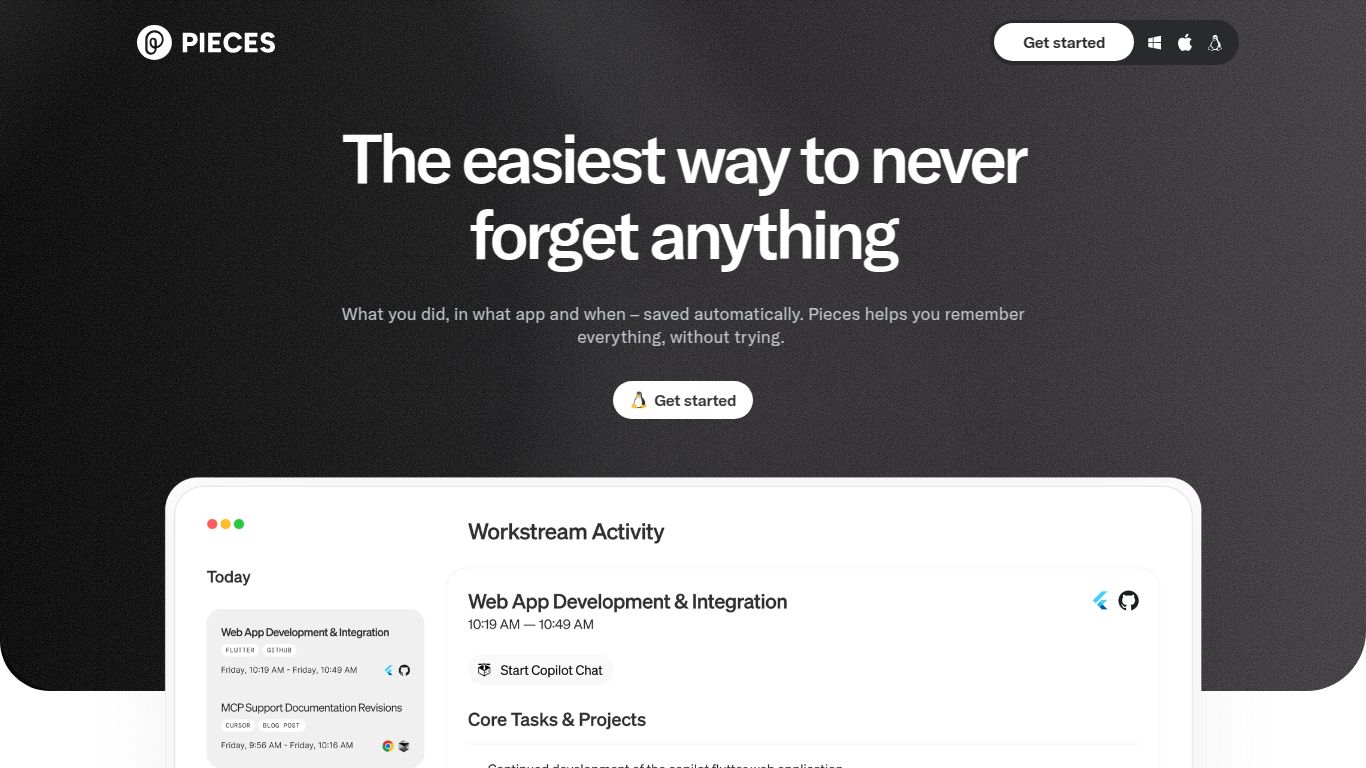
Are you tired of losing brilliant code snippets, endlessly searching for that one useful command, or struggling to organize your development workflow? Meet Pieces for Developers, an innovative AI-powered productivity tool designed to be your ultimate coding companion. Developed by the team at Pieces, this platform isn’t just another snippet manager; it’s an intelligent, on-device assistant that streamlines how you save, find, and reuse code, text, and even screenshots, making your development process faster and more efficient than ever before.
While not a traditional generative AI for art or video, Pieces boasts powerful capabilities focused squarely on the developer’s needs. It excels at understanding, processing, and generating content within your coding environment.
Advanced Screenshot-to-Code: This is where Pieces truly shines. Simply take a screenshot of code from a video, presentation, or website, and Pieces’ powerful OCR and AI will extract the code, clean it up, and make it instantly usable. It’s a magical workflow enhancement!
On-Device AI Chat: Get instant help without compromising your privacy. The on-device copilot can answer questions about your saved snippets, help you debug, or generate new code, all while keeping your data securely on your machine.
Pieces is packed with features that integrate seamlessly into your daily routine, making it feel like a natural extension of your brain.
Deep IDE & Browser Integration: With plugins for VS Code, JetBrains IDEs, and a Chrome extension, you can save and access your snippets without ever leaving your work environment.
Automated Metadata Enrichment: Forget manual tagging. Pieces automatically analyzes your saved materials and adds contextual metadata, making search incredibly powerful and intuitive.
Global Search & Reusability: Instantly find what you need across your entire collection of snippets and resources with a lightning-fast, AI-powered search.
Seamless Cloud Sync: Keep your snippets synchronized across multiple devices, ensuring you have access to your knowledge base whether you’re on your desktop or laptop.
Pieces offers a flexible pricing structure to cater to individuals and teams.
Pro Plan ($9.99/month): Aimed at power users, this plan adds advanced features like cloud sync across multiple devices, more powerful cloud-based AI models, and priority support.
Business Plan (Custom Pricing): Designed for teams and enterprises, this plan provides enhanced security, team collaboration features, on-premise deployment options, and dedicated support.
This tool is a game-changer for anyone who writes code or works with technical information regularly. The target audience includes:
Data Scientists & Analysts: For managing complex scripts, queries, and data manipulation snippets.
DevOps & SREs: To keep track of shell commands, configuration files, and infrastructure-as-code snippets.
Technical Writers & Documentarians: For organizing code examples and technical documentation.
Students & Coding Learners: As an excellent tool for building a personal knowledge base and learning from saved examples.
While the AI space is crowded, Pieces carves out a unique niche. Let’s see how it compares.
Raycast / Alfred: These are powerful productivity launchers with snippet functionalities. However, Pieces is purpose-built for developers, offering deeper AI integration, automatic code-specific metadata, and features like screenshot-to-code, which are absent in general-purpose tools.
SnippetsLab / Other Snippet Managers: Traditional snippet managers lack the AI-powered intelligence of Pieces. They require manual organization, whereas Pieces automates the entire process, making it far more efficient to manage and find what you need.
In conclusion, Pieces for Developers is more than just a tool—it’s a comprehensive, intelligent ecosystem designed to supercharge your entire development workflow. Its focus on on-device AI and seamless integration makes it a must-have for any modern developer looking to code smarter, not harder.
