Unleash Your Organization’s AI Potential with Microsoft Copilot Studio
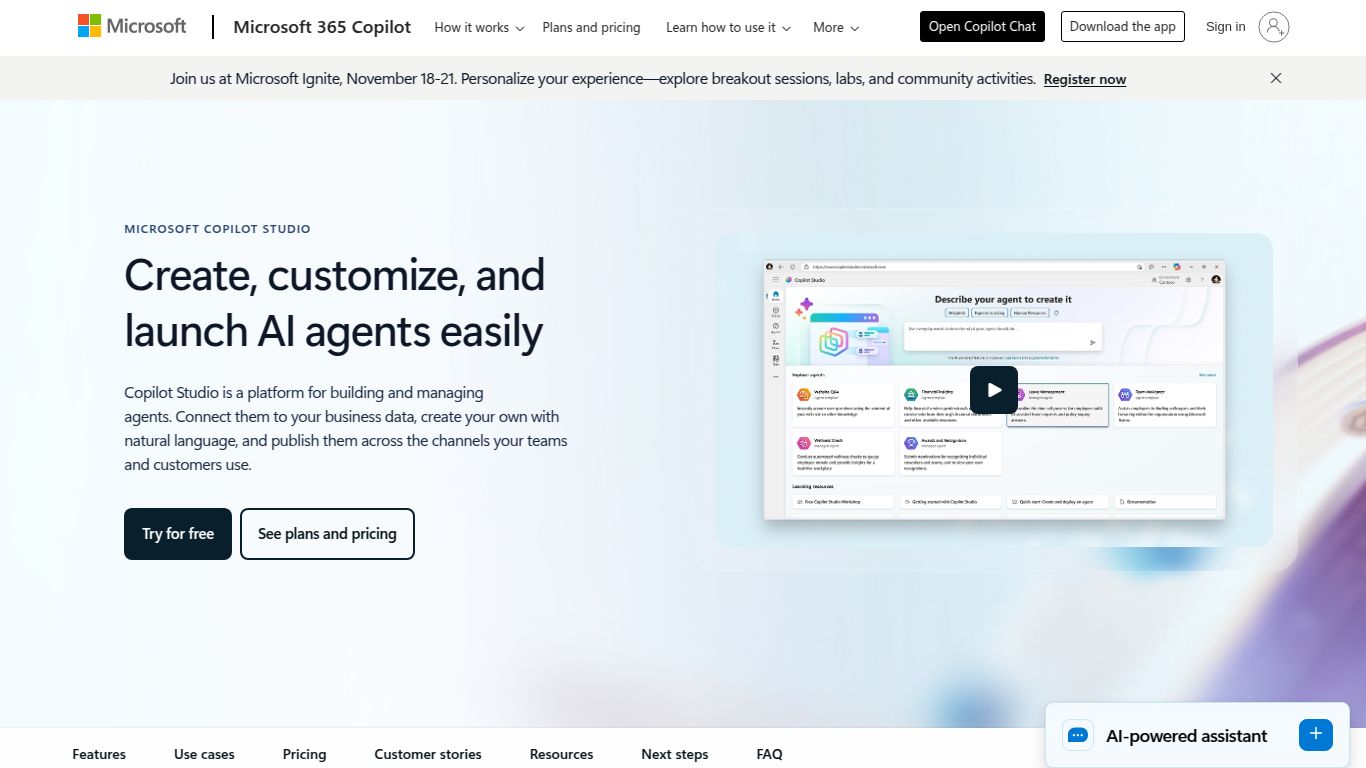
Step into the next era of business automation and productivity with Microsoft Copilot Studio, a groundbreaking low-code platform from the tech giant, Microsoft. This isn’t just another AI tool; it’s a comprehensive workshop that allows you to customize the powerful Microsoft Copilot for Microsoft 365 and build your very own standalone AI-powered copilots. Imagine creating a bespoke AI assistant that understands your business’s unique data, processes, and workflows. That’s the power Copilot Studio puts directly into your hands.
What Can You Build with Copilot Studio?
While some AI tools focus on a single capability, Copilot Studio is a versatile platform for creating intelligent conversational experiences. Its primary output is sophisticated, context-aware interaction, but it achieves this by mastering several domains:
- Advanced Conversational AI: Build intelligent chatbots and virtual agents that can handle complex, multi-turn conversations, understand user intent, and provide genuinely helpful responses. This goes far beyond simple Q&A bots.
- Data-Driven Text Generation: The core of any copilot is its ability to generate text. By connecting to your internal data sources like SharePoint, OneDrive, and other business applications, the copilots you build can draft emails, summarize documents, and answer questions with information that is accurate and specific to your organization.
- Seamless Process Automation: A conversation should lead to action. Copilot Studio allows you to connect to Power Automate, enabling your custom copilots to trigger workflows, update records in a CRM, book meetings, or perform a vast array of automated tasks across your enterprise systems.
Key Features That Set It Apart
Microsoft Copilot Studio is packed with enterprise-grade features designed for both simplicity and power. Here’s what makes it a game-changer:
- Intuitive Low-Code Canvas: You don’t need to be a professional developer to build a powerful copilot. The graphical, drag-and-drop interface makes designing conversation flows and logic incredibly easy and accessible.
- Deep Microsoft 365 Integration: This is its superpower. Copilot Studio is natively integrated with the entire Microsoft ecosystem, including Teams, Outlook, and Power Platform, ensuring a seamless experience for both builders and users.
- Robust Data & Plugin Connectivity: With over 1,000 pre-built connectors (for services like SAP, Workday, and Salesforce) and the ability to create custom plugins, you can securely connect your copilot to virtually any data source or API.
- Enterprise-Grade Governance & Security: Manage, secure, and monitor all your copilots from a single, centralized admin center. Enjoy peace of mind with built-in security, compliance, and analytics that meet the demands of large organizations.
- Custom GPT Builder: Create your own specialized GPTs that are trained on your company’s data and tailored to specific tasks, ensuring highly relevant and on-brand AI interactions.
Microsoft Copilot Studio Pricing
Pricing for Copilot Studio is designed to scale with your organization’s needs. It’s primarily offered as a capacity-based add-on for existing Microsoft 365 customers.
- Prerequisite: To use Copilot Studio, your organization needs a license for Copilot for Microsoft 365.
- Capacity Add-on: The primary pricing model is based on the number of messages processed. The current plan is a tenant-level capacity add-on priced at $200 for 25,000 messages per month. This allows all users in the tenant to build and use custom copilots until the message capacity is reached.
Who is Copilot Studio For?
Copilot Studio is designed to empower a wide range of users across any organization, breaking down the barriers to AI development.
- IT Administrators: To securely manage, govern, and monitor AI usage across the enterprise, ensuring compliance and control.
- Business Analysts & Power Users: Tech-savvy business users in departments like HR, Finance, or Operations can build their own solutions to automate processes and answer common queries without writing a single line of code.
- Professional Developers: For pro-devs who need to tackle more complex challenges, the studio offers tools to build sophisticated plugins, connect to proprietary systems, and extend the platform’s capabilities with custom code.
- Department Heads: Leaders looking to drive efficiency and innovation can use Copilot Studio to rapidly deploy AI solutions that solve specific departmental challenges, from employee onboarding to customer support.
Copilot Studio vs. The Competition
How does Copilot Studio stack up against other conversational AI platforms? The best choice often depends on your existing technology ecosystem and specific goals.
- Microsoft Copilot Studio: The undisputed champion for organizations deeply embedded in the Microsoft 365 ecosystem. Its native integration with Teams, Power Platform, and enterprise data provides an unmatched, seamless experience.
- OpenAI’s GPTs: An excellent choice for individuals, creators, or small teams looking to quickly build custom chatbots for more public-facing or less data-sensitive tasks. It’s simpler but lacks the enterprise-grade governance and deep data connectors of Copilot Studio.
- Google Vertex AI Agent Builder: A powerful and direct competitor for organizations heavily invested in the Google Cloud Platform. It offers robust, enterprise-grade features comparable to Copilot Studio but is optimized for the Google ecosystem.
- Amazon Lex: The go-to solution for companies built on Amazon Web Services (AWS). It provides strong tools for building conversational interfaces that integrate tightly with other AWS services.
