Make AI Automation: The Ultimate Visual Platform to Connect and Automate Everything
In a world overflowing with powerful applications and groundbreaking AI models, the real challenge lies in making them work together seamlessly. Enter Make, a revolutionary no-code platform that acts as the digital glue for your entire workflow. Developed by the company Make (formerly known as Integromat), this tool isn’t an AI model itself, but rather a powerful visual orchestrator that allows you to design, build, and automate any process by connecting your favorite apps—including the most advanced AI tools—without writing a single line of code.
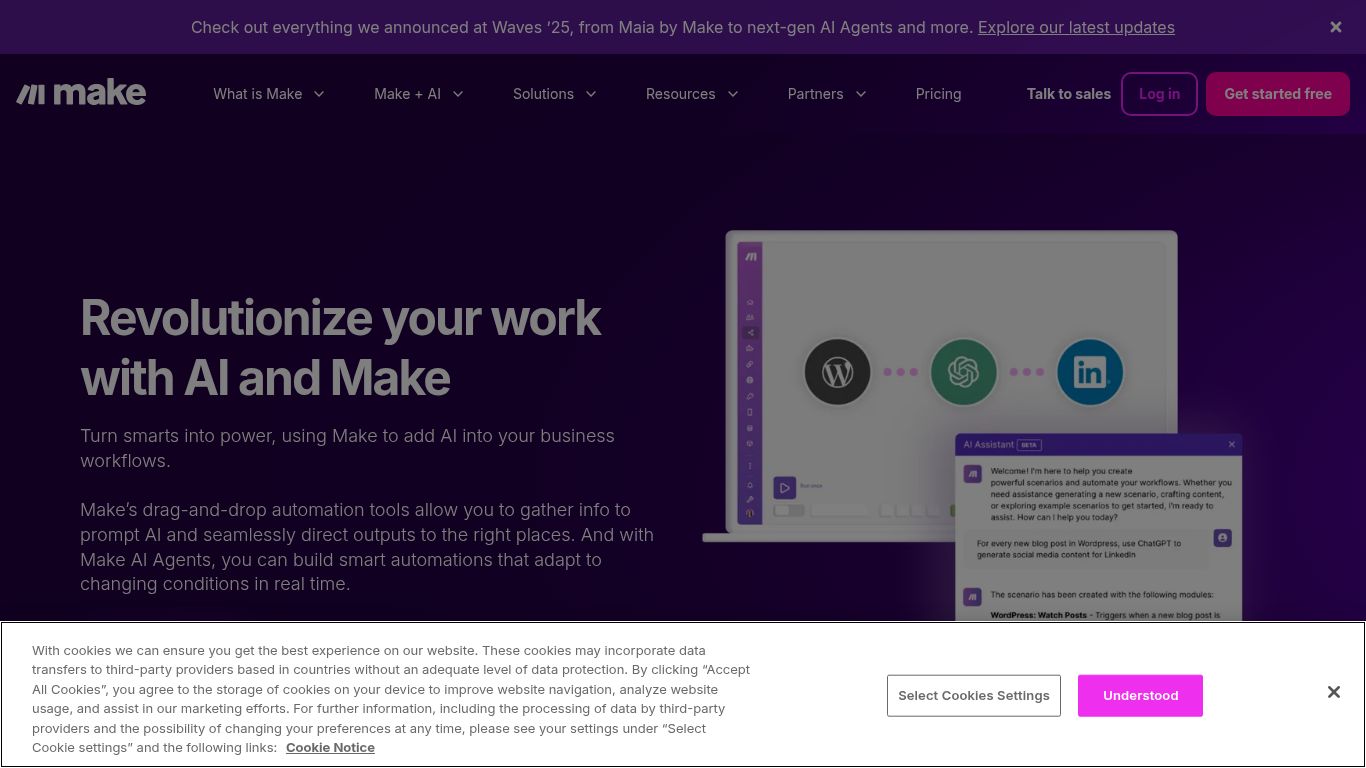
Imagine automatically generating social media content with AI, analyzing customer feedback for sentiment, and updating your CRM, all in one fluid, automated sequence. That’s the power Make puts at your fingertips. It’s a visual canvas where you drag and drop apps like building blocks, creating intricate workflows (called “scenarios”) that run tirelessly in the background, saving you countless hours and supercharging your productivity.
Unleash a Symphony of AI Capabilities
Make excels at integrating with best-in-class AI services, allowing you to embed intelligence into any step of your workflow. Its capabilities are limited only by your imagination and the APIs of the tools you connect. Here’s a taste of what you can achieve:
- Intelligent Text Generation: Connect to models like OpenAI’s GPT-4 or Cohere to automate content creation. Effortlessly draft blog posts, generate personalized email responses, summarize lengthy documents, create product descriptions, or even write code snippets on the fly.
- Stunning Image Creation: Integrate with AI image generators like DALL-E 3 or Stability AI. You can automatically create unique visuals for social media posts, blog headers, or marketing campaigns based on triggers from a spreadsheet or a project management tool.
- Advanced Data & Text Analysis: Leverage AI to understand your data better. Automate sentiment analysis for customer reviews, classify support tickets by urgency, extract key information from unstructured text, or translate content between languages automatically.
- Voice & Video Automation: While less direct, Make can connect to services with APIs for voice transcription or video generation (like Synthesia or D-ID). For example, you could trigger the creation of a personalized video message whenever a new high-value client signs up.
Core Features: Why Make Stands Out
Make is more than just a connector; it’s packed with features designed for both simple and highly complex automations.
- The Visual Builder: This is Make’s signature feature. A fun and intuitive drag-and-drop interface where you can literally see your workflow come to life, making it easy to understand, modify, and debug.
- Massive App Ecosystem: With thousands of pre-built app connectors, from Google Sheets and Slack to Salesforce and Shopify, the chances are high that the tools you already use are ready to be integrated.
- Powerful Logic & Control: Don’t let the “no-code” label fool you. Make offers advanced tools like routers to create different paths for your data, iterators to process items one by one, and aggregators to combine results, giving you granular control over your scenarios.
- Robust Error Handling: Build resilient workflows with sophisticated, customizable error handling that decides what to do when a step fails, ensuring your critical processes don’t grind to a halt.
- Flexible Scheduling & Triggers: Run your scenarios on a schedule (e.g., every 15 minutes), or trigger them instantly based on real-world events like a new email, a form submission, or a webhook.
Pricing: Plans for Every Scale
Make offers a flexible pricing structure that scales with your usage, making it accessible for everyone from solo entrepreneurs to large enterprises. The primary metric is “Operations,” which is a single action a module performs.
Free Plan
Perfect for beginners and hobbyists. It offers 1,000 operations/month, allowing you to build and test two active scenarios and explore the platform’s core functionality.
Core Plan (Starts at $9/month)
Aimed at individuals and small businesses, this plan provides 10,000 operations/month and removes many of the free plan’s limitations, offering a solid foundation for serious automation.
Pro Plan (Starts at $29/month)
Designed for professionals and teams who need more power and speed. It includes a higher number of operations, faster execution intervals, and priority support.
Teams & Enterprise Plans
Custom-priced solutions for larger organizations requiring collaborative features, advanced security, single sign-on (SSO), and dedicated enterprise-level support.
Who is Make For? A Tool for Every Role
The versatility of Make means it delivers value to a wide range of users across different departments and industries.
- Marketers: Automate social media posting, streamline lead nurturing campaigns, sync data between your ad platforms and CRM, and generate AI-powered content at scale.
- Sales Teams: Instantly enrich new leads with data, automate CRM updates, send personalized follow-up sequences, and get notifications for key activities.
- Business Owners & Entrepreneurs: Connect e-commerce stores with shipping and accounting software, automate invoicing, manage customer support tickets, and streamline daily administrative tasks.
- Operations Managers: Design complex internal workflows, automate employee onboarding processes, sync data across departmental tools, and generate regular reports without manual intervention.
- No-Code & Low-Code Developers: Rapidly prototype and build internal tools, create complex API integrations, and automate backend processes without the overhead of traditional coding.
Make vs. The Competition
How does Make stack up against other giants in the automation space? Here’s a quick comparison.
Make vs. Zapier
This is the classic matchup. Zapier is often praised for its simplicity and massive app library, using a linear, step-by-step approach. Make, with its visual builder, offers more flexibility and power for creating complex, multi-path scenarios and is often more cost-effective at higher volumes of operations.
Make vs. n8n.io
n8n is a powerful, open-source alternative that can be self-hosted, giving developers ultimate control and data privacy. It has a steeper learning curve than Make and is generally geared more towards technical users. Make is more user-friendly for non-developers.
Make vs. Microsoft Power Automate
Power Automate’s key strength is its deep, native integration with the Microsoft 365 and Azure ecosystems. If your business runs on Microsoft products, it’s a compelling choice. However, Make often provides a wider range of third-party connectors (especially for non-Microsoft SaaS) and a more intuitive visual interface.
