UiPath Autopilot
AI-powered experiences across the UiPath platform to design, test, and run automations faster.
AI copilot and extension that records or generates automations to work across websites and apps.
Marketers: To collect social media data, monitor brand mentions, and manage content pipelines across different tools.
Founders & Entrepreneurs: For automating administrative tasks, conducting market research, and managing business operations efficiently.
Product Managers & Researchers: To gather user feedback, scrape competitor data, and synthesize information from multiple sources.
While Zapier is the undisputed king of cloud app integrations, its focus is primarily on backend, server-to-server connections. Bardeen excels where Zapier falls short: in-browser and user-interface automation. If your workflow starts with manually copying data from a website, Bardeen is a far more elegant and efficient solution.
Make offers a powerful visual canvas for building complex, multi-step scenarios. However, it shares Zapier’s focus on app-to-app connections. Bardeen is more user-friendly for non-technical users and its AI-powered “Magic Box” provides a much faster way to build simple to moderately complex automations without navigating a complex visual interface.
Tools like PhantomBuster or Axiom.ai are powerful for web scraping but are often more specialized and can have a steeper learning curve. Bardeen integrates scraping seamlessly into a broader automation ecosystem. You don’t just scrape the data; you can instantly send it to any integrated app as part of a larger workflow, making it a more holistic productivity tool.
Sales Professionals: For lead generation, scraping contact info from LinkedIn Sales Navigator, and enriching CRM data automatically.
Recruiters & HR: For sourcing candidates, tracking applicants across different platforms, and streamlining outreach.
Marketers: To collect social media data, monitor brand mentions, and manage content pipelines across different tools.
Founders & Entrepreneurs: For automating administrative tasks, conducting market research, and managing business operations efficiently.
Product Managers & Researchers: To gather user feedback, scrape competitor data, and synthesize information from multiple sources.
While Zapier is the undisputed king of cloud app integrations, its focus is primarily on backend, server-to-server connections. Bardeen excels where Zapier falls short: in-browser and user-interface automation. If your workflow starts with manually copying data from a website, Bardeen is a far more elegant and efficient solution.
Make offers a powerful visual canvas for building complex, multi-step scenarios. However, it shares Zapier’s focus on app-to-app connections. Bardeen is more user-friendly for non-technical users and its AI-powered “Magic Box” provides a much faster way to build simple to moderately complex automations without navigating a complex visual interface.
Tools like PhantomBuster or Axiom.ai are powerful for web scraping but are often more specialized and can have a steeper learning curve. Bardeen integrates scraping seamlessly into a broader automation ecosystem. You don’t just scrape the data; you can instantly send it to any integrated app as part of a larger workflow, making it a more holistic productivity tool.
Recruiters & HR: For sourcing candidates, tracking applicants across different platforms, and streamlining outreach.
Marketers: To collect social media data, monitor brand mentions, and manage content pipelines across different tools.
Founders & Entrepreneurs: For automating administrative tasks, conducting market research, and managing business operations efficiently.
Product Managers & Researchers: To gather user feedback, scrape competitor data, and synthesize information from multiple sources.
While Zapier is the undisputed king of cloud app integrations, its focus is primarily on backend, server-to-server connections. Bardeen excels where Zapier falls short: in-browser and user-interface automation. If your workflow starts with manually copying data from a website, Bardeen is a far more elegant and efficient solution.
Make offers a powerful visual canvas for building complex, multi-step scenarios. However, it shares Zapier’s focus on app-to-app connections. Bardeen is more user-friendly for non-technical users and its AI-powered “Magic Box” provides a much faster way to build simple to moderately complex automations without navigating a complex visual interface.
Tools like PhantomBuster or Axiom.ai are powerful for web scraping but are often more specialized and can have a steeper learning curve. Bardeen integrates scraping seamlessly into a broader automation ecosystem. You don’t just scrape the data; you can instantly send it to any integrated app as part of a larger workflow, making it a more holistic productivity tool.
Recruiters & HR: For sourcing candidates, tracking applicants across different platforms, and streamlining outreach.
Marketers: To collect social media data, monitor brand mentions, and manage content pipelines across different tools.
Founders & Entrepreneurs: For automating administrative tasks, conducting market research, and managing business operations efficiently.
Product Managers & Researchers: To gather user feedback, scrape competitor data, and synthesize information from multiple sources.
While Zapier is the undisputed king of cloud app integrations, its focus is primarily on backend, server-to-server connections. Bardeen excels where Zapier falls short: in-browser and user-interface automation. If your workflow starts with manually copying data from a website, Bardeen is a far more elegant and efficient solution.
Make offers a powerful visual canvas for building complex, multi-step scenarios. However, it shares Zapier’s focus on app-to-app connections. Bardeen is more user-friendly for non-technical users and its AI-powered “Magic Box” provides a much faster way to build simple to moderately complex automations without navigating a complex visual interface.
Tools like PhantomBuster or Axiom.ai are powerful for web scraping but are often more specialized and can have a steeper learning curve. Bardeen integrates scraping seamlessly into a broader automation ecosystem. You don’t just scrape the data; you can instantly send it to any integrated app as part of a larger workflow, making it a more holistic productivity tool.
Deep Integrations: Bardeen offers deep, native integrations with the most popular web apps, allowing for more complex and reliable automations than many competitors.
No-Code Builder: For those who want to create custom workflows from scratch, Bardeen provides an intuitive, visual builder that makes it easy to chain together actions and triggers without any technical knowledge.
Always-On Background Automation: Set up triggers that run in the background to monitor websites for changes, check for new emails, or watch for calendar events, and then execute workflows automatically.
Perfect for individuals getting started with automation. This plan includes a generous amount of monthly credits, access to a wide range of Playbooks, and the ability to build your own automations.
Designed for power users and professionals who rely on automation. This tier offers a significantly higher number of credits, access to premium integrations, and the ability to run automations in the background.
Tailored for teams and organizations. It includes everything in the Professional plan plus collaborative features, team management, priority support, and enhanced security options.
Bardeen is a game-changer for anyone who performs repetitive tasks in a web browser. Key users include:
Recruiters & HR: For sourcing candidates, tracking applicants across different platforms, and streamlining outreach.
Marketers: To collect social media data, monitor brand mentions, and manage content pipelines across different tools.
Founders & Entrepreneurs: For automating administrative tasks, conducting market research, and managing business operations efficiently.
Product Managers & Researchers: To gather user feedback, scrape competitor data, and synthesize information from multiple sources.
While Zapier is the undisputed king of cloud app integrations, its focus is primarily on backend, server-to-server connections. Bardeen excels where Zapier falls short: in-browser and user-interface automation. If your workflow starts with manually copying data from a website, Bardeen is a far more elegant and efficient solution.
Make offers a powerful visual canvas for building complex, multi-step scenarios. However, it shares Zapier’s focus on app-to-app connections. Bardeen is more user-friendly for non-technical users and its AI-powered “Magic Box” provides a much faster way to build simple to moderately complex automations without navigating a complex visual interface.
Tools like PhantomBuster or Axiom.ai are powerful for web scraping but are often more specialized and can have a steeper learning curve. Bardeen integrates scraping seamlessly into a broader automation ecosystem. You don’t just scrape the data; you can instantly send it to any integrated app as part of a larger workflow, making it a more holistic productivity tool.
The Magic Box: This is Bardeen’s signature AI feature. Simply press Option+B (or Alt+B) and type your automation command in natural language. It’s the closest thing to having a developer at your beck and call.
Deep Integrations: Bardeen offers deep, native integrations with the most popular web apps, allowing for more complex and reliable automations than many competitors.
No-Code Builder: For those who want to create custom workflows from scratch, Bardeen provides an intuitive, visual builder that makes it easy to chain together actions and triggers without any technical knowledge.
Always-On Background Automation: Set up triggers that run in the background to monitor websites for changes, check for new emails, or watch for calendar events, and then execute workflows automatically.
Perfect for individuals getting started with automation. This plan includes a generous amount of monthly credits, access to a wide range of Playbooks, and the ability to build your own automations.
Designed for power users and professionals who rely on automation. This tier offers a significantly higher number of credits, access to premium integrations, and the ability to run automations in the background.
Tailored for teams and organizations. It includes everything in the Professional plan plus collaborative features, team management, priority support, and enhanced security options.
Bardeen is a game-changer for anyone who performs repetitive tasks in a web browser. Key users include:
Recruiters & HR: For sourcing candidates, tracking applicants across different platforms, and streamlining outreach.
Marketers: To collect social media data, monitor brand mentions, and manage content pipelines across different tools.
Founders & Entrepreneurs: For automating administrative tasks, conducting market research, and managing business operations efficiently.
Product Managers & Researchers: To gather user feedback, scrape competitor data, and synthesize information from multiple sources.
While Zapier is the undisputed king of cloud app integrations, its focus is primarily on backend, server-to-server connections. Bardeen excels where Zapier falls short: in-browser and user-interface automation. If your workflow starts with manually copying data from a website, Bardeen is a far more elegant and efficient solution.
Make offers a powerful visual canvas for building complex, multi-step scenarios. However, it shares Zapier’s focus on app-to-app connections. Bardeen is more user-friendly for non-technical users and its AI-powered “Magic Box” provides a much faster way to build simple to moderately complex automations without navigating a complex visual interface.
Tools like PhantomBuster or Axiom.ai are powerful for web scraping but are often more specialized and can have a steeper learning curve. Bardeen integrates scraping seamlessly into a broader automation ecosystem. You don’t just scrape the data; you can instantly send it to any integrated app as part of a larger workflow, making it a more holistic productivity tool.
Playbooks: A massive library of pre-built automation templates for common tasks in sales, marketing, recruiting, and more. Find a Playbook you like and activate it in seconds.
The Magic Box: This is Bardeen’s signature AI feature. Simply press Option+B (or Alt+B) and type your automation command in natural language. It’s the closest thing to having a developer at your beck and call.
Deep Integrations: Bardeen offers deep, native integrations with the most popular web apps, allowing for more complex and reliable automations than many competitors.
No-Code Builder: For those who want to create custom workflows from scratch, Bardeen provides an intuitive, visual builder that makes it easy to chain together actions and triggers without any technical knowledge.
Always-On Background Automation: Set up triggers that run in the background to monitor websites for changes, check for new emails, or watch for calendar events, and then execute workflows automatically.
Perfect for individuals getting started with automation. This plan includes a generous amount of monthly credits, access to a wide range of Playbooks, and the ability to build your own automations.
Designed for power users and professionals who rely on automation. This tier offers a significantly higher number of credits, access to premium integrations, and the ability to run automations in the background.
Tailored for teams and organizations. It includes everything in the Professional plan plus collaborative features, team management, priority support, and enhanced security options.
Bardeen is a game-changer for anyone who performs repetitive tasks in a web browser. Key users include:
Recruiters & HR: For sourcing candidates, tracking applicants across different platforms, and streamlining outreach.
Marketers: To collect social media data, monitor brand mentions, and manage content pipelines across different tools.
Founders & Entrepreneurs: For automating administrative tasks, conducting market research, and managing business operations efficiently.
Product Managers & Researchers: To gather user feedback, scrape competitor data, and synthesize information from multiple sources.
While Zapier is the undisputed king of cloud app integrations, its focus is primarily on backend, server-to-server connections. Bardeen excels where Zapier falls short: in-browser and user-interface automation. If your workflow starts with manually copying data from a website, Bardeen is a far more elegant and efficient solution.
Make offers a powerful visual canvas for building complex, multi-step scenarios. However, it shares Zapier’s focus on app-to-app connections. Bardeen is more user-friendly for non-technical users and its AI-powered “Magic Box” provides a much faster way to build simple to moderately complex automations without navigating a complex visual interface.
Tools like PhantomBuster or Axiom.ai are powerful for web scraping but are often more specialized and can have a steeper learning curve. Bardeen integrates scraping seamlessly into a broader automation ecosystem. You don’t just scrape the data; you can instantly send it to any integrated app as part of a larger workflow, making it a more holistic productivity tool.
The Magic Box: This is Bardeen’s signature AI feature. Simply press Option+B (or Alt+B) and type your automation command in natural language. It’s the closest thing to having a developer at your beck and call.
Deep Integrations: Bardeen offers deep, native integrations with the most popular web apps, allowing for more complex and reliable automations than many competitors.
No-Code Builder: For those who want to create custom workflows from scratch, Bardeen provides an intuitive, visual builder that makes it easy to chain together actions and triggers without any technical knowledge.
Always-On Background Automation: Set up triggers that run in the background to monitor websites for changes, check for new emails, or watch for calendar events, and then execute workflows automatically.
Perfect for individuals getting started with automation. This plan includes a generous amount of monthly credits, access to a wide range of Playbooks, and the ability to build your own automations.
Designed for power users and professionals who rely on automation. This tier offers a significantly higher number of credits, access to premium integrations, and the ability to run automations in the background.
Tailored for teams and organizations. It includes everything in the Professional plan plus collaborative features, team management, priority support, and enhanced security options.
Bardeen is a game-changer for anyone who performs repetitive tasks in a web browser. Key users include:
Recruiters & HR: For sourcing candidates, tracking applicants across different platforms, and streamlining outreach.
Marketers: To collect social media data, monitor brand mentions, and manage content pipelines across different tools.
Founders & Entrepreneurs: For automating administrative tasks, conducting market research, and managing business operations efficiently.
Product Managers & Researchers: To gather user feedback, scrape competitor data, and synthesize information from multiple sources.
While Zapier is the undisputed king of cloud app integrations, its focus is primarily on backend, server-to-server connections. Bardeen excels where Zapier falls short: in-browser and user-interface automation. If your workflow starts with manually copying data from a website, Bardeen is a far more elegant and efficient solution.
Make offers a powerful visual canvas for building complex, multi-step scenarios. However, it shares Zapier’s focus on app-to-app connections. Bardeen is more user-friendly for non-technical users and its AI-powered “Magic Box” provides a much faster way to build simple to moderately complex automations without navigating a complex visual interface.
Tools like PhantomBuster or Axiom.ai are powerful for web scraping but are often more specialized and can have a steeper learning curve. Bardeen integrates scraping seamlessly into a broader automation ecosystem. You don’t just scrape the data; you can instantly send it to any integrated app as part of a larger workflow, making it a more holistic productivity tool.
The Magic Box: This is Bardeen’s signature AI feature. Simply press Option+B (or Alt+B) and type your automation command in natural language. It’s the closest thing to having a developer at your beck and call.
Deep Integrations: Bardeen offers deep, native integrations with the most popular web apps, allowing for more complex and reliable automations than many competitors.
No-Code Builder: For those who want to create custom workflows from scratch, Bardeen provides an intuitive, visual builder that makes it easy to chain together actions and triggers without any technical knowledge.
Always-On Background Automation: Set up triggers that run in the background to monitor websites for changes, check for new emails, or watch for calendar events, and then execute workflows automatically.
Perfect for individuals getting started with automation. This plan includes a generous amount of monthly credits, access to a wide range of Playbooks, and the ability to build your own automations.
Designed for power users and professionals who rely on automation. This tier offers a significantly higher number of credits, access to premium integrations, and the ability to run automations in the background.
Tailored for teams and organizations. It includes everything in the Professional plan plus collaborative features, team management, priority support, and enhanced security options.
Bardeen is a game-changer for anyone who performs repetitive tasks in a web browser. Key users include:
Recruiters & HR: For sourcing candidates, tracking applicants across different platforms, and streamlining outreach.
Marketers: To collect social media data, monitor brand mentions, and manage content pipelines across different tools.
Founders & Entrepreneurs: For automating administrative tasks, conducting market research, and managing business operations efficiently.
Product Managers & Researchers: To gather user feedback, scrape competitor data, and synthesize information from multiple sources.
While Zapier is the undisputed king of cloud app integrations, its focus is primarily on backend, server-to-server connections. Bardeen excels where Zapier falls short: in-browser and user-interface automation. If your workflow starts with manually copying data from a website, Bardeen is a far more elegant and efficient solution.
Make offers a powerful visual canvas for building complex, multi-step scenarios. However, it shares Zapier’s focus on app-to-app connections. Bardeen is more user-friendly for non-technical users and its AI-powered “Magic Box” provides a much faster way to build simple to moderately complex automations without navigating a complex visual interface.
Tools like PhantomBuster or Axiom.ai are powerful for web scraping but are often more specialized and can have a steeper learning curve. Bardeen integrates scraping seamlessly into a broader automation ecosystem. You don’t just scrape the data; you can instantly send it to any integrated app as part of a larger workflow, making it a more holistic productivity tool.
Cross-App Workflow Automation: Connect your tools in ways you never thought possible. For example, automatically create a new Salesforce lead from a LinkedIn profile, send a Slack notification when a new row is added to a Google Sheet, or save important emails to a Notion database.
AI-Powered Task Execution: Bardeen’s “Magic Box” allows you to describe the automation you want in plain English. Just type something like, “When I’m on a LinkedIn profile, save their name, title, and company to my Notion CRM,” and Bardeen will build the automation for you.
Context-Aware Actions: Because Bardeen operates as a browser extension, it understands the context of the page you’re on. This allows for incredibly powerful, on-the-spot automations that are triggered by a simple right-click.
The Magic Box: This is Bardeen’s signature AI feature. Simply press Option+B (or Alt+B) and type your automation command in natural language. It’s the closest thing to having a developer at your beck and call.
Deep Integrations: Bardeen offers deep, native integrations with the most popular web apps, allowing for more complex and reliable automations than many competitors.
No-Code Builder: For those who want to create custom workflows from scratch, Bardeen provides an intuitive, visual builder that makes it easy to chain together actions and triggers without any technical knowledge.
Always-On Background Automation: Set up triggers that run in the background to monitor websites for changes, check for new emails, or watch for calendar events, and then execute workflows automatically.
Perfect for individuals getting started with automation. This plan includes a generous amount of monthly credits, access to a wide range of Playbooks, and the ability to build your own automations.
Designed for power users and professionals who rely on automation. This tier offers a significantly higher number of credits, access to premium integrations, and the ability to run automations in the background.
Tailored for teams and organizations. It includes everything in the Professional plan plus collaborative features, team management, priority support, and enhanced security options.
Bardeen is a game-changer for anyone who performs repetitive tasks in a web browser. Key users include:
Recruiters & HR: For sourcing candidates, tracking applicants across different platforms, and streamlining outreach.
Marketers: To collect social media data, monitor brand mentions, and manage content pipelines across different tools.
Founders & Entrepreneurs: For automating administrative tasks, conducting market research, and managing business operations efficiently.
Product Managers & Researchers: To gather user feedback, scrape competitor data, and synthesize information from multiple sources.
While Zapier is the undisputed king of cloud app integrations, its focus is primarily on backend, server-to-server connections. Bardeen excels where Zapier falls short: in-browser and user-interface automation. If your workflow starts with manually copying data from a website, Bardeen is a far more elegant and efficient solution.
Make offers a powerful visual canvas for building complex, multi-step scenarios. However, it shares Zapier’s focus on app-to-app connections. Bardeen is more user-friendly for non-technical users and its AI-powered “Magic Box” provides a much faster way to build simple to moderately complex automations without navigating a complex visual interface.
Tools like PhantomBuster or Axiom.ai are powerful for web scraping but are often more specialized and can have a steeper learning curve. Bardeen integrates scraping seamlessly into a broader automation ecosystem. You don’t just scrape the data; you can instantly send it to any integrated app as part of a larger workflow, making it a more holistic productivity tool.
One-Click Web Scraping: Effortlessly extract data from any website. Scrape lists of companies, LinkedIn profiles, product details from e-commerce sites, or articles and save them directly to Google Sheets, Airtable, or Notion with a single click.
Cross-App Workflow Automation: Connect your tools in ways you never thought possible. For example, automatically create a new Salesforce lead from a LinkedIn profile, send a Slack notification when a new row is added to a Google Sheet, or save important emails to a Notion database.
AI-Powered Task Execution: Bardeen’s “Magic Box” allows you to describe the automation you want in plain English. Just type something like, “When I’m on a LinkedIn profile, save their name, title, and company to my Notion CRM,” and Bardeen will build the automation for you.
Context-Aware Actions: Because Bardeen operates as a browser extension, it understands the context of the page you’re on. This allows for incredibly powerful, on-the-spot automations that are triggered by a simple right-click.
The Magic Box: This is Bardeen’s signature AI feature. Simply press Option+B (or Alt+B) and type your automation command in natural language. It’s the closest thing to having a developer at your beck and call.
Deep Integrations: Bardeen offers deep, native integrations with the most popular web apps, allowing for more complex and reliable automations than many competitors.
No-Code Builder: For those who want to create custom workflows from scratch, Bardeen provides an intuitive, visual builder that makes it easy to chain together actions and triggers without any technical knowledge.
Always-On Background Automation: Set up triggers that run in the background to monitor websites for changes, check for new emails, or watch for calendar events, and then execute workflows automatically.
Perfect for individuals getting started with automation. This plan includes a generous amount of monthly credits, access to a wide range of Playbooks, and the ability to build your own automations.
Designed for power users and professionals who rely on automation. This tier offers a significantly higher number of credits, access to premium integrations, and the ability to run automations in the background.
Tailored for teams and organizations. It includes everything in the Professional plan plus collaborative features, team management, priority support, and enhanced security options.
Bardeen is a game-changer for anyone who performs repetitive tasks in a web browser. Key users include:
Recruiters & HR: For sourcing candidates, tracking applicants across different platforms, and streamlining outreach.
Marketers: To collect social media data, monitor brand mentions, and manage content pipelines across different tools.
Founders & Entrepreneurs: For automating administrative tasks, conducting market research, and managing business operations efficiently.
Product Managers & Researchers: To gather user feedback, scrape competitor data, and synthesize information from multiple sources.
While Zapier is the undisputed king of cloud app integrations, its focus is primarily on backend, server-to-server connections. Bardeen excels where Zapier falls short: in-browser and user-interface automation. If your workflow starts with manually copying data from a website, Bardeen is a far more elegant and efficient solution.
Make offers a powerful visual canvas for building complex, multi-step scenarios. However, it shares Zapier’s focus on app-to-app connections. Bardeen is more user-friendly for non-technical users and its AI-powered “Magic Box” provides a much faster way to build simple to moderately complex automations without navigating a complex visual interface.
Tools like PhantomBuster or Axiom.ai are powerful for web scraping but are often more specialized and can have a steeper learning curve. Bardeen integrates scraping seamlessly into a broader automation ecosystem. You don’t just scrape the data; you can instantly send it to any integrated app as part of a larger workflow, making it a more holistic productivity tool.
Cross-App Workflow Automation: Connect your tools in ways you never thought possible. For example, automatically create a new Salesforce lead from a LinkedIn profile, send a Slack notification when a new row is added to a Google Sheet, or save important emails to a Notion database.
AI-Powered Task Execution: Bardeen’s “Magic Box” allows you to describe the automation you want in plain English. Just type something like, “When I’m on a LinkedIn profile, save their name, title, and company to my Notion CRM,” and Bardeen will build the automation for you.
Context-Aware Actions: Because Bardeen operates as a browser extension, it understands the context of the page you’re on. This allows for incredibly powerful, on-the-spot automations that are triggered by a simple right-click.
The Magic Box: This is Bardeen’s signature AI feature. Simply press Option+B (or Alt+B) and type your automation command in natural language. It’s the closest thing to having a developer at your beck and call.
Deep Integrations: Bardeen offers deep, native integrations with the most popular web apps, allowing for more complex and reliable automations than many competitors.
No-Code Builder: For those who want to create custom workflows from scratch, Bardeen provides an intuitive, visual builder that makes it easy to chain together actions and triggers without any technical knowledge.
Always-On Background Automation: Set up triggers that run in the background to monitor websites for changes, check for new emails, or watch for calendar events, and then execute workflows automatically.
Perfect for individuals getting started with automation. This plan includes a generous amount of monthly credits, access to a wide range of Playbooks, and the ability to build your own automations.
Designed for power users and professionals who rely on automation. This tier offers a significantly higher number of credits, access to premium integrations, and the ability to run automations in the background.
Tailored for teams and organizations. It includes everything in the Professional plan plus collaborative features, team management, priority support, and enhanced security options.
Bardeen is a game-changer for anyone who performs repetitive tasks in a web browser. Key users include:
Recruiters & HR: For sourcing candidates, tracking applicants across different platforms, and streamlining outreach.
Marketers: To collect social media data, monitor brand mentions, and manage content pipelines across different tools.
Founders & Entrepreneurs: For automating administrative tasks, conducting market research, and managing business operations efficiently.
Product Managers & Researchers: To gather user feedback, scrape competitor data, and synthesize information from multiple sources.
While Zapier is the undisputed king of cloud app integrations, its focus is primarily on backend, server-to-server connections. Bardeen excels where Zapier falls short: in-browser and user-interface automation. If your workflow starts with manually copying data from a website, Bardeen is a far more elegant and efficient solution.
Make offers a powerful visual canvas for building complex, multi-step scenarios. However, it shares Zapier’s focus on app-to-app connections. Bardeen is more user-friendly for non-technical users and its AI-powered “Magic Box” provides a much faster way to build simple to moderately complex automations without navigating a complex visual interface.
Tools like PhantomBuster or Axiom.ai are powerful for web scraping but are often more specialized and can have a steeper learning curve. Bardeen integrates scraping seamlessly into a broader automation ecosystem. You don’t just scrape the data; you can instantly send it to any integrated app as part of a larger workflow, making it a more holistic productivity tool.
Cross-App Workflow Automation: Connect your tools in ways you never thought possible. For example, automatically create a new Salesforce lead from a LinkedIn profile, send a Slack notification when a new row is added to a Google Sheet, or save important emails to a Notion database.
AI-Powered Task Execution: Bardeen’s “Magic Box” allows you to describe the automation you want in plain English. Just type something like, “When I’m on a LinkedIn profile, save their name, title, and company to my Notion CRM,” and Bardeen will build the automation for you.
Context-Aware Actions: Because Bardeen operates as a browser extension, it understands the context of the page you’re on. This allows for incredibly powerful, on-the-spot automations that are triggered by a simple right-click.
The Magic Box: This is Bardeen’s signature AI feature. Simply press Option+B (or Alt+B) and type your automation command in natural language. It’s the closest thing to having a developer at your beck and call.
Deep Integrations: Bardeen offers deep, native integrations with the most popular web apps, allowing for more complex and reliable automations than many competitors.
No-Code Builder: For those who want to create custom workflows from scratch, Bardeen provides an intuitive, visual builder that makes it easy to chain together actions and triggers without any technical knowledge.
Always-On Background Automation: Set up triggers that run in the background to monitor websites for changes, check for new emails, or watch for calendar events, and then execute workflows automatically.
Perfect for individuals getting started with automation. This plan includes a generous amount of monthly credits, access to a wide range of Playbooks, and the ability to build your own automations.
Designed for power users and professionals who rely on automation. This tier offers a significantly higher number of credits, access to premium integrations, and the ability to run automations in the background.
Tailored for teams and organizations. It includes everything in the Professional plan plus collaborative features, team management, priority support, and enhanced security options.
Bardeen is a game-changer for anyone who performs repetitive tasks in a web browser. Key users include:
Recruiters & HR: For sourcing candidates, tracking applicants across different platforms, and streamlining outreach.
Marketers: To collect social media data, monitor brand mentions, and manage content pipelines across different tools.
Founders & Entrepreneurs: For automating administrative tasks, conducting market research, and managing business operations efficiently.
Product Managers & Researchers: To gather user feedback, scrape competitor data, and synthesize information from multiple sources.
While Zapier is the undisputed king of cloud app integrations, its focus is primarily on backend, server-to-server connections. Bardeen excels where Zapier falls short: in-browser and user-interface automation. If your workflow starts with manually copying data from a website, Bardeen is a far more elegant and efficient solution.
Make offers a powerful visual canvas for building complex, multi-step scenarios. However, it shares Zapier’s focus on app-to-app connections. Bardeen is more user-friendly for non-technical users and its AI-powered “Magic Box” provides a much faster way to build simple to moderately complex automations without navigating a complex visual interface.
Tools like PhantomBuster or Axiom.ai are powerful for web scraping but are often more specialized and can have a steeper learning curve. Bardeen integrates scraping seamlessly into a broader automation ecosystem. You don’t just scrape the data; you can instantly send it to any integrated app as part of a larger workflow, making it a more holistic productivity tool.
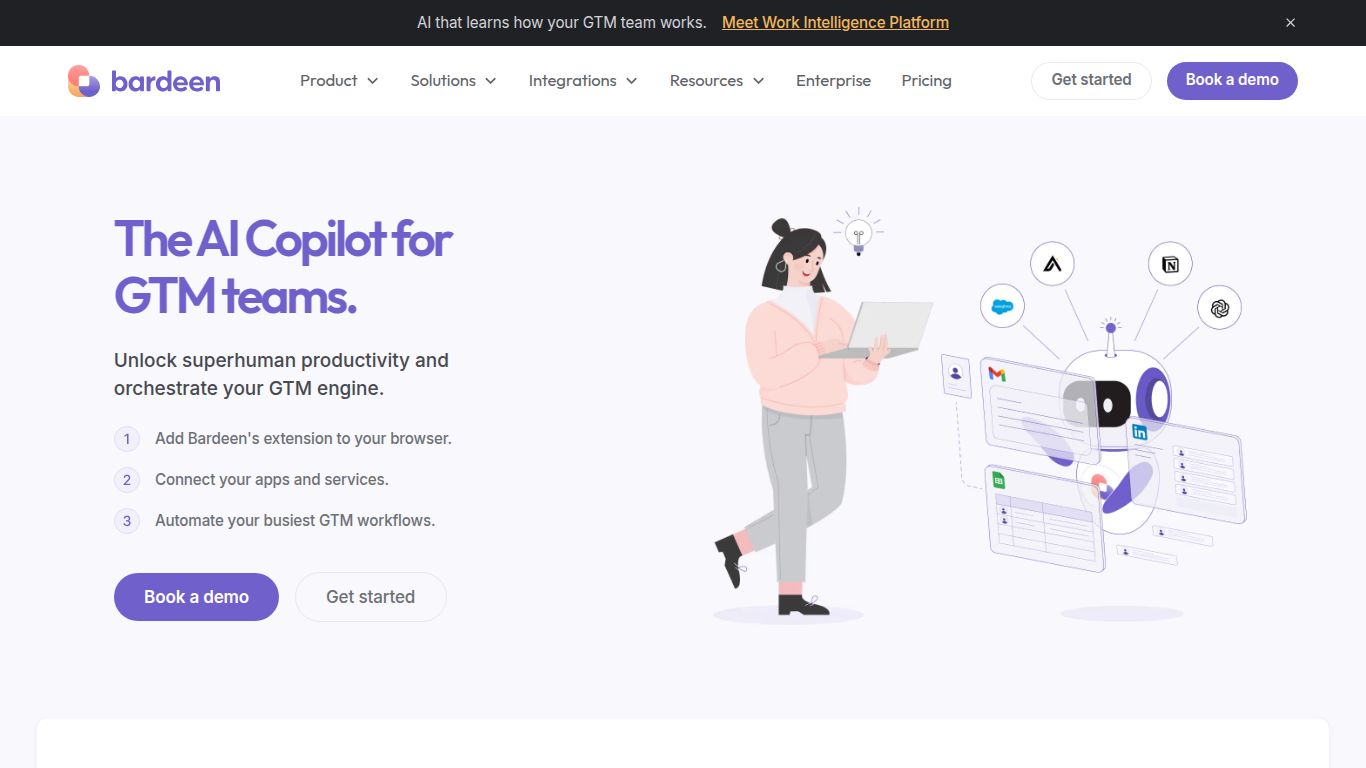
Imagine having a personal assistant living inside your web browser, ready to take on all your tedious, repetitive tasks with a single command. That’s the magic of Bardeen.ai. Developed by Bardeen, Inc., this powerful tool is a no-code automation platform designed to streamline your workflows, scrape data, and connect your favorite web apps without you ever having to write a single line of code. It’s not just another automation tool; it’s an AI-powered copilot that understands your needs and builds workflows for you on the fly.
At its core, Bardeen acts as a bridge between the websites you visit and the applications you use daily, such as Google Sheets, Notion, Slack, and Salesforce. It uses pre-built recipes called “Playbooks” and an intuitive AI interface to automate tasks like transferring data, sending notifications, and enriching contact information, saving you countless hours of manual work.
While Bardeen doesn’t generate content like images or video itself, its true power lies in automating the processes that involve this content. It’s the ultimate productivity engine for your web-based tasks.
Cross-App Workflow Automation: Connect your tools in ways you never thought possible. For example, automatically create a new Salesforce lead from a LinkedIn profile, send a Slack notification when a new row is added to a Google Sheet, or save important emails to a Notion database.
AI-Powered Task Execution: Bardeen’s “Magic Box” allows you to describe the automation you want in plain English. Just type something like, “When I’m on a LinkedIn profile, save their name, title, and company to my Notion CRM,” and Bardeen will build the automation for you.
Context-Aware Actions: Because Bardeen operates as a browser extension, it understands the context of the page you’re on. This allows for incredibly powerful, on-the-spot automations that are triggered by a simple right-click.
The Magic Box: This is Bardeen’s signature AI feature. Simply press Option+B (or Alt+B) and type your automation command in natural language. It’s the closest thing to having a developer at your beck and call.
Deep Integrations: Bardeen offers deep, native integrations with the most popular web apps, allowing for more complex and reliable automations than many competitors.
No-Code Builder: For those who want to create custom workflows from scratch, Bardeen provides an intuitive, visual builder that makes it easy to chain together actions and triggers without any technical knowledge.
Always-On Background Automation: Set up triggers that run in the background to monitor websites for changes, check for new emails, or watch for calendar events, and then execute workflows automatically.
Perfect for individuals getting started with automation. This plan includes a generous amount of monthly credits, access to a wide range of Playbooks, and the ability to build your own automations.
Designed for power users and professionals who rely on automation. This tier offers a significantly higher number of credits, access to premium integrations, and the ability to run automations in the background.
Tailored for teams and organizations. It includes everything in the Professional plan plus collaborative features, team management, priority support, and enhanced security options.
Bardeen is a game-changer for anyone who performs repetitive tasks in a web browser. Key users include:
Recruiters & HR: For sourcing candidates, tracking applicants across different platforms, and streamlining outreach.
Marketers: To collect social media data, monitor brand mentions, and manage content pipelines across different tools.
Founders & Entrepreneurs: For automating administrative tasks, conducting market research, and managing business operations efficiently.
Product Managers & Researchers: To gather user feedback, scrape competitor data, and synthesize information from multiple sources.
While Zapier is the undisputed king of cloud app integrations, its focus is primarily on backend, server-to-server connections. Bardeen excels where Zapier falls short: in-browser and user-interface automation. If your workflow starts with manually copying data from a website, Bardeen is a far more elegant and efficient solution.
Make offers a powerful visual canvas for building complex, multi-step scenarios. However, it shares Zapier’s focus on app-to-app connections. Bardeen is more user-friendly for non-technical users and its AI-powered “Magic Box” provides a much faster way to build simple to moderately complex automations without navigating a complex visual interface.
Tools like PhantomBuster or Axiom.ai are powerful for web scraping but are often more specialized and can have a steeper learning curve. Bardeen integrates scraping seamlessly into a broader automation ecosystem. You don’t just scrape the data; you can instantly send it to any integrated app as part of a larger workflow, making it a more holistic productivity tool.
