Cresta AI Agent & Agent Assist
Human-centric AI agents and real-time coaching to handle voice conversations and boost outcomes.
Hybrid AI browser agent to automate, search, summarize, and extract data on any site.
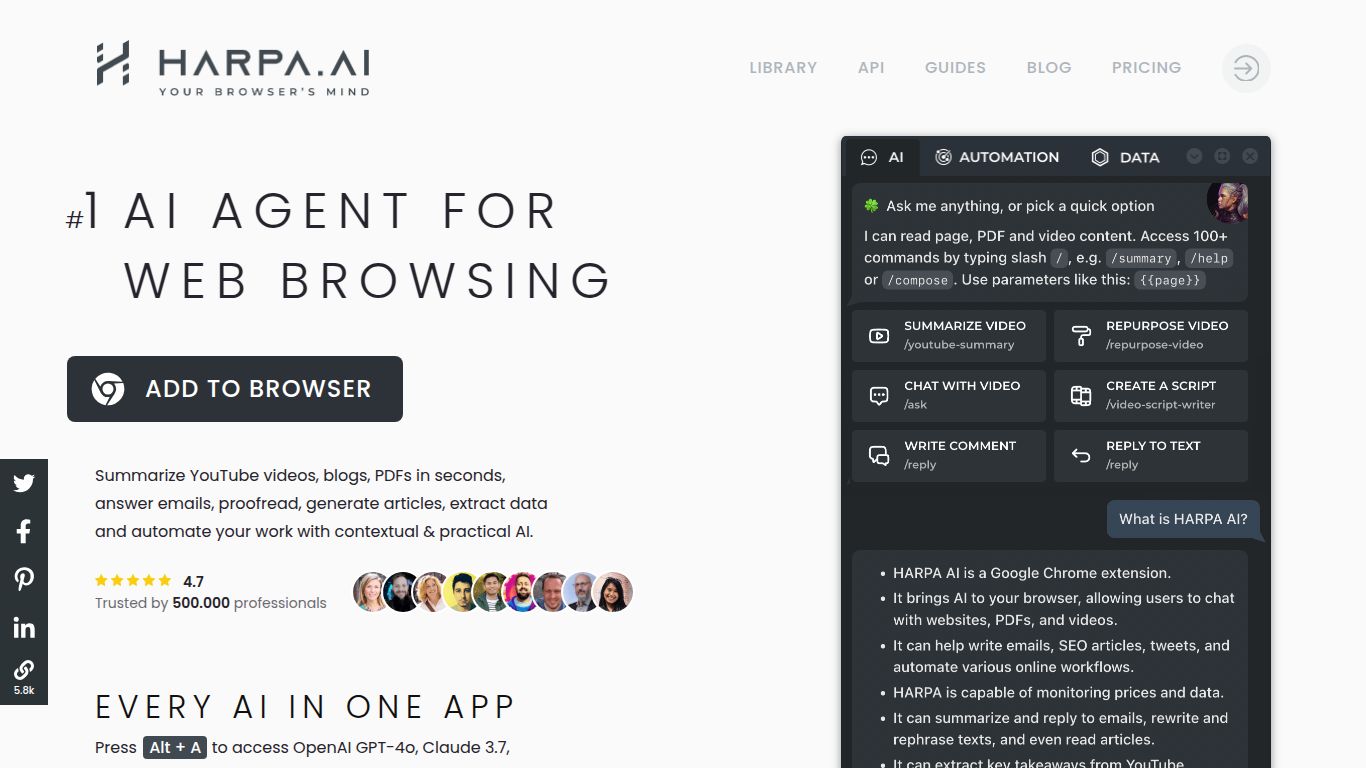
Tired of endlessly switching between tabs to use AI? Imagine having a brilliant AI assistant living right inside your browser, ready to automate tedious tasks, summarize content, and supercharge your productivity on any website you visit. That’s the magic of HARPA AI. Developed by HARPA AI, this innovative Chrome extension seamlessly integrates the power of top AI models like GPT-4 and Claude directly into your browsing experience, transforming the way you work, research, and create online.
HARPA AI isn’t just another AI chat window; it’s a deep-web automation engine. Its capabilities are context-aware, meaning it understands the content of the page you are on and offers relevant actions.
This is where HARPA AI truly shines. It can instantly summarize lengthy articles or YouTube videos, extract specific data like keywords or contact information into a neat table, rewrite text to improve its tone and clarity, and compose everything from emails and social media posts to complex articles, all without leaving your current tab.
Set HARPA AI to work as your silent web monitor. It can track price drops on e-commerce sites like Amazon, monitor product availability, and even keep an eye on competitors’ websites or articles for any updates, sending you an alert when something changes. This is automation at its finest.
While HARPA AI doesn’t generate images or video natively, it acts as an expert assistant for those who do. You can use it to generate highly detailed and effective prompts for image generation platforms like Midjourney or Stable Diffusion. It can also help developers by generating, explaining, or refactoring code snippets directly from pages like GitHub or StackOverflow.
What makes HARPA AI a standout tool? It’s all in the thoughtful features designed for maximum efficiency.
HARPA AI offers a flexible pricing structure that allows anyone to get started while providing immense value for power users.
Perfect for casual users, the free plan offers a generous amount of access to basic commands and local processing. It includes a limited number of connections to cloud-based AI models like GPT-3.5, which is more than enough to experience the core power of HARPA.
For professionals and heavy users, the premium plan unlocks the full potential of the tool. Starting at around $12 per month (when billed annually), this plan typically includes unlimited access to cloud models like GPT-4 and Claude 2, faster response times, and access to all advanced automation and monitoring features. Always check the official website for the most current pricing and feature list.
This tool is a game-changer for a wide range of users who want to be more efficient online.
HARPA AI operates in a competitive space of browser-based AI assistants. Here’s how it stacks up.
Monica is a strong competitor that also offers a wide range of features within a browser extension. While both tools can chat and create content, HARPA AI often has a stronger emphasis on deep, customizable web automation and data monitoring, making it more of a “workflow” tool.
Sider is another popular AI sidebar for browsers. It excels at providing a smooth chat experience and quick access to AI for tasks like translation and explanation. HARPA AI differentiates itself with its more powerful, page-specific command library and its unique ability to monitor web pages for changes over time.
MaxAI focuses on providing fast access to AI models on any page by highlighting text. It’s incredibly quick for on-the-fly tasks like rewriting or summarizing selected text. However, HARPA AI offers a more comprehensive suite of tools for structured automation and complex, multi-step tasks.
In conclusion, while many alternatives offer excellent AI chat and content creation features, HARPA AI stands out as the premier choice for users who need powerful, customizable web automation and monitoring built directly into their browser. It is less of a simple assistant and more of a true productivity platform.
