Ollama Library: Your Personal AI Powerhouse on Your Desktop
Step into a world of unparalleled AI freedom with the Ollama Library, the ultimate toolkit for running powerful large language models directly on your own computer. Forget the constraints of cloud-based services, data privacy concerns, and recurring subscription fees. Ollama, an innovative open-source project, empowers you to download and operate a vast collection of state-of-the-art AI models—from Meta’s Llama 3 to Google’s Gemma—entirely offline. It’s a game-changer for developers, researchers, and AI enthusiasts who crave complete control, top-tier privacy, and limitless customization. The Ollama Library isn’t just a tool; it’s your personal, localized AI ecosystem waiting to be explored.
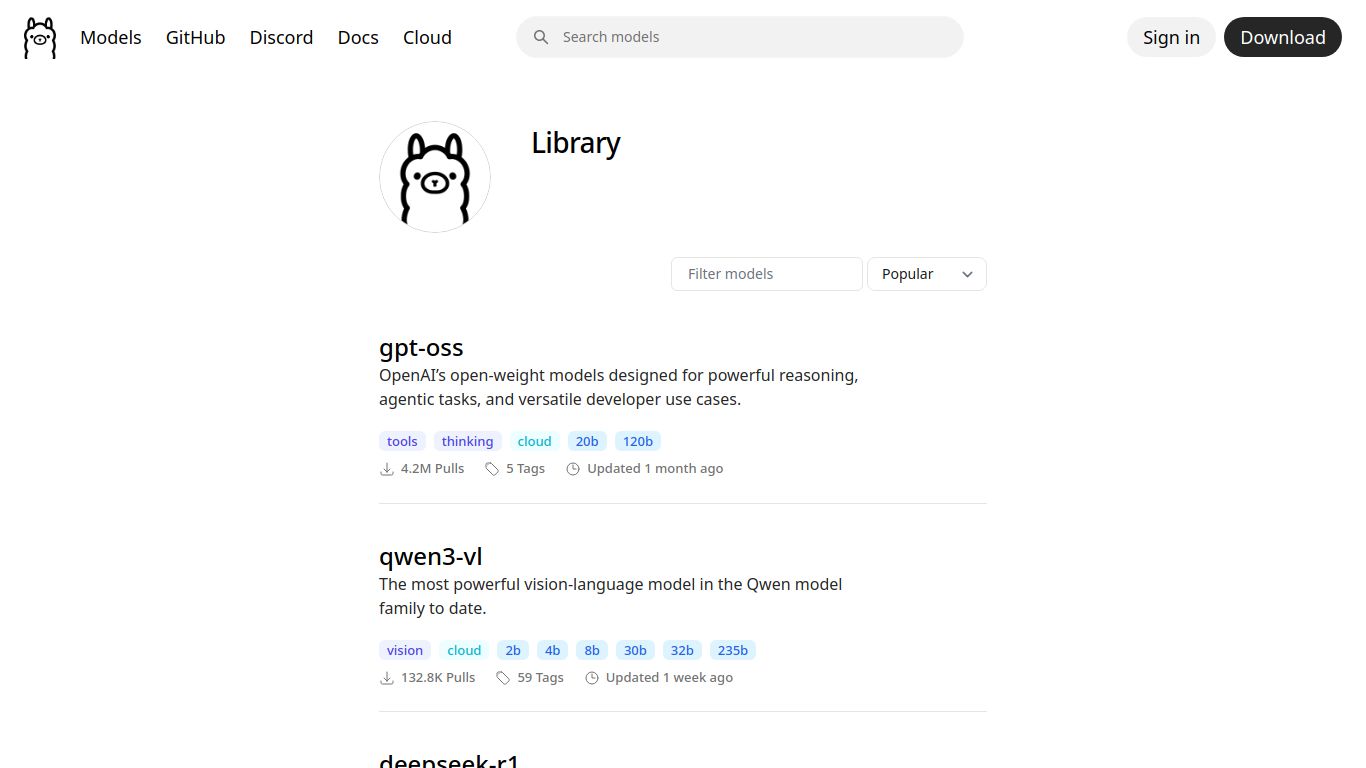
A Universe of AI Capabilities at Your Fingertips
The true magic of the Ollama Library lies in its diverse and ever-growing collection of models. Whatever your project, there’s a model ready to be deployed from your local machine. Its capabilities are defined by the models you choose to run:
- 📝 Advanced Text Generation: Effortlessly draft articles, write emails, generate creative stories, or summarize complex documents using leading models like Llama 3, Mistral, and Mixtral.
- 💻 Expert Code Generation: Supercharge your development workflow. Use specialized models like Code Llama or Phi-3 to write, debug, and explain code in dozens of programming languages, turning your IDE into an intelligent partner.
- 🖼️ Image Understanding (Multimodal): With models like LLaVA, you can go beyond text. Feed an image to the model and ask questions about it, describe its contents, or extract information—all locally. While not a direct image generator like Midjourney, its ability to analyze visual data is incredibly powerful.
- 💬 Conversational AI & Chatbots: Build and run your own highly responsive and intelligent chatbots for personal use, customer service prototypes, or application integration without sending a single byte of conversation data to the cloud.
Core Features That Set Ollama Apart
Ollama is more than just a model runner; it’s a thoughtfully designed platform packed with features that prioritize user experience and control.
- 🚀 Run Locally, Own Your Data: The cornerstone feature. Everything operates on your hardware (macOS, Windows, Linux), ensuring absolute privacy and data security. Your conversations and creations stay with you.
- 🌐 Open-Source Freedom: Access a massive and constantly updated library of premier open-source models. No vendor lock-in, just pure, unadulterated AI power.
- ⚙️ Simple Command-Line Interface: Get started in seconds. A single command like `ollama run llama3` is all it takes to download and interact with a model. It’s beautifully simple and incredibly powerful for scripting and automation.
- 🛠️ Easy Model Customization: Create your own unique model variants with a `Modelfile`. Tweak system prompts, adjust parameters, and build personalized AI assistants tailored perfectly to your needs.
- 🔌 Built-in API for Integration: Ollama automatically provides a local API for any model you run, making it trivial to integrate its power into your own applications, scripts, and services.
Pricing: The Ultimate Price Point—Free
This is where Ollama truly shines. Prepare for the best news you’ll hear all day.
- Ollama Software: Completely free and open-source. No hidden fees, no pro tiers, no subscriptions.
- Model Library Access: Downloading and using any model from the official library is 100% free.
So, what’s the catch? There isn’t one. The only “cost” is your own hardware. Your computer’s performance (specifically GPU and RAM) will determine how fast and how large of a model you can run. It’s a one-time investment in your own hardware for a lifetime of free, private AI access.
Who is Ollama Library For?
Ollama’s versatility makes it an indispensable tool for a wide range of users:
- 👩💻 Software Developers: The perfect tool for integrating LLMs into applications without API bills or privacy liabilities. Ideal for prototyping and building next-gen features.
- 🔒 Privacy-Conscious Individuals: Anyone who wants to use AI without sending their personal, sensitive, or proprietary data to a third-party company.
- 🎓 AI Researchers & Students: An easy-to-use platform for experimenting with, fine-tuning, and comparing different open-source models without needing a massive budget.
- 💡 Tech Enthusiasts & Hobbyists: The ultimate playground for anyone curious about AI who wants to explore the latest models on their own terms, completely free of charge.
- 🌐 Users with Unreliable Internet: Work from anywhere, even completely offline. Your AI assistant is always available, independent of your connection.
Ollama vs. The World: A Quick Comparison
Ollama vs. Local GUI Tools (LM Studio, Jan)
Tools like LM Studio and Jan offer a more graphical, user-friendly interface for running local models, which can be great for beginners. However, Ollama excels with its lightweight, command-line-first approach, making it the preferred choice for developers, automation, and system integration. It’s leaner, faster to get started with for technical users, and its built-in API is a major advantage for building applications.
Ollama vs. Cloud APIs (OpenAI, Anthropic, Google)
This is the core battle: local vs. cloud. Cloud APIs like OpenAI offer immense power without needing powerful hardware, but this comes at a cost. With Ollama, you get:
- Zero Cost: Ollama is free, whereas API calls can become very expensive.
- Total Privacy: Your data never leaves your machine. With cloud APIs, you are sending your data to their servers.
- Full Control & Offline Use: You control the model, the data, and can use it anytime, anywhere, without an internet connection.
The trade-off is that you are responsible for providing the hardware, and the most powerful proprietary models may not be available. However, for a vast majority of use cases, the freedom, privacy, and cost-savings offered by Ollama are simply unbeatable.
