What is Ollama Library? Your Gateway to Local AI
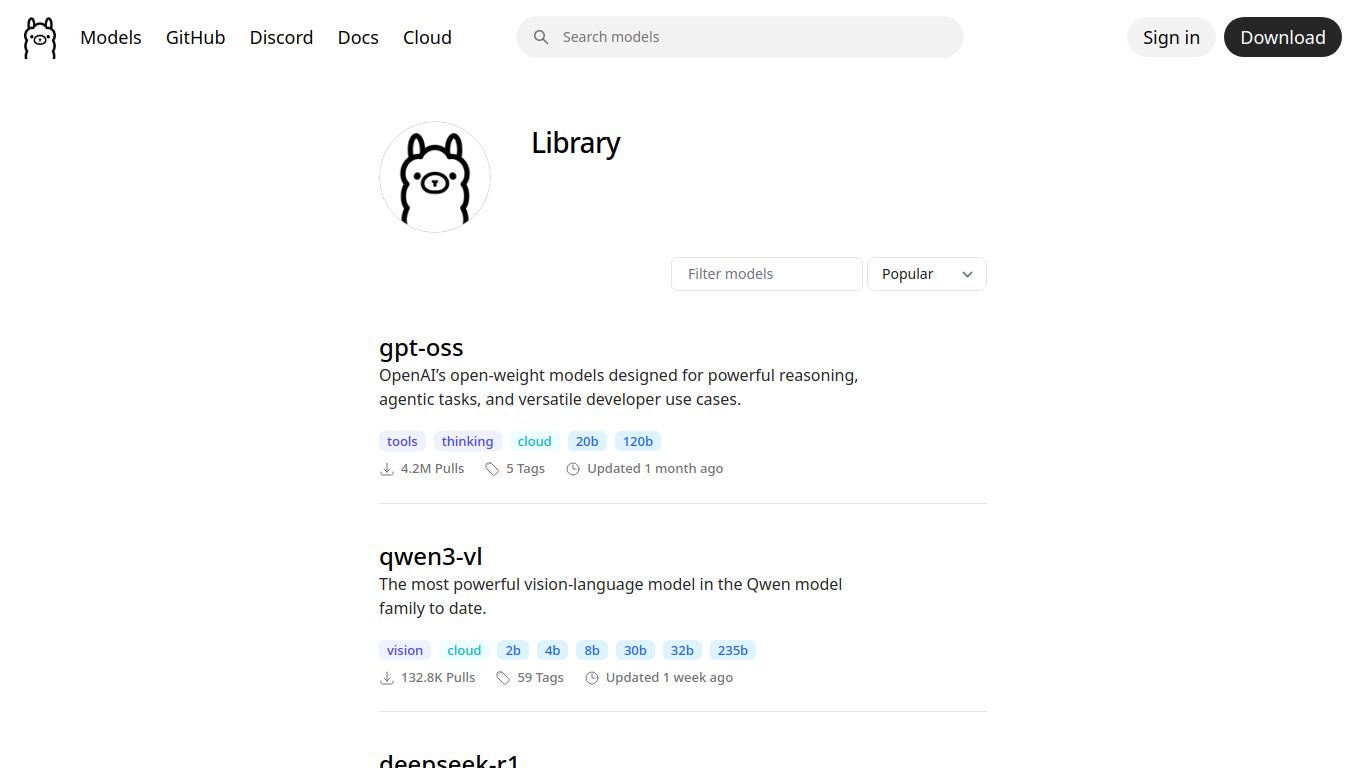
Ollama is a revolutionary open-source tool designed to get you up and running with powerful large language models (LLMs) like Llama 3, Mistral, and Gemma directly on your own computer. Forget relying on cloud-based APIs; Ollama puts the power of AI in your hands, ensuring complete privacy and control. Developed and maintained by a dedicated open-source community, its core mission is to simplify the process of downloading, setting up, and interacting with state-of-the-art models. The Ollama Library, accessible at ollama.com, serves as a central registry where you can easily discover and pull a vast collection of pre-packaged and optimized models, making it the perfect starting point for developers and researchers looking to leverage AI for tasks like automated data labeling and synthetic data generation without sending a single byte of information to the cloud.
Ollama’s Core Capabilities: More Than Just a Chatbot
While you can certainly use Ollama for conversational AI, its true power lies in its versatility as a local inference engine. It empowers your machine to perform a wide range of complex tasks by running specialized models. The capabilities are defined by the models you choose to run through it.
- Advanced Text Processing: Run models for everything from content creation, summarization, and translation to sophisticated code generation and debugging.
- Data Annotation & Labeling Assist: This is a standout use case. You can deploy a model locally to automatically analyze and label large datasets, drastically speeding up the tedious process of preparing data for machine learning projects.
- Synthetic Data Generation: Need more training data? Use an Ollama-powered model to generate high-quality, artificial data that mimics real-world examples, helping you build more robust AI systems.
- Multimodal Analysis: With models like LLaVA, Ollama can process and understand both text and images. You can feed it an image and ask questions about it, opening up possibilities for visual data analysis and cataloging.
Key Features That Make Ollama Shine
Ollama isn’t just powerful; it’s designed with simplicity and developer experience in mind. Here’s what sets it apart from the crowd:
- Radical Simplicity: Getting started is as easy as a single command. The tool handles all the complexities of model weights, configurations, and GPU acceleration behind the scenes.
- Complete Privacy: Since everything runs 100% on your local hardware, your data and conversations never leave your machine. This is a game-changer for working with sensitive or proprietary information.
- Vast Model Library: The official library provides one-click access to a curated list of popular open-source models, all optimized and ready to run.
- Built-in API Server: Ollama automatically exposes a local REST API, making it incredibly easy to integrate LLM functionality into your own applications, scripts, and workflows.
- Cross-Platform Support: Whether you’re on macOS, Windows, or Linux, Ollama has you covered with native support across all major operating systems.
Pricing: How Much Does Ollama Cost?
This is the best part. Ollama is completely free and open-source. There are no subscriptions, no usage fees, and no hidden costs. You can download and use the software, along with any models from the library, without spending a dime. The only investment required is the hardware on your end to run the models, giving you an infinitely scalable AI solution at zero software cost.
Who is Ollama Library For?
Ollama’s versatile and secure nature makes it an ideal choice for a wide range of users who want to harness the power of AI locally:
- Software Developers: Perfect for building AI-powered features into applications without dependency on third-party APIs and associated costs.
- Data Scientists & ML Engineers: An essential tool for experimenting with models, preprocessing data, assisting with labeling, and generating synthetic datasets in a secure environment.
- AI Researchers: Enables conducting reproducible experiments on specific models without the black-box nature of commercial APIs.
- Privacy Advocates & Hobbyists: The ultimate solution for anyone who wants to explore the capabilities of modern AI while maintaining absolute control over their data.
Ollama Library Alternatives & Competitors
While Ollama is a fantastic tool, the local AI ecosystem is growing. Here are a few alternatives and how they compare:
- LM Studio: A popular alternative with a more graphical, user-friendly interface. LM Studio excels with its built-in chat UI and model discovery marketplace, making it a great choice for less technical users. Ollama, in contrast, is often preferred by developers for its command-line interface and straightforward API integration.
- Jan: Another open-source, local-first AI tool that positions itself as a desktop alternative to ChatGPT. Like LM Studio, it focuses heavily on the user interface and chat experience.
- Text-generation-webui: A highly configurable and powerful web interface for running LLMs. It offers a vast number of settings and extensions for power users but comes with a significantly steeper learning curve compared to Ollama’s plug-and-play approach.
In summary, Ollama’s primary strength lies in its simplicity, developer-centric design, and robust API, making it the go-to choice for seamless integration and automation tasks like data labeling and synthetic data workflows.
