Google Sheets + Gemini: Your Spreadsheet Just Became a Genius
Tired of manual data entry and wrestling with complex formulas? Google is here to revolutionize your workflow by injecting its powerful Gemini AI directly into the familiar interface of Google Sheets. This dynamic duo transforms your spreadsheet from a simple grid of cells into an intelligent partner, ready to help you organize, create, and analyze data with unprecedented ease. Say goodbye to tedious tasks and hello to a new era of productivity, all within the Google Workspace you already know and love.
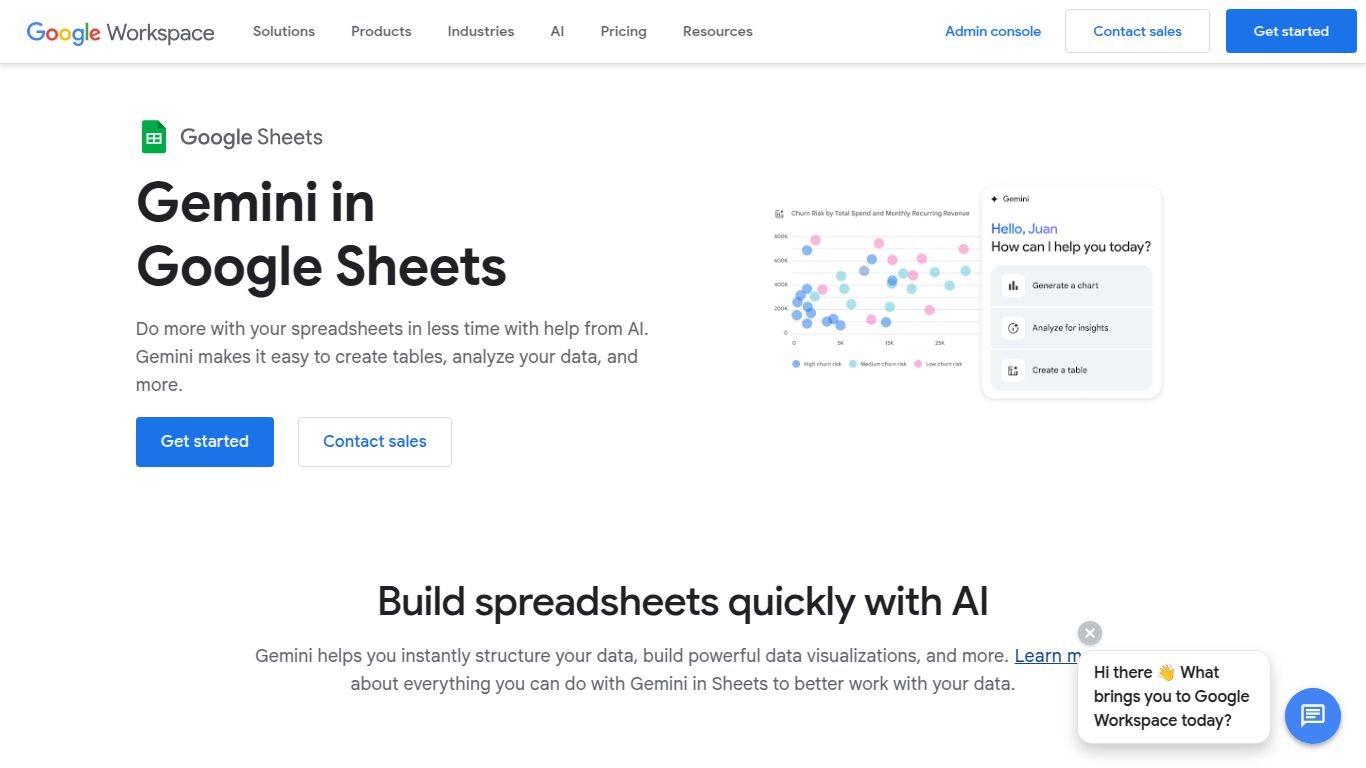
Capabilities: More Than Just Numbers
While Google Sheets + Gemini won’t be generating your next viral video or photorealistic art, its mastery lies in the realm of text and data. It’s a powerhouse for intelligent text manipulation and data interpretation, turning your spreadsheet into a versatile creative and analytical tool.
- Advanced Text Generation: Effortlessly draft marketing copy, product descriptions, personalized emails, or social media posts directly in a cell. Just provide a prompt and watch the magic happen.
- Data Organization & Structuring: Use simple commands like “Help me organize” to automatically create project plans, categorize lists of feedback, and build structured templates from a mess of raw data.
- Content Summarization & Extraction: Feed it long articles or customer reviews and get concise summaries or extract key information like names, dates, or sentiment in seconds.
- Creative Brainstorming: Feeling stuck? Use Gemini to generate a list of ideas for blog posts, marketing campaigns, or even business names without ever leaving your sheet.
Features: Intelligence at Your Fingertips
The magic of this integration lies in its intuitive and powerful features designed to feel like a natural extension of Sheets, not a complicated add-on.
- Natural Language Prompts: Forget complex formulas. Simply tell Gemini what you want in plain English, like “create a list of pros and cons for this product” or “write a follow-up email to this client list.”
- Seamless In-Sheet Integration: The AI is not a clunky third-party tool; it’s a core part of the Sheets experience, available right where you need it to enhance your existing workflow.
- Custom Template Generation: Ask Gemini to create a detailed project plan, a comprehensive budget tracker, or a weekly social media schedule, and watch it build the entire structure for you instantly.
- Smart Data Enhancement: Let Gemini clean up messy data, intelligently fill in missing information based on context, and classify thousands of items into relevant categories with a single command.
Pricing: Adding AI to Your Workspace
Gemini’s intelligence is available as an add-on to Google Workspace plans. It’s designed to augment your existing subscription, so there isn’t a standalone option for Sheets alone.
- Gemini Business: Tailored for small and medium-sized teams, this plan is typically priced around $20 per user, per month with an annual commitment. It unlocks Gemini across the Workspace suite, including Docs, Gmail, and Meet.
- Gemini Enterprise: For larger organizations needing more advanced features and security, this plan is priced around $30 per user, per month with an annual commitment.
Please note: Pricing can vary by region and is subject to change. It’s always best to check the official Google Workspace website for the most current and accurate information.
Who Is It For? The Ideal User Profile
This tool is a game-changer for a wide range of professionals who want to work smarter, not harder. If you live in spreadsheets, Gemini is for you.
- Marketers: Perfect for generating ad copy, planning content calendars, analyzing customer feedback, and drafting email campaigns at scale.
- Project Managers: A must-have for quickly building project timelines, creating task lists, tracking progress, and generating status reports.
- Data Analysts: Invaluable for rapid data cleaning, categorization, and preliminary analysis before diving into more complex tools.
- Small Business Owners: The ultimate assistant for managing everything from inventory and sales tracking to drafting customer communications and creating invoices.
- Content Creators & Writers: An excellent partner for brainstorming topics, creating detailed outlines, and drafting initial versions of articles or scripts.
Alternatives & Comparison
How does Google’s offering stack up against the competition? The main rival comes from the other major productivity suite.
- Google Sheets + Gemini vs. Microsoft Excel + Copilot: This is the clash of the titans, and your choice largely depends on your existing ecosystem. If your team thrives in Google Drive, Docs, and Gmail, Gemini’s native integration and best-in-class real-time collaboration are unbeatable. Excel + Copilot is deeply embedded within the Microsoft 365 suite and is a powerhouse in large corporate environments that rely heavily on Windows and Outlook. While Excel’s raw data-crunching power is legendary, the agility and collaborative spirit of Sheets powered by Gemini are incredibly compelling.
- Niche AI Plugins: Tools like Numerous.ai and SheetAI also bring AI functionality to spreadsheets. These can be great options if you’re looking for specific features or aren’t ready to commit to a full Google Workspace AI plan. However, they often lack the deep, seamless, and native integration that Gemini provides.
