Google Docs with Gemini: Your AI Co-writer, Right Where You Work
Say goodbye to writer’s block and tedious drafting. Google has supercharged its iconic word processor, Google Docs, by integrating its powerful Gemini AI model directly into the platform. This isn’t a separate app or a clunky extension; it’s a seamless, intelligent writing partner designed to help you brainstorm, write, edit, and summarize faster than ever before. Part of the broader Gemini for Google Workspace suite, this tool transforms a familiar document editor into a dynamic content creation powerhouse.
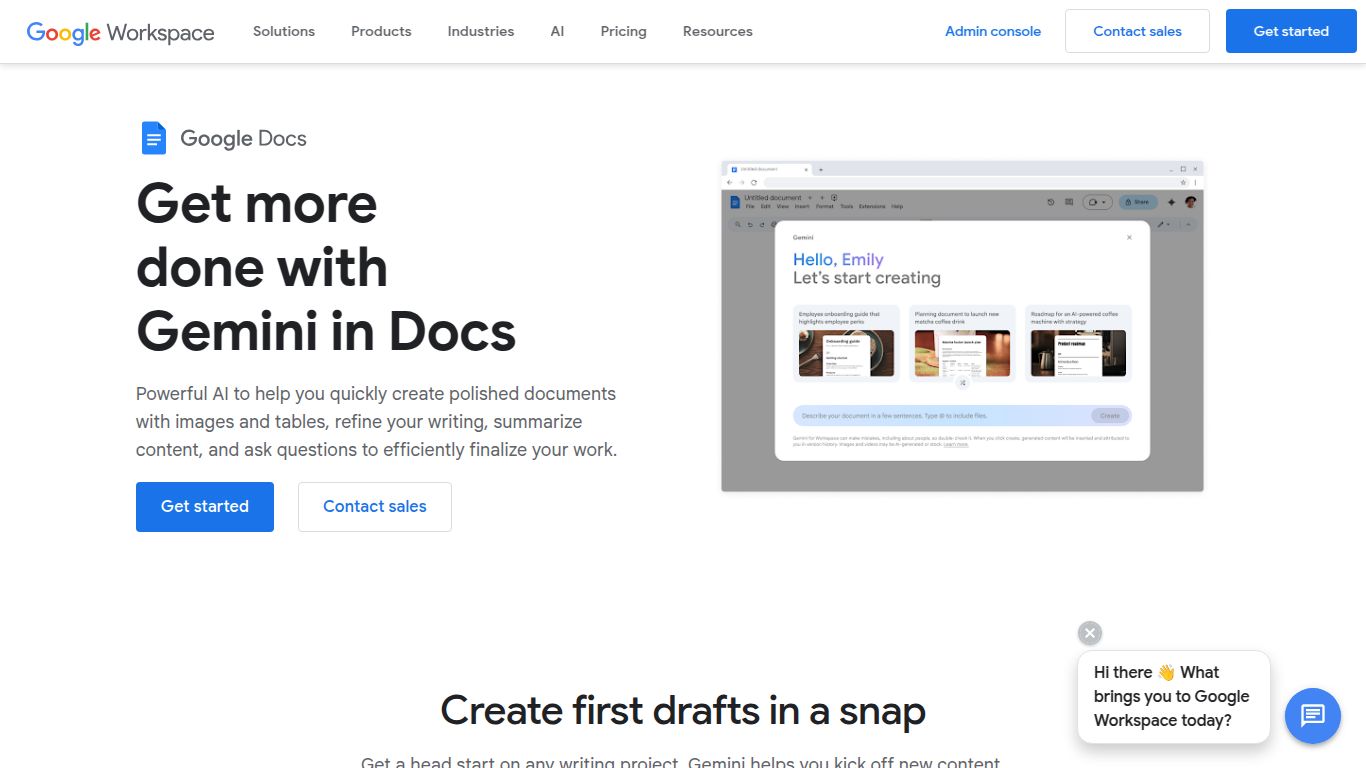
Core Capabilities: Beyond Just Text
While its heart lies in text manipulation, Google Docs with Gemini packs a multi-talented punch. It’s built to handle the core components of modern document creation.
- Advanced Text Generation: This is its bread and butter. From drafting a complete blog post from a single prompt to generating professional emails, marketing copy, or detailed reports, Gemini acts as your first-draft engine. It can also rewrite existing text, adjust its tone from casual to formal, and expand on brief ideas.
- Instant Image Creation: Need a custom visual for your report or presentation? No need to leave your document. Simply describe the image you want, and Gemini will generate unique, high-quality images directly on the page. This feature is perfect for bringing abstract concepts to life.
- Data and Structuring: Gemini can help organize your thoughts by creating outlines, generating tables from unstructured data, and brainstorming lists for any topic.
Note: Google Docs with Gemini does not currently support video generation or editing. Its capabilities are focused on text and image creation within the document environment.
Key Features That Will Change How You Write
Gemini is more than just a text generator; its features are thoughtfully integrated to enhance every stage of the writing process.
- “Help me write” Prompting: The core interactive feature. Simply type your request, and watch as Gemini crafts content based on your instructions.
- Seamless Editing & Refinement: Highlight any text and ask Gemini to rephrase, summarize, or elaborate. This is incredibly powerful for polishing rough drafts and improving clarity.
- Tone Adjustment: Instantly switch the tone of your writing. Make a casual paragraph sound more professional for a business proposal, or simplify complex jargon for a wider audience.
- Context-Aware Suggestions: Because it’s integrated into Google Workspace, Gemini can draw context from your document and broader work environment to provide more relevant and helpful suggestions.
- Creative Brainstorming Partner: Stuck on an idea? Use Gemini to generate blog post titles, project names, or a list of potential angles for your next marketing campaign.
Pricing: How to Get Gemini in Your Docs
Google Docs with Gemini is not a free feature but is available as a paid add-on to Google Workspace plans. This ensures a premium, ad-free, and secure experience. Pricing is typically on a per-user, per-month basis with an annual commitment often required.
- Gemini Business Plan: Aimed at small and medium-sized teams, this plan typically costs around $20 per user/month. It requires an existing Google Workspace subscription.
- Gemini Enterprise Plan: Designed for larger organizations, this plan is priced at $30 per user/month. It includes all the features of the Business plan plus enhanced capabilities for meetings and advanced security controls.
- Google One AI Premium: For individual users with personal Google accounts, this plan bundles Gemini Advanced with 2TB of storage and Gemini integration in Docs, Gmail, and more.
Please note that a base Google Workspace plan is a prerequisite for the Business and Enterprise tiers, and prices are subject to change.
Who is Google Docs with Gemini For?
This tool is a game-changer for a wide range of users who want to boost their productivity and writing quality.
- Content Creators & Marketers: Perfect for drafting blog posts, social media content, website copy, and email newsletters at lightning speed.
- Business Professionals: Ideal for creating comprehensive reports, drafting proposals, taking meeting minutes, and composing professional correspondence.
- Students & Academics: An invaluable assistant for writing essays, summarizing research papers, and organizing notes and outlines.
- Project Managers: Helps in drafting project plans, status updates, and clear documentation for team members.
- Freelancers & Solopreneurs: A powerful ally for anyone who handles all aspects of their business, from client communication to content marketing.
How It Stacks Up: Google Docs with Gemini vs. The Competition
The AI writing space is crowded, but Gemini’s deep integration is its key differentiator.
- Microsoft 365 Copilot: The most direct competitor. Both are integrated directly into a leading productivity suite (Workspace vs. 365). The choice often comes down to which ecosystem you are already invested in. Copilot leverages OpenAI’s models, while Google uses its own Gemini model.
- Notion AI: While Notion AI is also deeply integrated, Notion itself is a more flexible, all-in-one workspace rather than a dedicated word processor. Google Docs offers a more traditional and familiar writing environment, which many users prefer for long-form content.
- Jasper & Copy.ai: These are powerful, standalone AI writing platforms with extensive templates and features. They may offer more specialized tools for specific marketing tasks, but they lack the seamless, in-document convenience of Google Docs with Gemini. You have to copy and paste content between apps.
- GrammarlyGO: While traditionally a grammar checker, Grammarly’s AI features are expanding. It excels at editing and refinement but is less focused on generating entire first drafts compared to Gemini.
