Canva: Your All-in-One AI-Powered Design and Content Scheduling Powerhouse
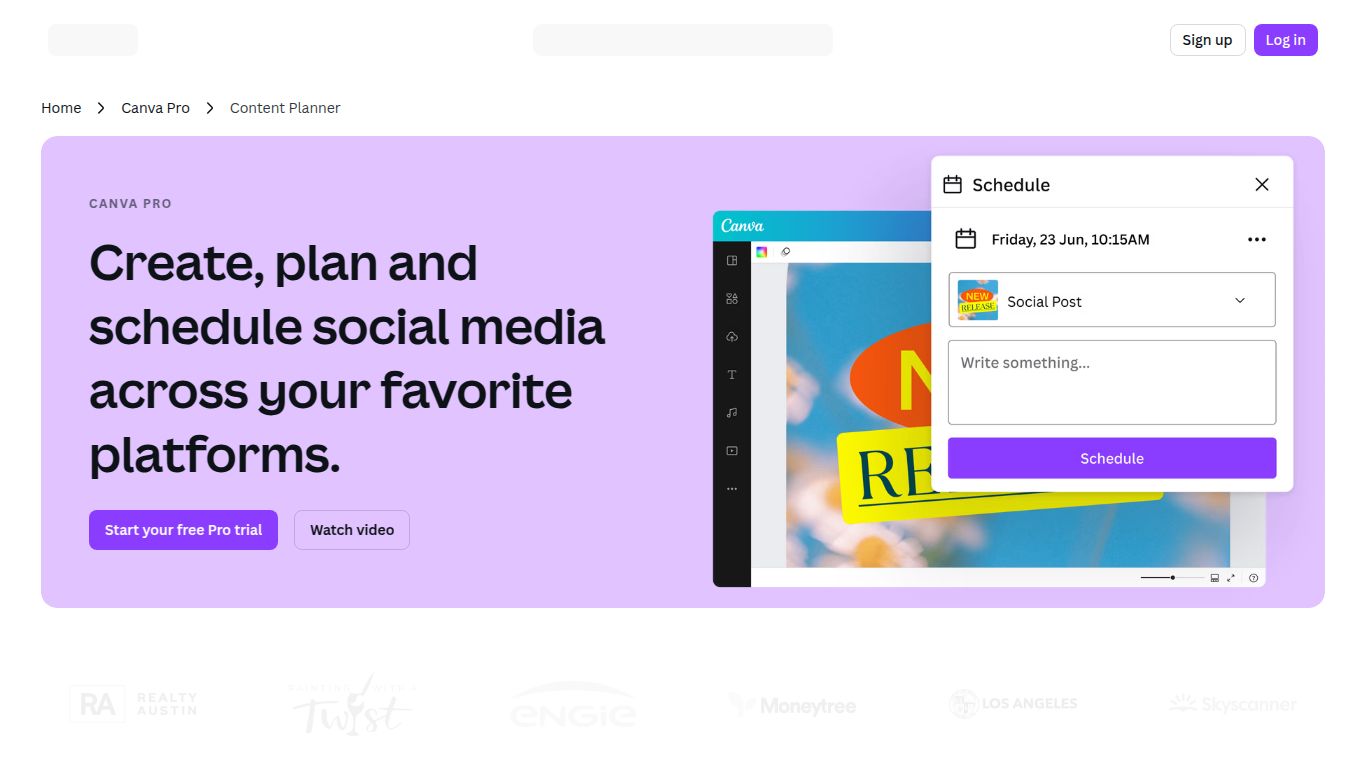
Welcome to the ultimate tool that merges creative design, artificial intelligence, and strategic content planning into one seamless platform. Developed by the globally recognized design software company, Canva, the Content Planner + Magic Studio is an integrated solution designed to revolutionize your content creation workflow. Forget juggling dozens of different apps for design, copywriting, and scheduling. Canva brings it all under one roof, empowering you to design stunning visuals and schedule them directly to your favorite social media platforms with just a few clicks. It’s a complete ecosystem for anyone looking to create and distribute amazing content efficiently.
AI Capabilities: Unleash the Magic Studio
The true power of modern Canva lies in its Magic Studio, a comprehensive suite of AI tools that acts as your creative co-pilot. It’s not just one feature; it’s an entire arsenal of AI-driven capabilities integrated directly into your design process.
- Magic Design: Simply upload an image or type a prompt, and Magic Design will instantly generate a selection of customized, professional-looking templates for you to choose from. It’s brainstorming on steroids.
- Text Generation (Magic Write): Need catchy social media captions, blog post ideas, or website copy? Magic Write is an AI text generator that can draft content, summarize complex text, and even adopt a specific brand voice.
- Image Generation & Editing: Create entirely new images from a simple text description with Text to Image. Plus, with tools like Magic Eraser and Magic Edit, you can remove unwanted objects or transform parts of your photo with a simple prompt.
- Video Creation: Magic Studio extends to video, helping you generate short, engaging clips, find the perfect audio track, and edit footage effortlessly to match the beat of the music.
- Presentations & More: Instantly generate entire presentations, complete with outlines and visuals, just by describing your topic. The AI helps you build compelling slides in a fraction of the time.
Core Features
Beyond its AI prowess, Canva’s integrated platform is packed with features that streamline every aspect of content creation and management.
- Integrated Content Planner: This is the heart of the scheduling tool. Get a clear, visual overview of your upcoming content in a calendar format. Plan and auto-publish posts directly to Instagram, Facebook, TikTok, Pinterest, LinkedIn, and more.
- Massive Template & Asset Library: Gain access to millions of high-quality, professionally designed templates, stock photos, videos, and graphics. There’s a template for virtually any need you can imagine.
- Brand Kit: Keep your content perfectly on-brand. Upload your logos, define your color palettes, and select your brand fonts to ensure every design you create is consistent and recognizable.
- Real-Time Collaboration: Work with your team seamlessly. Invite members to edit designs, leave comments, and approve content all within the Canva platform, eliminating messy email chains.
Pricing Plans
Canva offers a flexible pricing structure to suit everyone from individuals to large enterprises.
Canva Free
Price: $0. Perfect for individuals and casual users. It includes thousands of free templates, basic design tools, and a limited number of Magic Write and other AI credits.
Canva Pro
Price: Around $14.99/month per person. This is the ideal plan for solopreneurs, freelancers, and content creators. It unlocks everything in the Free plan plus the full power of Magic Studio, the Content Planner, millions of premium stock assets, Brand Kits, and background removal tools.
Canva for Teams
Price: Around $29.99/month for the first 5 people. Designed for collaborative teams and businesses, this plan includes all Pro features plus advanced collaboration tools, user roles and permissions, approval workflows, and centralized brand controls.
Who Is It For?
Canva’s versatile toolkit makes it an indispensable asset for a wide range of users:
- Social Media Managers: The ultimate tool for designing, planning, and scheduling an entire social media calendar in one place.
- Marketers: Quickly create cohesive marketing campaigns, from social ads and email headers to presentations and reports.
- Small Business Owners: A cost-effective, all-in-one solution for managing all brand and marketing visuals without needing a dedicated designer.
- Content Creators & Bloggers: Effortlessly design eye-catching YouTube thumbnails, Instagram stories, blog graphics, and more.
- Non-Designers: Anyone who needs to create professional-quality visuals without a steep learning curve or complex software.
Alternatives & Comparison
While Canva is a dominant force, it’s helpful to know how it stacks up against others.
- Adobe Express: Canva’s most direct competitor. Adobe Express also offers AI features and a strong template library, with its main advantage being seamless integration with the Adobe Creative Cloud ecosystem (like Photoshop and Illustrator). Canva is often considered more user-friendly for beginners.
- Visme: A powerful tool that excels at creating more data-driven visuals like infographics, charts, and detailed presentations. It’s more specialized than Canva, which serves a broader range of general design needs.
- Buffer / Hootsuite: These are dedicated social media scheduling platforms. While they offer more in-depth analytics and scheduling features, they completely lack the built-in design and AI creation capabilities that make Canva an all-in-one solution.
In summary, Canva – Content Planner + Magic Studio stands out by brilliantly combining a world-class, user-friendly design editor with a powerful AI suite and a robust content scheduler. It’s not just a tool; it’s a complete creative workflow designed for the modern content creator.
