LM Studio: Your Personal AI Playground, Right on Your Desktop
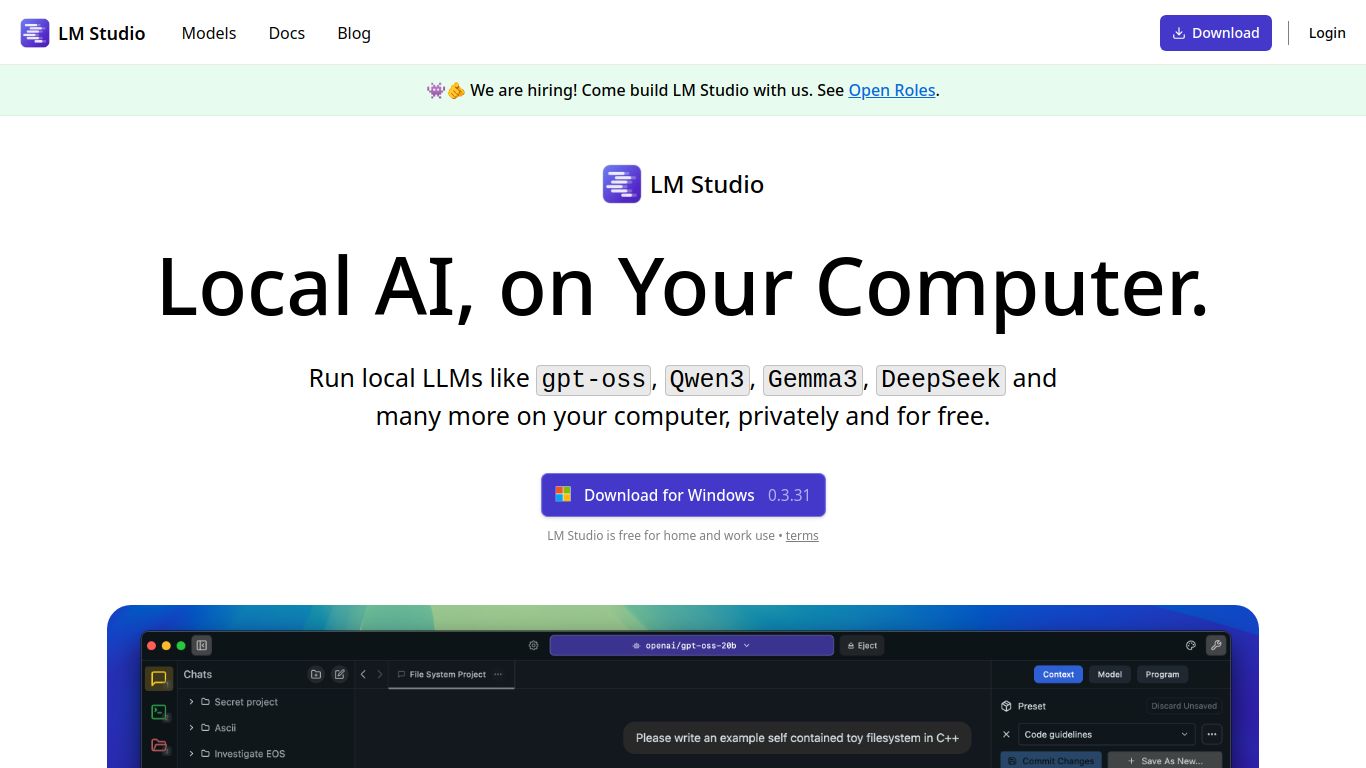
Welcome to the future of local AI! LM Studio, developed by the innovative team at LMStudio.ai, is a game-changing desktop application that empowers you to discover, download, and run powerful Large Language Models (LLMs) entirely on your own computer. Forget about API keys, cloud costs, and privacy concerns. With LM Studio, you have a private, offline, and incredibly versatile AI powerhouse at your fingertips. It acts as a beautifully simple gateway to the vast world of open-source models from platforms like Hugging Face, making advanced AI accessible to everyone, regardless of their technical expertise.
Core Capabilities: What Can You Create?
LM Studio is primarily a text-based model runner, but its capabilities are incredibly broad, depending on the model you choose to run. Here’s a breakdown of what you can achieve:
- ✍️ Advanced Text Generation: This is its core strength. You can draft emails, write articles, generate creative stories, summarize long documents, translate languages, and engage in sophisticated, human-like conversations.
- 💻 Code Generation & Debugging: Run coding-specific models like Code Llama or Deepseek Coder to write functions, debug existing code, explain complex algorithms, or even generate entire scripts in various programming languages.
- 🧠 Reasoning & Problem-Solving: Use powerful models to brainstorm ideas, solve logic puzzles, and get assistance with complex decision-making tasks, all in a private environment.
- 🎨 Basic Multimodal Functions: While not a dedicated image generator like Midjourney, LM Studio can run certain multimodal models (like LLaVA) that are capable of understanding and describing images you provide, creating a bridge between text and visuals. It does not, however, generate images or videos from scratch.
Standout Features
What makes LM Studio a must-have tool? It’s all about simplicity and power combined.
- Effortless Model Discovery: A built-in model browser lets you search and explore thousands of GGUF-compatible models from the Hugging Face repository directly within the app. No more manual searching!
- One-Click Download & Setup: Found a model you like? Just click download. LM Studio handles everything, placing the model in the right directory and making it instantly available for use.
- Completely Offline & Private: Once a model is downloaded, you can disconnect from the internet and run it forever. Your data and conversations never leave your machine, ensuring 100% privacy.
- Built-in Chat UI: A clean and intuitive chat interface allows you to start conversing with your models immediately. You can easily switch between different models to compare their responses.
- Local Inference Server: For developers, this is a killer feature. LM Studio can spin up a local server that is compatible with the OpenAI API. This allows you to build and test applications using local models without changing your code.
- Hardware Acceleration: The application is optimized to take full advantage of your hardware, supporting Apple Silicon (M1/M2/M3) acceleration and NVIDIA/AMD GPU offloading for significantly faster performance.
- Cross-Platform Support: Whether you’re on Windows, Mac, or Linux, LM Studio has you covered with a native application for each platform.
Pricing: The Best Things in Life are Free
This might be the most amazing part. LM Studio is completely free to use. There are no subscription plans, no hidden fees, and no usage limits. The developers provide this powerful tool to the community at no cost, making it one of the most accessible and valuable resources in the AI space today. Your only investment is your own computer hardware.
Who is LM Studio For?
- AI Hobbyists & Enthusiasts: Anyone curious about AI who wants to experiment with different models without the complexity of command-line tools or the cost of cloud services.
- Developers & Engineers: Perfect for prototyping AI-powered applications, testing model performance, and developing against an OpenAI-compatible API without racking up bills.
- Writers & Content Creators: A private, offline writing assistant for brainstorming, drafting, and editing content without worrying about data privacy.
- Students & Researchers: An invaluable tool for studying model behavior, conducting research, and running experiments in a controlled, local environment.
- Privacy-Conscious Individuals: Anyone who wants to leverage the power of AI without sending their sensitive information to third-party servers.
Alternatives & Comparisons
While LM Studio is a fantastic choice, here’s how it stacks up against other popular local LLM tools:
- Ollama: Ollama is a major competitor, loved by developers for its simplicity and powerful command-line interface. Comparison: LM Studio offers a complete, user-friendly graphical interface out of the box, making it better for beginners and those who prefer a visual workflow. Ollama is more of a backend tool that is excellent for developers who live in the terminal or want to integrate it into scripts.
- GPT4All: Another excellent desktop application focused on ease of use. Comparison: Both are great for beginners. LM Studio provides a more direct and expansive window into the Hugging Face ecosystem and includes the powerful local server feature. GPT4All focuses on a smaller, curated list of models that are guaranteed to work well.
- Text-Generation-WebUI (Oobabooga): This is a highly powerful and feature-rich web interface for power users. Comparison: Text-Generation-WebUI offers far more granular control over model parameters, extensions, and fine-tuning capabilities. It’s the go-to for experts who want to tinker with every setting. LM Studio prioritizes simplicity, stability, and ease of getting started over having an overwhelming number of options.
