Icons8 Smart Upscaler Review: Effortless AI Image Enhancement
Brief Introduction
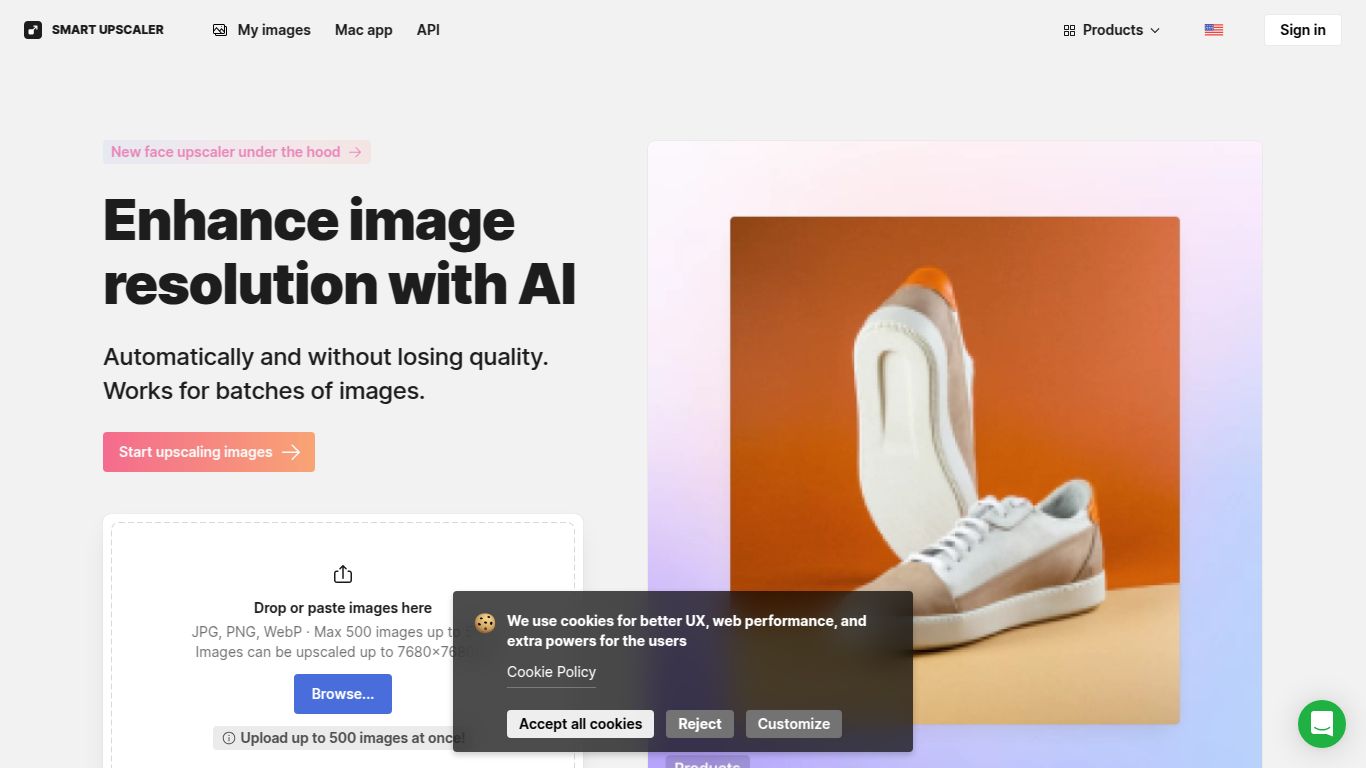
From the creative minds at Icons8, a company renowned for its vast library of high-quality design assets, comes the Smart Upscaler. This powerful, web-based tool leverages sophisticated artificial intelligence to breathe new life into your images. Forget the pixelated, blurry results of traditional resizing tools. The Icons8 Smart Upscaler is designed to intelligently enlarge your pictures, enhancing details and removing imperfections to deliver crisp, clear, and high-resolution results. It’s a go-to solution for anyone needing to upgrade their image quality without the complexity of professional editing software.
Capabilities
The Icons8 Smart Upscaler is a highly specialized tool focused exclusively on one thing: image processing. Its core capability lies in its advanced AI algorithms trained to analyze and reconstruct visual data.
- Image Enhancement & Upscaling: This is its primary function. The tool can take a low-resolution image and increase its dimensions by 2x, 4x, or even up to 8x while preserving and often improving the quality. It excels at sharpening blurry details and clarifying textures.
It’s important to note that this tool is a specialist. It does not generate images from text, edit videos, process audio, or perform other multi-modal AI tasks. Its strength is its singular focus on superior image upscaling.
Standout Features
What makes the Smart Upscaler a compelling choice? It boils down to a blend of power and simplicity. Here are some of its key features:
- AI-Powered Detail Reconstruction: Instead of just stretching pixels, the AI analyzes the image to intelligently add missing details, resulting in a naturally sharp and clean final product.
- Noise and Artifact Reduction: The tool automatically identifies and smooths out digital noise and compression artifacts (the blocky bits you see in low-quality JPEGs), giving your images a polished, professional look.
- User-Friendly Interface: Using the Smart Upscaler is incredibly simple. Just drag and drop your image onto the web page, select your desired upscaling factor, and let the AI do the work. No complicated settings or learning curve.
- Batch Processing: For users with multiple images to process, the batch processing feature is a massive time-saver, allowing you to upload and upscale an entire set of photos at once.
- API Access: Developers and businesses can integrate the power of the Smart Upscaler directly into their own applications and workflows via a well-documented API, enabling automated image enhancement at scale.
Pricing & Plans
Icons8 offers a flexible pricing structure to suit different needs, from casual users to heavy-duty professionals. While it’s always best to check the official website for the latest details, the plans generally follow this model:
- Free Plan: Perfect for testing the waters. This plan typically allows you to upscale a limited number of images (e.g., 3-5 images) for free. The results might include a watermark, but it’s a great way to see the quality firsthand.
- Pre-paid Package: Ideal for occasional use. You can purchase a bundle of credits (e.g., 50 images) for a one-time fee. This gives you flexibility without committing to a monthly subscription.
- Subscription Plan: The best value for frequent users. A monthly or annual subscription usually provides a large number of, or even unlimited, upscales per month, often with additional benefits like priority processing and no watermarks.
Who Is It For?
The Icons8 Smart Upscaler is a versatile tool that caters to a wide range of users who work with digital images:
- Graphic Designers: To upscale low-quality client assets or prepare web graphics for high-resolution print.
- Photographers: For rescuing older, low-resolution digital photos or enhancing crops from larger images without losing quality.
- Web Developers & Bloggers: To ensure all website images, from logos to blog post illustrations, are sharp and professional on all screen sizes, including high-density retina displays.
- E-commerce Store Owners: To create crystal-clear, detailed product photos that drive sales and reduce customer uncertainty.
- Marketers & Social Media Managers: For enhancing user-generated content or stock photos to meet the high visual standards of modern marketing campaigns.
- Students & Hobbyists: An accessible tool for anyone needing to improve the quality of an image for a project, presentation, or personal use.
Alternatives & Comparison
The AI upscaling space is competitive, but Icons8 holds its own with a strong offering. Here’s how it stacks up against some popular alternatives:
- Topaz Gigapixel AI: Often considered the industry standard, Gigapixel AI is a powerful desktop application known for its incredible detail enhancement. However, it comes with a significantly higher one-time cost and requires a powerful computer to run effectively. Icons8 is more accessible, web-based, and budget-friendly.
- Let’s Enhance: A direct competitor offering a similar web-based upscaling service. Both are excellent tools, and the choice between them may come down to personal preference for the user interface, specific results on your image types, or pricing plan structures.
- VanceAI Image Upscaler: Another popular online tool that offers a suite of AI image processing features. VanceAI is a strong contender, but Icons8’s clean interface and integration with its broader ecosystem of design assets can be a major advantage for existing Icons8 users.
In conclusion, the Icons8 Smart Upscaler stands out as a fast, reliable, and incredibly easy-to-use tool. Its blend of a generous free trial, flexible pricing, and high-quality AI-driven results makes it a top-tier choice for anyone looking to elevate their image quality effortlessly.
