Supercharge Your Inbox: An In-Depth Look at Gmail with Gemini
Feeling buried under a mountain of emails? Spending more time typing replies than actually working? Google is here to change that. Introducing Gmail with Gemini, a powerful AI assistant integrated directly into your inbox. Developed by the tech giant Google, this tool isn’t just another feature; it’s a fundamental reimagining of how we interact with email. It acts as your personal writing partner, administrative assistant, and information synthesizer, all within the familiar Gmail interface you use every day. Say goodbye to inbox anxiety and hello to effortless productivity.
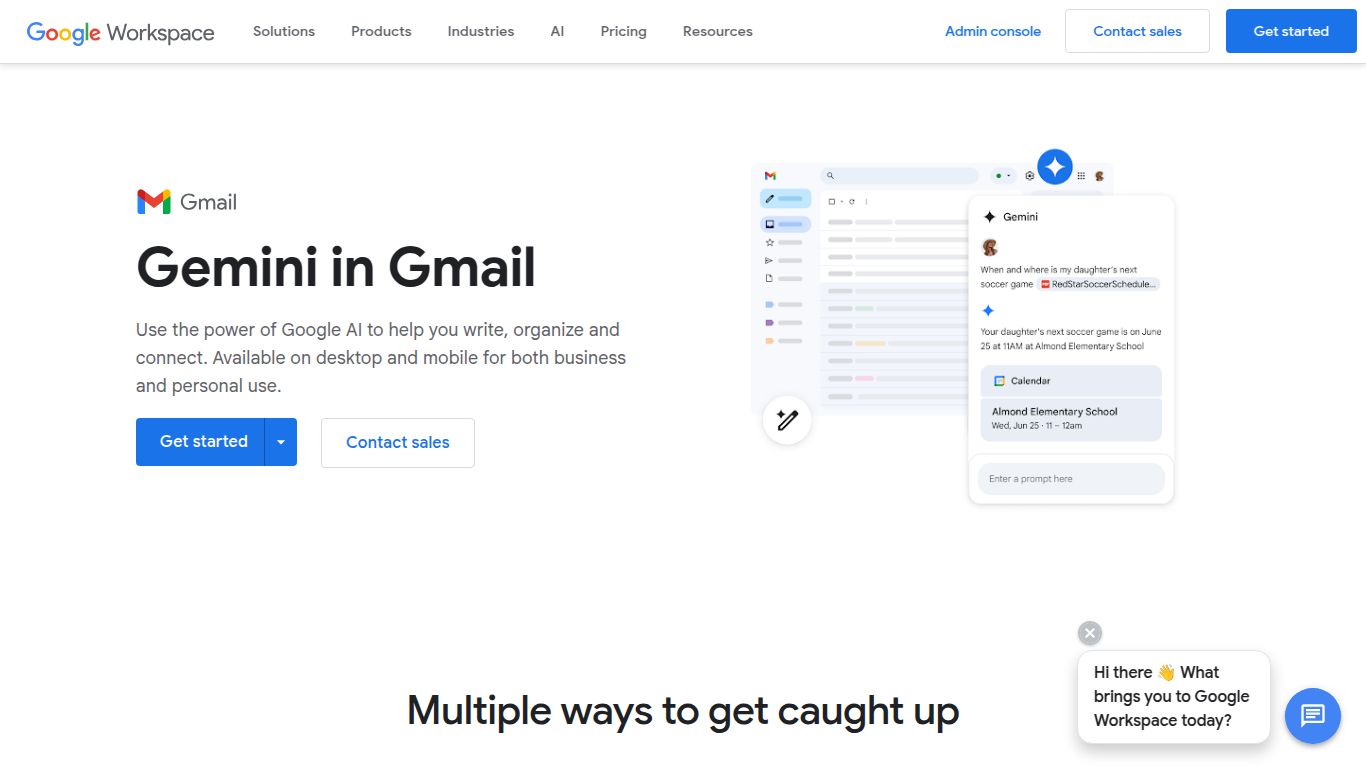
Core Capabilities: A Master of Text
While some AI tools focus on creating visuals, Gmail with Gemini’s superpower is its mastery over text and language. It doesn’t generate images or edit videos; instead, it focuses entirely on making your written communication faster, smarter, and more effective. Its capabilities are built around understanding context, generating human-like text, and processing vast amounts of information in seconds. Think of it as a dedicated wordsmith, ready to tackle any text-based task you throw at it, from drafting a formal proposal to summarizing a chaotic email chain.
Unlocking a Smarter Inbox: Key Features
Gmail with Gemini is packed with practical features designed to save you time and mental energy. These aren’t just novelties; they are powerful tools that integrate seamlessly into your workflow.
- Instant Email Drafting: Simply provide a short prompt like “draft an email to the marketing team asking for Q3 performance data” and watch as Gemini composes a complete, well-structured email for you.
- Intelligent Summaries: Don’t have time to read a 20-message email thread? Just click a button and Gemini will provide a concise summary of the key points, decisions, and action items, so you’re always in the loop.
- Tone and Style Refinement: Wrote a draft but it doesn’t sound right? Gemini can instantly make it more formal, more concise, or even transform it into a poem for a creative touch. It ensures your message always lands with the right impact.
- Smart Reply and Completion: Going beyond the simple one-line suggestions, Gemini offers more sophisticated, context-aware replies and helps you complete your sentences as you type, anticipating your needs.
- Natural Language Search: Find exactly what you’re looking for without knowing specific keywords. You can search for things like “the attachment from Bob about the budget last month” and Gemini will understand and find it.
Investment in Productivity: Pricing Plans
Gmail with Gemini is not a free, standard feature. It is available as a premium add-on for Google Workspace customers. To unlock its power, you’ll need a compatible Google Workspace plan and then subscribe to a Gemini plan.
- Gemini Business: Typically priced around $20 per user/month, this plan is designed for small and medium-sized teams, providing access to Gemini across the Workspace suite (Docs, Sheets, Gmail, etc.).
- Gemini Enterprise: Priced around $30 per user/month, this tier is aimed at larger organizations and includes all the features of the Business plan plus enhanced capabilities like AI-powered meeting notes and more advanced security controls.
Note: A base Google Workspace subscription is required, and prices may vary based on region and commitment terms.
Who is Gmail with Gemini For?
This AI assistant is a game-changer for a wide range of professionals who rely heavily on email communication. You’ll find it indispensable if you are a:
- Business Professional / Executive: Quickly summarize long threads and delegate email drafting to focus on high-level strategy.
- Sales and Marketing Teams: Craft personalized outreach campaigns and follow-up sequences in a fraction of the time.
- Project Managers: Stay on top of complex project communications and easily extract action items from lengthy discussions.
- Freelancers and Small Business Owners: Maintain a professional image and manage client communications efficiently without a dedicated assistant.
- Customer Support Agents: Draft clear, empathetic, and consistent responses to customer inquiries, improving response time and quality.
How Does It Stack Up? Alternatives & Comparison
While Gemini in Gmail is a powerful contender, it’s not the only player in the AI email space. Here’s how it compares to some popular alternatives:
- Microsoft Copilot for Outlook: This is the most direct competitor. The choice between Gemini and Copilot often comes down to your company’s ecosystem. If your organization lives in Microsoft 365, Copilot is the natural choice. If you’re a Google Workspace shop, Gemini is the seamless integration you need.
- Superhuman: Superhuman is a full-fledged premium email client built for speed, with AI features woven in. It replaces the Gmail interface entirely. Gmail with Gemini, on the other hand, enhances the existing interface you already know.
- Shortwave: Another AI-powered email client that excels at bundling and organizing your inbox automatically. It’s more focused on triage and organization, whereas Gemini puts a stronger emphasis on content creation and summarization within the native Gmail experience.
Ultimately, Gmail with Gemini stands out for its deep, native integration into the world’s most popular email service, making it an incredibly accessible and powerful upgrade for millions of Google Workspace users looking to reclaim their time and master their inbox.
