Bigjpg — AI Super-Resolution

3wks agoupdate 36 0 0

Deep CNN upscaler popular for anime and illustrations; reduces noise and jaggies while enlarging.

Collection time:
2025-10-26
Bigjpg — AI Super-ResolutionBigjpg — AI Super-Resolution

Bigjpg Review: AI-Powered Image Upscaling for Flawless Detail

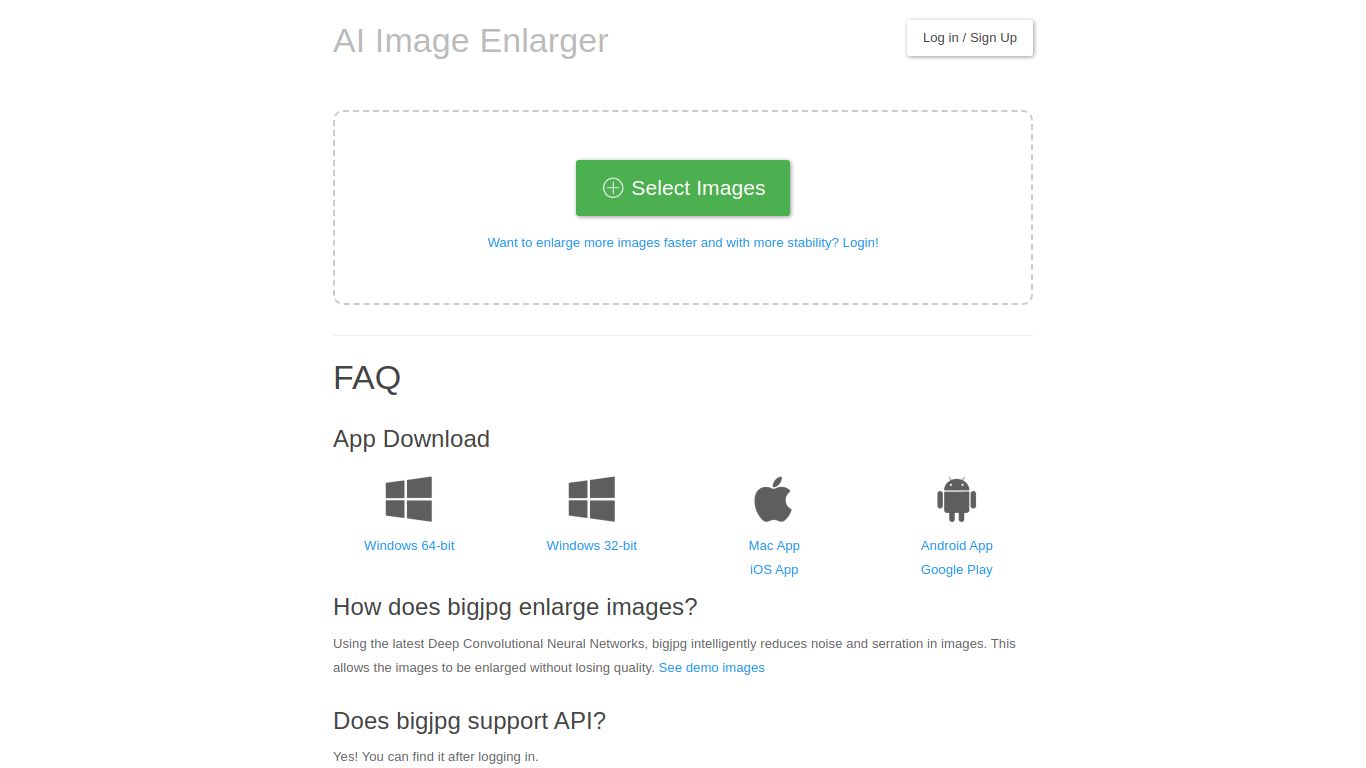
Tired of finding the perfect image, only to realize it’s too small, blurry, or pixelated? Say goodbye to low-resolution woes with Bigjpg, a specialized AI tool designed to enlarge your images without sacrificing quality. Using the latest Deep Convolutional Neural Networks, Bigjpg intelligently reduces noise and serration, allowing it to upscale images to stunning clarity. While it excels with anime-style illustrations and fan art, its capabilities extend to regular photos, making it a versatile tool for a wide range of users.
Bigjpg — AI Super-Resolution

Core Capabilities: Specialized Image Enhancement

Bigjpg is a highly focused tool that does one thing exceptionally well: Image Super-Resolution. Unlike all-in-one AI platforms, it doesn’t generate images, write text, or edit videos. Its entire purpose is to take your existing images and make them bigger and better. Its core functions include:

  • AI Image Upscaling: The primary function is to increase the resolution of an image. Bigjpg analyzes the image to add new pixels that are consistent with the surrounding detail, effectively recreating a high-resolution version from a low-resolution source.
  • Intelligent Noise & Artifact Reduction: As part of the upscaling process, the AI also identifies and smooths out digital noise, compression artifacts (like those in JPEGs), and jagged edges, resulting in a clean and polished final image.

Key Features That Make Bigjpg Stand Out

Bigjpg is packed with features designed for both casual users and professionals. Here’s what makes it a go-to choice for image enlargement:

  • 🚀 Powerful Upscaling Options: Free users can enlarge images by 2x or 4x, while paid subscribers unlock incredible 8x and 16x magnification, perfect for creating massive, high-quality prints or digital displays.
  • 🎨 Specialized AI Models: You can choose between different algorithms optimized for either anime/illustrations or standard photos, ensuring the best possible result for your specific image type.
  • 💻 Cross-Platform Availability: Work wherever you are. Use Bigjpg directly in your web browser or download the dedicated native apps for Windows, macOS, Android, and iOS for a more integrated experience.
  • 🔗 Developer-Friendly API: For developers and businesses, Bigjpg offers an API to integrate its powerful upscaling technology directly into custom applications, websites, and workflows.
  • 📂 Processing History: Never lose your work. The platform keeps a history of your upscaled images, allowing you to easily view and re-download them whenever you need to.

Pricing: Free and Premium Plans

Bigjpg offers a flexible pricing structure that caters to everyone from occasional users to power users who need to process images in bulk.

Free Plan

Perfect for testing the service or for light, occasional use. The free plan typically includes:

  • Upscale up to 20 images per month
  • Maximum magnification of 4x
  • Slower processing speeds on shared servers
  • File size and dimension limitations

Paid Plans (Starting from around $6/month)

For professionals, artists, and enthusiasts who need more power and speed. Subscribing to a paid plan unlocks premium features:

  • A higher number of image credits per month (e.g., 200, 500, or more)
  • Access to a faster, dedicated processing server
  • Unlock 8x and 16x upscaling options
  • Process multiple images in parallel (batch processing)
  • Handle larger files with higher resolution limits
  • Full API access

Who is Bigjpg For? A Tool for Creators and Enhancers

Bigjpg’s focused utility makes it an invaluable asset for a diverse group of users:

  • Graphic Designers: Upscale low-quality logos, icons, and client-provided assets to fit high-resolution design projects without having to recreate them from scratch.
  • Anime & Manga Fans: Turn your favorite low-res fan art and wallpapers into crystal-clear, poster-worthy masterpieces.
  • AI Artists: Take your initial 1024×1024 AI image generations from platforms like Midjourney or Stable Diffusion and upscale them to massive, detailed resolutions suitable for printing.
  • Photographers: Rescue old digital photos taken on lower-resolution cameras or heavily cropped images by enlarging them while maintaining detail.
  • Web Developers & Bloggers: Ensure all images on your website are sharp and clear on modern high-DPI and retina displays.

Alternatives & How Bigjpg Compares

While Bigjpg is a fantastic tool, it’s helpful to know its place in the market.

Bigjpg vs. Topaz Gigapixel AI

Topaz Gigapixel AI is a professional-grade, paid desktop software renowned for its photorealistic results. It’s often considered the industry standard but comes with a high price tag. Bigjpg is a more accessible and affordable alternative, especially with its excellent free tier and web-based convenience. For anime and illustrations, Bigjpg’s specialized model can often produce results that are just as good, if not better.

Bigjpg vs. Waifu2x

Waifu2x is an open-source algorithm that Bigjpg is based on. While you can find free web implementations of Waifu2x, Bigjpg provides a much more polished user experience, cloud processing, native apps, a processing history, and the power of dedicated servers for paid users. It’s the commercial-grade, feature-rich version of the core technology.

Bigjpg vs. Let’s Enhance

Let’s Enhance is another popular web-based AI upscaler that offers a suite of image enhancement tools. The two are strong competitors. Bigjpg often stands out for its straightforward, single-purpose interface and its finely-tuned algorithm for illustrated content, making it a favorite within the anime and artist communities.

data statistics

Relevant Navigation

No comments

none
No comments...