Cutout.pro Photo Enhancer & Upscaler Review: Breathe New Life into Your Images
In a world saturated with visual content, the quality of your images can make or break your message. Whether you’re a professional photographer, an e-commerce store owner, or just someone trying to restore precious family photos, dealing with blurry, noisy, or low-resolution images is a common frustration. Enter Cutout.pro’s Photo Enhancer & Upscaler, a powerful AI-driven tool designed to solve these exact problems with just a few clicks.
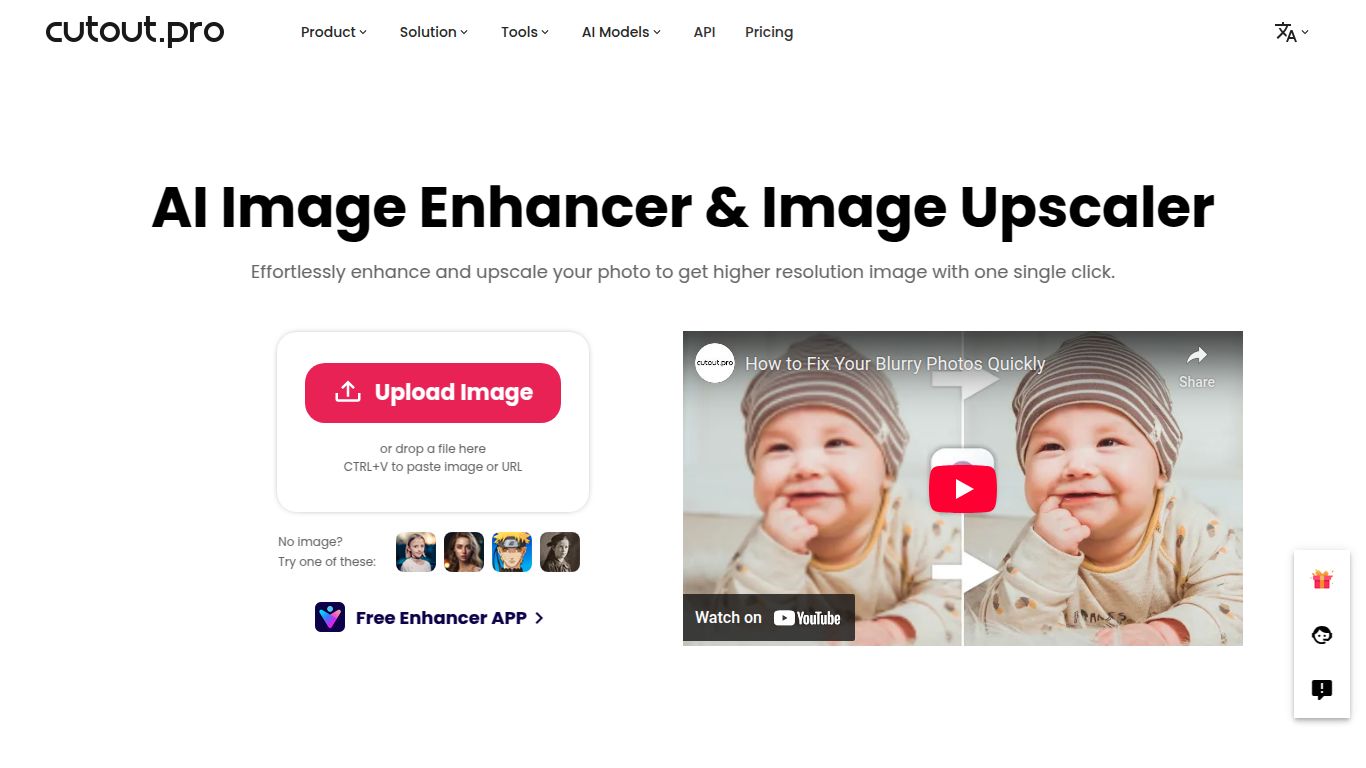
What is Cutout.pro Photo Enhancer & Upscaler?
Developed by the team at PicUP.Ai, Cutout.pro is a comprehensive suite of AI-powered visual editing tools. The Photo Enhancer & Upscaler is one of its star features, leveraging advanced artificial intelligence and machine learning algorithms to automatically enhance, sharpen, and enlarge photos without sacrificing quality. It analyzes your image, intelligently removes noise and blur, and increases the resolution, resulting in a dramatically clearer and more detailed final product. It’s like having a professional photo retoucher on demand, available 24/7 right in your web browser.
Capabilities
Cutout.pro focuses exclusively on what it does best: Image Processing. Its core capability lies in manipulating and improving still images. It does not offer features for video editing, text generation, or audio processing. This specialization allows it to pour all of its developmental resources into creating a best-in-class photo enhancement engine that delivers truly impressive results for photos of all kinds, from portraits and landscapes to product shots and historical archives.
Key Features That Make Cutout.pro Shine
- AI-Powered Upscaling: Magically increase the resolution of your photos by 2x, 4x, or even more. This is perfect for turning small, pixelated images into high-quality prints or digital displays. The AI intelligently fills in the missing details, avoiding the blocky artifacts common with traditional resizing methods.
- Intelligent Denoising & Deblurring: Say goodbye to grainy photos taken in low light and blurry images from slight camera shake. The tool automatically identifies and eliminates noise and motion blur, restoring crispness and clarity.
- Detail & Sharpness Enhancement: The AI doesn’t just make images bigger; it makes them better. It sharpens edges, enhances fine textures like hair and fabric, and brings out subtle details you might not have even noticed were there.
- Old Photo Restoration: Breathe new life into faded, scratched, and damaged old photographs. The tool can help reduce the appearance of imperfections and improve the overall quality, making cherished memories look as good as new.
- Batch Processing: For professionals with a high volume of images, the batch processing feature is a massive time-saver. Simply upload multiple photos and let the AI enhance them all at once.
- Simple & Intuitive Interface: You don’t need to be a Photoshop wizard to use Cutout.pro. Its drag-and-drop interface is incredibly user-friendly, allowing anyone to achieve professional results in seconds.
Clear and Flexible Pricing
Cutout.pro operates on a credit-based system, offering flexibility for different levels of usage. One credit typically allows you to process one image.
Pricing Plans
- Free Plan: To get you started, Cutout.pro offers a limited number of free credits upon signing up. This is a great way to test the tool’s capabilities and see the results for yourself, though downloads may be limited to a lower resolution.
- Subscription Plan: For regular users, monthly or annual subscriptions offer the best value. Plans often start at a low price point (e.g., around $5 per month for 40 credits) and scale up, providing a consistent number of credits each month at a discounted rate.
- Pay As You Go: If your needs are sporadic, the Pay As You Go option is perfect. You can purchase a bundle of credits (e.g., 10 credits for $4.99) that never expire, using them whenever you need to without a recurring commitment.
(Note: Prices are subject to change. Please visit the official Cutout.pro website for the most current pricing information.)
Who is Cutout.pro Perfect For?
This tool is incredibly versatile and caters to a wide range of users:
- E-commerce Store Owners: Enhance low-quality product photos from suppliers to create clean, sharp, and professional-looking listings that drive sales.
- Photographers & Graphic Designers: Quickly upscale images for large-format printing or rescue a slightly out-of-focus shot from a photoshoot.
- Real Estate Agents: Sharpen property photos to make listings more attractive to potential buyers, highlighting every detail of the home.
- Social Media Managers: Ensure all visual content is crisp and high-resolution, maximizing engagement on platforms like Instagram and Pinterest.
- Hobbyists & Personal Users: Restore old family photos, improve the quality of smartphone pictures, or simply make your favorite shots look their absolute best.
- Archivists and Historians: Digitize and enhance historical documents and photographs, making them clearer and more accessible for research and display.
How Does Cutout.pro Stack Up? (Alternatives)
The AI image enhancement space has several strong players. Key alternatives include Topaz Gigapixel AI, VanceAI Image Upscaler, and Let’s Enhance. While a tool like Topaz Gigapixel AI is a desktop-based powerhouse often favored by professional photographers for its granular control, it comes with a steep one-time cost. Cutout.pro’s main advantages are its accessibility (fully web-based, no software to install), speed, and flexible pricing model. It strikes an excellent balance between professional-grade quality and user-friendly simplicity, making it a fantastic and cost-effective choice for the vast majority of users who need quick, reliable, and high-quality results without a steep learning curve.
