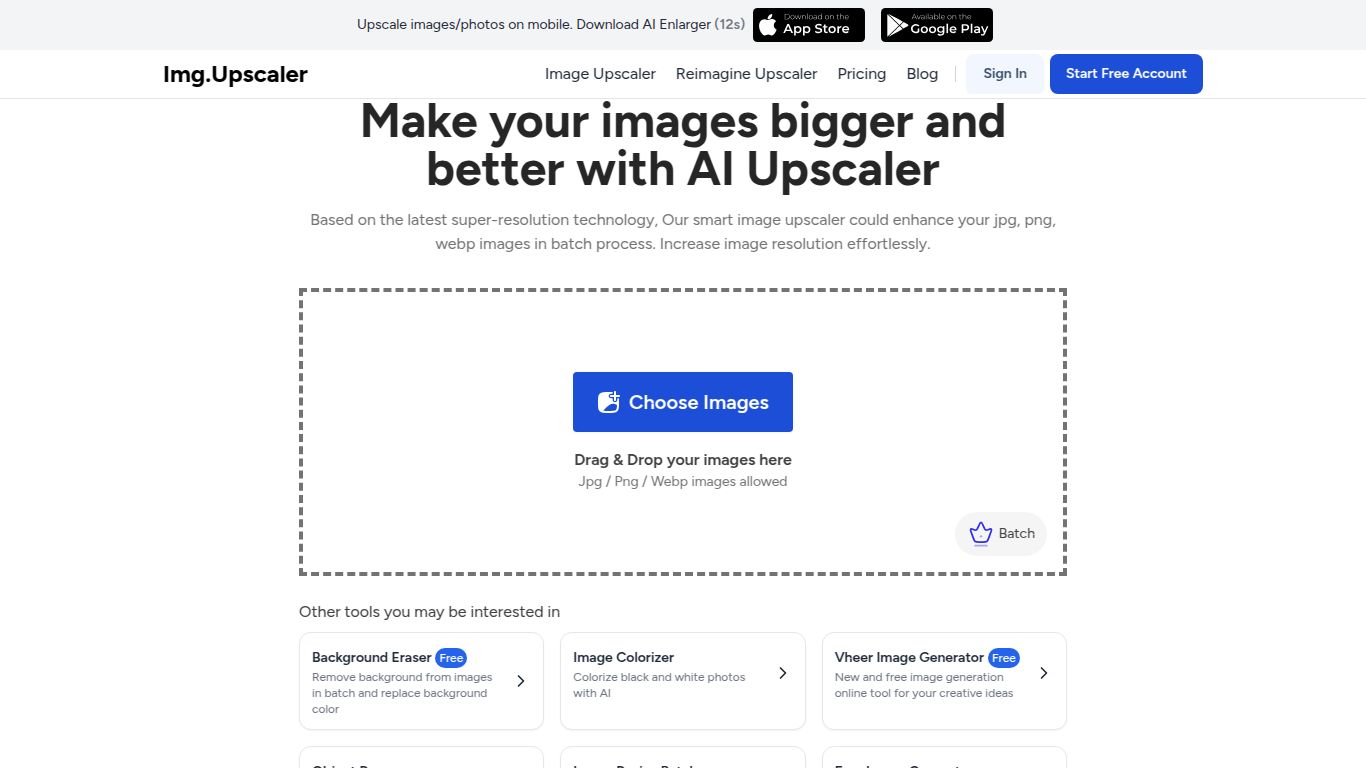
ImgUpscaler — AI Image Upscaler

3wks agoupdate 34 0 0

Fast online upscaler offering 2×/4× enlargement and detail enhancement.

Collection time:
2025-10-26
ImgUpscaler — AI Image UpscalerImgUpscaler — AI Image Upscaler

ImgUpscaler: Breathe New Life into Your Images with AI-Powered Upscaling

What is ImgUpscaler?

ImgUpscaler is a cutting-edge, web-based AI tool designed to enlarge and enhance images with stunning clarity. Developed by a team dedicated to accessible AI-powered visual media solutions, this tool tackles a common problem for creators and businesses alike: low-resolution images. Instead of traditional methods that result in blurry, pixelated enlargements, ImgUpscaler uses advanced artificial intelligence and deep learning algorithms to intelligently add detail, remove noise, and upscale photos to 2x, 4x, or even higher resolutions while preserving and often improving quality. It’s a go-to solution for anyone needing to rescue a small image or prepare visuals for high-definition displays and print.
ImgUpscaler — AI Image Upscaler

Core Capabilities: A Specialist in Image Enhancement

While some AI tools are jacks-of-all-trades, ImgUpscaler is a master of one: image processing. It does not generate images, text, or video from prompts. Instead, its entire focus is on taking your existing images and making them bigger, better, and clearer. Its capabilities are laser-focused on visual enhancement, making it an incredibly powerful and reliable tool for its specific purpose.

  • AI Image Upscaling: The core function. Enlarge images by 200% or 400% without the typical loss of quality. The AI fills in the missing pixels with contextually accurate details.
  • Noise and Artifact Removal: The tool automatically identifies and smooths out digital noise and compression artifacts (like those found in JPEGs), resulting in a cleaner, more professional finish.
  • Detail & Texture Enhancement: More than just making things bigger, the AI sharpens edges, enhances textures, and brings out fine details that were previously hidden in the low-resolution original.

Key Features that Make ImgUpscaler Stand Out

  • Simplicity at its Best: The user interface is incredibly intuitive. Simply drag and drop your image, select your desired upscale factor, and let the AI do the rest. No complex software or technical skills required.
  • Batch Processing Power: A massive time-saver for professionals. Upload multiple images at once and upscale them all in a single batch, streamlining your workflow significantly.
  • Support for Various Formats: Works seamlessly with popular image formats, including JPG, JPEG, and PNG, ensuring compatibility with most source files.
  • Fast and Cloud-Based: As a fully online tool, there’s nothing to download or install. The processing is handled on powerful cloud servers, delivering fast results directly in your browser.

Flexible Pricing for Every Need

ImgUpscaler offers a straightforward pricing structure to suit different levels of usage, from casual users to heavy-duty professionals.

Free Plan

Perfect for trying out the service or for occasional use. This plan typically allows you to process a limited number of images (e.g., 5-10) per month at no cost, often with some limitations on maximum resolution.

Premium Plan

Price: Around $9 per month.
Designed for regular users, this plan provides a generous number of credits (e.g., 100 images per month), unlocks higher resolution upscaling, enables batch processing, and offers priority support.

Pro Yearly Plan

Price: Around $69 per year.
The best value for professionals and businesses. This plan includes a large volume of credits, access to all premium features, and a significant discount compared to the monthly subscription.

Who is ImgUpscaler For?

This tool is a valuable asset for a wide range of users who rely on high-quality visuals:

  • E-commerce Store Owners: To create crisp, high-resolution product photos that drive sales.
  • Photographers: To enlarge older, lower-resolution shots for printing or modern digital displays.
  • Graphic & Web Designers: To upscale small assets, icons, or client-provided images for use in larger design projects.
  • Real Estate Agents: To enhance property photos, making them look sharp and appealing online.
  • Social Media Managers: To ensure all images posted are crystal-clear on every device, from mobile phones to 4K monitors.
  • Students and Hobbyists: For personal projects, presentations, or simply restoring old family photos.

ImgUpscaler Alternatives & Comparison

While ImgUpscaler is a fantastic tool, it’s helpful to know its place in the market. Here are some notable alternatives:

  • Topaz Gigapixel AI: Often considered the industry gold standard, it is a powerful desktop application known for its exceptional quality. However, it comes with a high one-time cost and requires a powerful computer.
  • VanceAI Image Upscaler: A direct web-based competitor offering a similar suite of AI image enhancement tools, including upscaling, sharpening, and denoising.
  • Let’s Enhance: Another popular online service that provides high-quality upscaling with various AI models tailored for different types of images (e.g., photos, digital art).

The Verdict: ImgUpscaler carves out its niche by offering a perfect balance of simplicity, high-quality results, and affordability. While desktop apps like Gigapixel AI might offer slightly more control for professionals, ImgUpscaler’s web-based convenience, batch processing, and user-friendly interface make it an unbeatable choice for the vast majority of users who need fast, reliable, and excellent image upscaling without the steep learning curve or high cost.

data statistics

Relevant Navigation

No comments

none
No comments...