Final Cut Pro — ML Masks & Captions: Your AI-Powered Editing Assistant
Unleash the future of video editing with Apple’s revolutionary machine learning tools built directly into Final Cut Pro. Gone are the days of tedious manual masking and time-consuming transcription. This suite of AI-powered features, including the incredible Scene Removal Mask and automatic captioning, acts as your personal editing assistant, automating complex tasks with a single click. Developed by Apple, these tools are seamlessly integrated into the professional-grade Final Cut Pro, designed to supercharge your workflow and free up your creativity.
Core Capabilities
- Video Editing & Effects: At its core, this is a top-tier video editing tool. The ML features enhance the post-production process, allowing for effects that were once reserved for VFX artists.
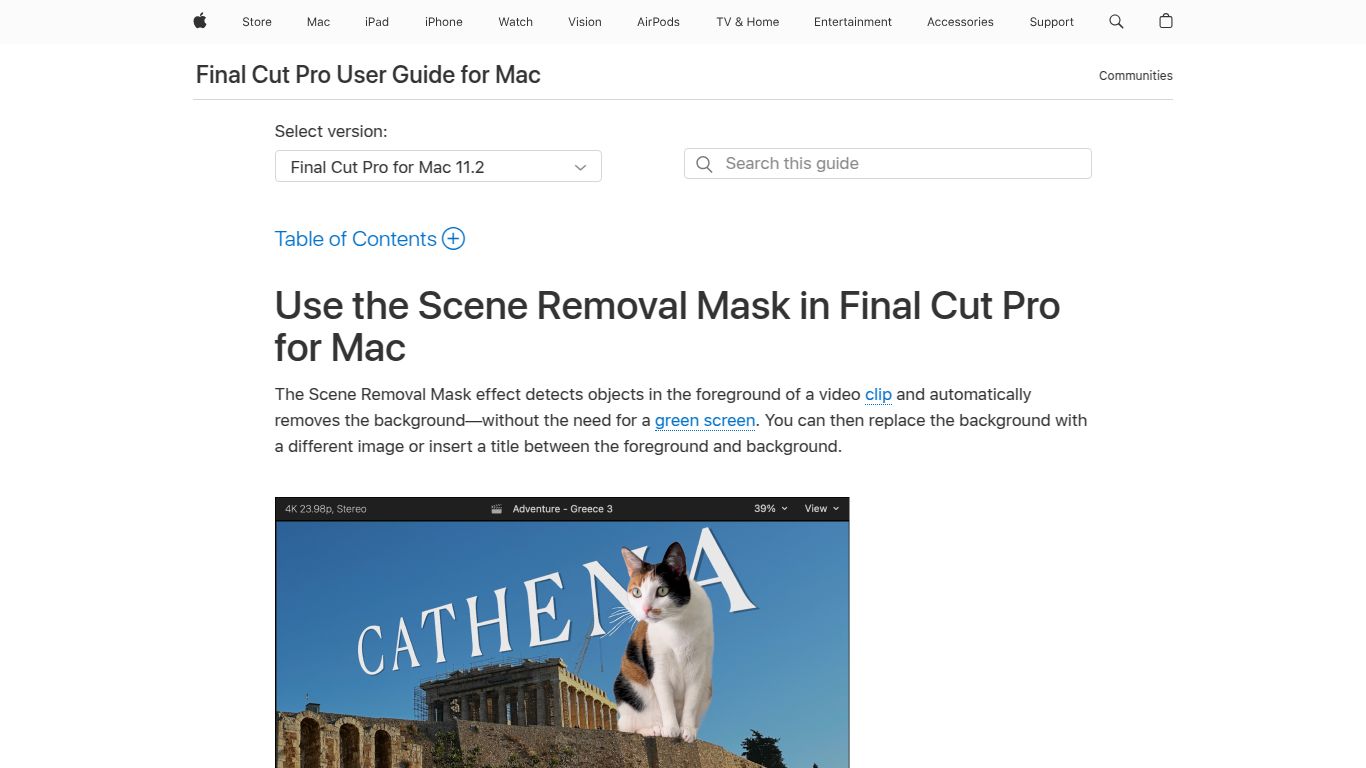
- Intelligent Masking: Automatically isolate subjects from their background without a green screen. Create stunning composites and depth-of-field effects in seconds.
- Automated Text & Captions: The AI engine listens to your video’s audio and generates time-synced captions automatically, drastically improving accessibility and engagement for social media content.
- Object Tracking: Lock titles, effects, or color grades onto moving faces or objects with unmatched precision, all powered by the Apple Neural Engine.
Signature Features
- Scene Removal Mask: This is the star of the show. Simply drag and drop this effect onto a clip to instantly remove the background. It’s perfect for creating professional-looking interviews, product showcases, or creative composites without the need for a physical green screen setup.
- Automatic Speech-to-Text: Final Cut Pro can analyze the audio in your timeline and transcribe dialogue with remarkable accuracy, creating a full set of captions you can edit and stylize to match your brand.
- Smart Conform: Repurposing content for different platforms has never been easier. Smart Conform uses machine learning to analyze your footage and automatically crop it for vertical, square, or other aspect ratios, always keeping the most important action in the frame.
- Seamless Integration: Unlike third-party plugins, these ML features are built into the very fabric of Final Cut Pro. This means faster performance, incredible stability, and a workflow that just feels right on any modern Mac.
Pricing: A Simple, Powerful Investment
Forget confusing subscriptions. The ML Masks & Captions features are included with Final Cut Pro, which is available as a one-time purchase from the Mac App Store.
- Final Cut Pro Plan: $299.99 (one-time payment). This single purchase gives you the full application, including all current and future updates, with no monthly fees ever.
Who Is This For?
- Content Creators: YouTubers, TikTokers, and Instagram influencers who need to produce high-quality, engaging content quickly.
- Professional Video Editors: Editors working on documentaries, commercials, or corporate videos who want to accelerate their workflow.
- Independent Filmmakers: Creatives who need powerful VFX tools without the blockbuster budget.
- Marketing Teams: Marketers creating product demos, social media ads, and promotional videos that need to pop.
- Educators & Course Creators: Anyone developing online courses or tutorials that require clear visuals and accessible captions.
Alternatives & Competitors
While Final Cut Pro’s integration is unique, other tools offer similar AI capabilities:
- Adobe Premiere Pro: The industry-standard subscription-based editor. Its “Text-Based Editing” and “Auto Reframe” features are direct competitors. The primary difference is the pricing model (Subscription vs. One-Time Purchase) and ecosystem (Adobe Creative Cloud vs. Apple).
- DaVinci Resolve Studio: A formidable competitor known for its Hollywood-grade color correction. The paid “Studio” version includes the “Magic Mask,” a powerful AI rotoscoping tool, and also offers auto-captioning. Like Final Cut Pro, it’s a one-time purchase.
- CapCut: A popular, often free tool that has a surprisingly effective “Auto Cutout” feature for background removal. It’s a fantastic option for quick social media edits but lacks the professional depth, control, and overall feature set of Final Cut Pro.
