Otter.ai & Trint: These are powerful, dedicated transcription tools. They excel at transcribing meetings and interviews but lack Descript‘s integrated audio/video editing capabilities. They give you a script; Descript gives you a full production studio based on that script.
Adobe Audition & Final Cut Pro: These are traditional, professional-grade editors that offer immense power but come with a steep learning curve. Descript is designed for speed and ease of use, democratizing media editing for creators who aren’t full-time editors.
In essence, Descript carves its own niche. It’s not just a transcription service, and it’s not just a video editor—it’s a new, text-first way of creating media. If your workflow involves transcribing audio or video and then editing it, Descript doesn’t just improve a step in the process; it revolutionizes the entire workflow, saving you countless hours of tedious work.
Journalists & Researchers: Transcribe interviews and easily pull key quotes and soundbites.
Educators & Corporate Trainers: Effortlessly produce online course materials, training videos, and presentations.
Anyone Who Works with Spoken Word Media: If you record your voice or others, Descript will save you a massive amount of time.
Alternatives & Comparison
While there are many transcription services and video editors on the market, few combine both in such a seamless way. Here’s how Descript stacks up:
Otter.ai & Trint: These are powerful, dedicated transcription tools. They excel at transcribing meetings and interviews but lack Descript’s integrated audio/video editing capabilities. They give you a script; Descript gives you a full production studio based on that script.
Adobe Audition & Final Cut Pro: These are traditional, professional-grade editors that offer immense power but come with a steep learning curve. Descript is designed for speed and ease of use, democratizing media editing for creators who aren’t full-time editors.
In essence, Descript carves its own niche. It’s not just a transcription service, and it’s not just a video editor—it’s a new, text-first way of creating media. If your workflow involves transcribing audio or video and then editing it, Descript doesn’t just improve a step in the process; it revolutionizes the entire workflow, saving you countless hours of tedious work.
Marketers: Quickly create and edit promotional videos, webinars, and customer testimonials.
Journalists & Researchers: Transcribe interviews and easily pull key quotes and soundbites.
Educators & Corporate Trainers: Effortlessly produce online course materials, training videos, and presentations.
Anyone Who Works with Spoken Word Media: If you record your voice or others, Descript will save you a massive amount of time.
Alternatives & Comparison
While there are many transcription services and video editors on the market, few combine both in such a seamless way. Here’s how Descript stacks up:
Otter.ai & Trint: These are powerful, dedicated transcription tools. They excel at transcribing meetings and interviews but lack Descript’s integrated audio/video editing capabilities. They give you a script; Descript gives you a full production studio based on that script.
Adobe Audition & Final Cut Pro: These are traditional, professional-grade editors that offer immense power but come with a steep learning curve. Descript is designed for speed and ease of use, democratizing media editing for creators who aren’t full-time editors.
In essence, Descript carves its own niche. It’s not just a transcription service, and it’s not just a video editor—it’s a new, text-first way of creating media. If your workflow involves transcribing audio or video and then editing it, Descript doesn’t just improve a step in the process; it revolutionizes the entire workflow, saving you countless hours of tedious work.
YouTubers & Video Creators: Dramatically speeds up the editing workflow for vlogs, tutorials, and interviews.
Marketers: Quickly create and edit promotional videos, webinars, and customer testimonials.
Journalists & Researchers: Transcribe interviews and easily pull key quotes and soundbites.
Educators & Corporate Trainers: Effortlessly produce online course materials, training videos, and presentations.
Anyone Who Works with Spoken Word Media: If you record your voice or others, Descript will save you a massive amount of time.
Alternatives & Comparison
While there are many transcription services and video editors on the market, few combine both in such a seamless way. Here’s how Descript stacks up:
Otter.ai & Trint: These are powerful, dedicated transcription tools. They excel at transcribing meetings and interviews but lack Descript’s integrated audio/video editing capabilities. They give you a script; Descript gives you a full production studio based on that script.
Adobe Audition & Final Cut Pro: These are traditional, professional-grade editors that offer immense power but come with a steep learning curve. Descript is designed for speed and ease of use, democratizing media editing for creators who aren’t full-time editors.
In essence, Descript carves its own niche. It’s not just a transcription service, and it’s not just a video editor—it’s a new, text-first way of creating media. If your workflow involves transcribing audio or video and then editing it, Descript doesn’t just improve a step in the process; it revolutionizes the entire workflow, saving you countless hours of tedious work.
Podcasters: The multitrack recording, text-based editing, and Studio Sound make it an end-to-end solution for podcast production.
YouTubers & Video Creators: Dramatically speeds up the editing workflow for vlogs, tutorials, and interviews.
Marketers: Quickly create and edit promotional videos, webinars, and customer testimonials.
Journalists & Researchers: Transcribe interviews and easily pull key quotes and soundbites.
Educators & Corporate Trainers: Effortlessly produce online course materials, training videos, and presentations.
Anyone Who Works with Spoken Word Media: If you record your voice or others, Descript will save you a massive amount of time.
Alternatives & Comparison
While there are many transcription services and video editors on the market, few combine both in such a seamless way. Here’s how Descript stacks up:
Otter.ai & Trint: These are powerful, dedicated transcription tools. They excel at transcribing meetings and interviews but lack Descript’s integrated audio/video editing capabilities. They give you a script; Descript gives you a full production studio based on that script.
Adobe Audition & Final Cut Pro: These are traditional, professional-grade editors that offer immense power but come with a steep learning curve. Descript is designed for speed and ease of use, democratizing media editing for creators who aren’t full-time editors.
In essence, Descript carves its own niche. It’s not just a transcription service, and it’s not just a video editor—it’s a new, text-first way of creating media. If your workflow involves transcribing audio or video and then editing it, Descript doesn’t just improve a step in the process; it revolutionizes the entire workflow, saving you countless hours of tedious work.
Podcasters: The multitrack recording, text-based editing, and Studio Sound make it an end-to-end solution for podcast production.
YouTubers & Video Creators: Dramatically speeds up the editing workflow for vlogs, tutorials, and interviews.
Marketers: Quickly create and edit promotional videos, webinars, and customer testimonials.
Journalists & Researchers: Transcribe interviews and easily pull key quotes and soundbites.
Educators & Corporate Trainers: Effortlessly produce online course materials, training videos, and presentations.
Anyone Who Works with Spoken Word Media: If you record your voice or others, Descript will save you a massive amount of time.
Alternatives & Comparison
While there are many transcription services and video editors on the market, few combine both in such a seamless way. Here’s how Descript stacks up:
Otter.ai & Trint: These are powerful, dedicated transcription tools. They excel at transcribing meetings and interviews but lack Descript’s integrated audio/video editing capabilities. They give you a script; Descript gives you a full production studio based on that script.
Adobe Audition & Final Cut Pro: These are traditional, professional-grade editors that offer immense power but come with a steep learning curve. Descript is designed for speed and ease of use, democratizing media editing for creators who aren’t full-time editors.
In essence, Descript carves its own niche. It’s not just a transcription service, and it’s not just a video editor—it’s a new, text-first way of creating media. If your workflow involves transcribing audio or video and then editing it, Descript doesn’t just improve a step in the process; it revolutionizes the entire workflow, saving you countless hours of tedious work.
Podcasters: The multitrack recording, text-based editing, and Studio Sound make it an end-to-end solution for podcast production.
YouTubers & Video Creators: Dramatically speeds up the editing workflow for vlogs, tutorials, and interviews.
Marketers: Quickly create and edit promotional videos, webinars, and customer testimonials.
Journalists & Researchers: Transcribe interviews and easily pull key quotes and soundbites.
Educators & Corporate Trainers: Effortlessly produce online course materials, training videos, and presentations.
Anyone Who Works with Spoken Word Media: If you record your voice or others, Descript will save you a massive amount of time.
Alternatives & Comparison
While there are many transcription services and video editors on the market, few combine both in such a seamless way. Here’s how Descript stacks up:
Otter.ai & Trint: These are powerful, dedicated transcription tools. They excel at transcribing meetings and interviews but lack Descript’s integrated audio/video editing capabilities. They give you a script; Descript gives you a full production studio based on that script.
Adobe Audition & Final Cut Pro: These are traditional, professional-grade editors that offer immense power but come with a steep learning curve. Descript is designed for speed and ease of use, democratizing media editing for creators who aren’t full-time editors.
In essence, Descript carves its own niche. It’s not just a transcription service, and it’s not just a video editor—it’s a new, text-first way of creating media. If your workflow involves transcribing audio or video and then editing it, Descript doesn’t just improve a step in the process; it revolutionizes the entire workflow, saving you countless hours of tedious work.
Creator Plan
Ideal for individuals creating regular content. You get 10 hours of transcription per month, unlimited Studio Sound, and watermark-free video export up to 4K. Price: $12/user/month (billed annually)
Pro Plan
The ultimate toolkit for professionals and teams. It comes with 30 hours of transcription per month, unlimited Overdub, and advanced features like Filler Word Removal Pro. Price: $24/user/month (billed annually)
An Enterprise plan is also available for larger organizations needing advanced security, onboarding, and dedicated support.
Who is Descript For?
Podcasters: The multitrack recording, text-based editing, and Studio Sound make it an end-to-end solution for podcast production.
YouTubers & Video Creators: Dramatically speeds up the editing workflow for vlogs, tutorials, and interviews.
Marketers: Quickly create and edit promotional videos, webinars, and customer testimonials.
Journalists & Researchers: Transcribe interviews and easily pull key quotes and soundbites.
Educators & Corporate Trainers: Effortlessly produce online course materials, training videos, and presentations.
Anyone Who Works with Spoken Word Media: If you record your voice or others, Descript will save you a massive amount of time.
Alternatives & Comparison
While there are many transcription services and video editors on the market, few combine both in such a seamless way. Here’s how Descript stacks up:
Otter.ai & Trint: These are powerful, dedicated transcription tools. They excel at transcribing meetings and interviews but lack Descript’s integrated audio/video editing capabilities. They give you a script; Descript gives you a full production studio based on that script.
Adobe Audition & Final Cut Pro: These are traditional, professional-grade editors that offer immense power but come with a steep learning curve. Descript is designed for speed and ease of use, democratizing media editing for creators who aren’t full-time editors.
In essence, Descript carves its own niche. It’s not just a transcription service, and it’s not just a video editor—it’s a new, text-first way of creating media. If your workflow involves transcribing audio or video and then editing it, Descript doesn’t just improve a step in the process; it revolutionizes the entire workflow, saving you countless hours of tedious work.
Free Plan
Perfect for trying out the core features. It includes 1 hour of transcription per month, limited Studio Sound, and watermark-free video export at 720p. Price: $0
Creator Plan
Ideal for individuals creating regular content. You get 10 hours of transcription per month, unlimited Studio Sound, and watermark-free video export up to 4K. Price: $12/user/month (billed annually)
Pro Plan
The ultimate toolkit for professionals and teams. It comes with 30 hours of transcription per month, unlimited Overdub, and advanced features like Filler Word Removal Pro. Price: $24/user/month (billed annually)
An Enterprise plan is also available for larger organizations needing advanced security, onboarding, and dedicated support.
Who is Descript For?
Podcasters: The multitrack recording, text-based editing, and Studio Sound make it an end-to-end solution for podcast production.
YouTubers & Video Creators: Dramatically speeds up the editing workflow for vlogs, tutorials, and interviews.
Marketers: Quickly create and edit promotional videos, webinars, and customer testimonials.
Journalists & Researchers: Transcribe interviews and easily pull key quotes and soundbites.
Educators & Corporate Trainers: Effortlessly produce online course materials, training videos, and presentations.
Anyone Who Works with Spoken Word Media: If you record your voice or others, Descript will save you a massive amount of time.
Alternatives & Comparison
While there are many transcription services and video editors on the market, few combine both in such a seamless way. Here’s how Descript stacks up:
Otter.ai & Trint: These are powerful, dedicated transcription tools. They excel at transcribing meetings and interviews but lack Descript’s integrated audio/video editing capabilities. They give you a script; Descript gives you a full production studio based on that script.
Adobe Audition & Final Cut Pro: These are traditional, professional-grade editors that offer immense power but come with a steep learning curve. Descript is designed for speed and ease of use, democratizing media editing for creators who aren’t full-time editors.
In essence, Descript carves its own niche. It’s not just a transcription service, and it’s not just a video editor—it’s a new, text-first way of creating media. If your workflow involves transcribing audio or video and then editing it, Descript doesn’t just improve a step in the process; it revolutionizes the entire workflow, saving you countless hours of tedious work.
Free Plan
Perfect for trying out the core features. It includes 1 hour of transcription per month, limited Studio Sound, and watermark-free video export at 720p. Price: $0
Creator Plan
Ideal for individuals creating regular content. You get 10 hours of transcription per month, unlimited Studio Sound, and watermark-free video export up to 4K. Price: $12/user/month (billed annually)
Pro Plan
The ultimate toolkit for professionals and teams. It comes with 30 hours of transcription per month, unlimited Overdub, and advanced features like Filler Word Removal Pro. Price: $24/user/month (billed annually)
An Enterprise plan is also available for larger organizations needing advanced security, onboarding, and dedicated support.
Who is Descript For?
Podcasters: The multitrack recording, text-based editing, and Studio Sound make it an end-to-end solution for podcast production.
YouTubers & Video Creators: Dramatically speeds up the editing workflow for vlogs, tutorials, and interviews.
Marketers: Quickly create and edit promotional videos, webinars, and customer testimonials.
Journalists & Researchers: Transcribe interviews and easily pull key quotes and soundbites.
Educators & Corporate Trainers: Effortlessly produce online course materials, training videos, and presentations.
Anyone Who Works with Spoken Word Media: If you record your voice or others, Descript will save you a massive amount of time.
Alternatives & Comparison
While there are many transcription services and video editors on the market, few combine both in such a seamless way. Here’s how Descript stacks up:
Otter.ai & Trint: These are powerful, dedicated transcription tools. They excel at transcribing meetings and interviews but lack Descript’s integrated audio/video editing capabilities. They give you a script; Descript gives you a full production studio based on that script.
Adobe Audition & Final Cut Pro: These are traditional, professional-grade editors that offer immense power but come with a steep learning curve. Descript is designed for speed and ease of use, democratizing media editing for creators who aren’t full-time editors.
In essence, Descript carves its own niche. It’s not just a transcription service, and it’s not just a video editor—it’s a new, text-first way of creating media. If your workflow involves transcribing audio or video and then editing it, Descript doesn’t just improve a step in the process; it revolutionizes the entire workflow, saving you countless hours of tedious work.
Remote Recording: Record with multiple guests from anywhere in the world. Descript captures high-fidelity audio and video for each participant on separate tracks, giving you complete control during the editing process.
Publishing & Export: Once you’re done, you can publish your video directly to various platforms or export it in multiple formats. You can also export the transcript as a text file, subtitles (SRT/VTT), or a rich document.
Collaborative Workflow: Just like a Google Doc, you can share your projects with team members, leave comments, and work together in real-time.
Pricing Plans for Every Creator
Free Plan
Perfect for trying out the core features. It includes 1 hour of transcription per month, limited Studio Sound, and watermark-free video export at 720p. Price: $0
Creator Plan
Ideal for individuals creating regular content. You get 10 hours of transcription per month, unlimited Studio Sound, and watermark-free video export up to 4K. Price: $12/user/month (billed annually)
Pro Plan
The ultimate toolkit for professionals and teams. It comes with 30 hours of transcription per month, unlimited Overdub, and advanced features like Filler Word Removal Pro. Price: $24/user/month (billed annually)
An Enterprise plan is also available for larger organizations needing advanced security, onboarding, and dedicated support.
Who is Descript For?
Podcasters: The multitrack recording, text-based editing, and Studio Sound make it an end-to-end solution for podcast production.
YouTubers & Video Creators: Dramatically speeds up the editing workflow for vlogs, tutorials, and interviews.
Marketers: Quickly create and edit promotional videos, webinars, and customer testimonials.
Journalists & Researchers: Transcribe interviews and easily pull key quotes and soundbites.
Educators & Corporate Trainers: Effortlessly produce online course materials, training videos, and presentations.
Anyone Who Works with Spoken Word Media: If you record your voice or others, Descript will save you a massive amount of time.
Alternatives & Comparison
While there are many transcription services and video editors on the market, few combine both in such a seamless way. Here’s how Descript stacks up:
Otter.ai & Trint: These are powerful, dedicated transcription tools. They excel at transcribing meetings and interviews but lack Descript’s integrated audio/video editing capabilities. They give you a script; Descript gives you a full production studio based on that script.
Adobe Audition & Final Cut Pro: These are traditional, professional-grade editors that offer immense power but come with a steep learning curve. Descript is designed for speed and ease of use, democratizing media editing for creators who aren’t full-time editors.
In essence, Descript carves its own niche. It’s not just a transcription service, and it’s not just a video editor—it’s a new, text-first way of creating media. If your workflow involves transcribing audio or video and then editing it, Descript doesn’t just improve a step in the process; it revolutionizes the entire workflow, saving you countless hours of tedious work.
Filler Word Removal: Banish all the “ums,” “ahs,” “you knows,” and other repetitive filler words from your entire recording in seconds. You can search for them and delete them all at once.
Remote Recording: Record with multiple guests from anywhere in the world. Descript captures high-fidelity audio and video for each participant on separate tracks, giving you complete control during the editing process.
Publishing & Export: Once you’re done, you can publish your video directly to various platforms or export it in multiple formats. You can also export the transcript as a text file, subtitles (SRT/VTT), or a rich document.
Collaborative Workflow: Just like a Google Doc, you can share your projects with team members, leave comments, and work together in real-time.
Pricing Plans for Every Creator
Free Plan
Perfect for trying out the core features. It includes 1 hour of transcription per month, limited Studio Sound, and watermark-free video export at 720p. Price: $0
Creator Plan
Ideal for individuals creating regular content. You get 10 hours of transcription per month, unlimited Studio Sound, and watermark-free video export up to 4K. Price: $12/user/month (billed annually)
Pro Plan
The ultimate toolkit for professionals and teams. It comes with 30 hours of transcription per month, unlimited Overdub, and advanced features like Filler Word Removal Pro. Price: $24/user/month (billed annually)
An Enterprise plan is also available for larger organizations needing advanced security, onboarding, and dedicated support.
Who is Descript For?
Podcasters: The multitrack recording, text-based editing, and Studio Sound make it an end-to-end solution for podcast production.
YouTubers & Video Creators: Dramatically speeds up the editing workflow for vlogs, tutorials, and interviews.
Marketers: Quickly create and edit promotional videos, webinars, and customer testimonials.
Journalists & Researchers: Transcribe interviews and easily pull key quotes and soundbites.
Educators & Corporate Trainers: Effortlessly produce online course materials, training videos, and presentations.
Anyone Who Works with Spoken Word Media: If you record your voice or others, Descript will save you a massive amount of time.
Alternatives & Comparison
While there are many transcription services and video editors on the market, few combine both in such a seamless way. Here’s how Descript stacks up:
Otter.ai & Trint: These are powerful, dedicated transcription tools. They excel at transcribing meetings and interviews but lack Descript’s integrated audio/video editing capabilities. They give you a script; Descript gives you a full production studio based on that script.
Adobe Audition & Final Cut Pro: These are traditional, professional-grade editors that offer immense power but come with a steep learning curve. Descript is designed for speed and ease of use, democratizing media editing for creators who aren’t full-time editors.
In essence, Descript carves its own niche. It’s not just a transcription service, and it’s not just a video editor—it’s a new, text-first way of creating media. If your workflow involves transcribing audio or video and then editing it, Descript doesn’t just improve a step in the process; it revolutionizes the entire workflow, saving you countless hours of tedious work.
Studio Sound: With a single click, this magical feature removes background noise, eliminates echo, and enhances voice frequencies. It makes recordings sound as if they were captured in a professional studio, even if you recorded in a noisy room.
Filler Word Removal: Banish all the “ums,” “ahs,” “you knows,” and other repetitive filler words from your entire recording in seconds. You can search for them and delete them all at once.
Remote Recording: Record with multiple guests from anywhere in the world. Descript captures high-fidelity audio and video for each participant on separate tracks, giving you complete control during the editing process.
Publishing & Export: Once you’re done, you can publish your video directly to various platforms or export it in multiple formats. You can also export the transcript as a text file, subtitles (SRT/VTT), or a rich document.
Collaborative Workflow: Just like a Google Doc, you can share your projects with team members, leave comments, and work together in real-time.
Pricing Plans for Every Creator
Free Plan
Perfect for trying out the core features. It includes 1 hour of transcription per month, limited Studio Sound, and watermark-free video export at 720p. Price: $0
Creator Plan
Ideal for individuals creating regular content. You get 10 hours of transcription per month, unlimited Studio Sound, and watermark-free video export up to 4K. Price: $12/user/month (billed annually)
Pro Plan
The ultimate toolkit for professionals and teams. It comes with 30 hours of transcription per month, unlimited Overdub, and advanced features like Filler Word Removal Pro. Price: $24/user/month (billed annually)
An Enterprise plan is also available for larger organizations needing advanced security, onboarding, and dedicated support.
Who is Descript For?
Podcasters: The multitrack recording, text-based editing, and Studio Sound make it an end-to-end solution for podcast production.
YouTubers & Video Creators: Dramatically speeds up the editing workflow for vlogs, tutorials, and interviews.
Marketers: Quickly create and edit promotional videos, webinars, and customer testimonials.
Journalists & Researchers: Transcribe interviews and easily pull key quotes and soundbites.
Educators & Corporate Trainers: Effortlessly produce online course materials, training videos, and presentations.
Anyone Who Works with Spoken Word Media: If you record your voice or others, Descript will save you a massive amount of time.
Alternatives & Comparison
While there are many transcription services and video editors on the market, few combine both in such a seamless way. Here’s how Descript stacks up:
Otter.ai & Trint: These are powerful, dedicated transcription tools. They excel at transcribing meetings and interviews but lack Descript’s integrated audio/video editing capabilities. They give you a script; Descript gives you a full production studio based on that script.
Adobe Audition & Final Cut Pro: These are traditional, professional-grade editors that offer immense power but come with a steep learning curve. Descript is designed for speed and ease of use, democratizing media editing for creators who aren’t full-time editors.
In essence, Descript carves its own niche. It’s not just a transcription service, and it’s not just a video editor—it’s a new, text-first way of creating media. If your workflow involves transcribing audio or video and then editing it, Descript doesn’t just improve a step in the process; it revolutionizes the entire workflow, saving you countless hours of tedious work.
Studio Sound: With a single click, this magical feature removes background noise, eliminates echo, and enhances voice frequencies. It makes recordings sound as if they were captured in a professional studio, even if you recorded in a noisy room.
Filler Word Removal: Banish all the “ums,” “ahs,” “you knows,” and other repetitive filler words from your entire recording in seconds. You can search for them and delete them all at once.
Remote Recording: Record with multiple guests from anywhere in the world. Descript captures high-fidelity audio and video for each participant on separate tracks, giving you complete control during the editing process.
Publishing & Export: Once you’re done, you can publish your video directly to various platforms or export it in multiple formats. You can also export the transcript as a text file, subtitles (SRT/VTT), or a rich document.
Collaborative Workflow: Just like a Google Doc, you can share your projects with team members, leave comments, and work together in real-time.
Pricing Plans for Every Creator
Free Plan
Perfect for trying out the core features. It includes 1 hour of transcription per month, limited Studio Sound, and watermark-free video export at 720p. Price: $0
Creator Plan
Ideal for individuals creating regular content. You get 10 hours of transcription per month, unlimited Studio Sound, and watermark-free video export up to 4K. Price: $12/user/month (billed annually)
Pro Plan
The ultimate toolkit for professionals and teams. It comes with 30 hours of transcription per month, unlimited Overdub, and advanced features like Filler Word Removal Pro. Price: $24/user/month (billed annually)
An Enterprise plan is also available for larger organizations needing advanced security, onboarding, and dedicated support.
Who is Descript For?
Podcasters: The multitrack recording, text-based editing, and Studio Sound make it an end-to-end solution for podcast production.
YouTubers & Video Creators: Dramatically speeds up the editing workflow for vlogs, tutorials, and interviews.
Marketers: Quickly create and edit promotional videos, webinars, and customer testimonials.
Journalists & Researchers: Transcribe interviews and easily pull key quotes and soundbites.
Educators & Corporate Trainers: Effortlessly produce online course materials, training videos, and presentations.
Anyone Who Works with Spoken Word Media: If you record your voice or others, Descript will save you a massive amount of time.
Alternatives & Comparison
While there are many transcription services and video editors on the market, few combine both in such a seamless way. Here’s how Descript stacks up:
Otter.ai & Trint: These are powerful, dedicated transcription tools. They excel at transcribing meetings and interviews but lack Descript’s integrated audio/video editing capabilities. They give you a script; Descript gives you a full production studio based on that script.
Adobe Audition & Final Cut Pro: These are traditional, professional-grade editors that offer immense power but come with a steep learning curve. Descript is designed for speed and ease of use, democratizing media editing for creators who aren’t full-time editors.
In essence, Descript carves its own niche. It’s not just a transcription service, and it’s not just a video editor—it’s a new, text-first way of creating media. If your workflow involves transcribing audio or video and then editing it, Descript doesn’t just improve a step in the process; it revolutionizes the entire workflow, saving you countless hours of tedious work.
Studio Sound: With a single click, this magical feature removes background noise, eliminates echo, and enhances voice frequencies. It makes recordings sound as if they were captured in a professional studio, even if you recorded in a noisy room.
Filler Word Removal: Banish all the “ums,” “ahs,” “you knows,” and other repetitive filler words from your entire recording in seconds. You can search for them and delete them all at once.
Remote Recording: Record with multiple guests from anywhere in the world. Descript captures high-fidelity audio and video for each participant on separate tracks, giving you complete control during the editing process.
Publishing & Export: Once you’re done, you can publish your video directly to various platforms or export it in multiple formats. You can also export the transcript as a text file, subtitles (SRT/VTT), or a rich document.
Collaborative Workflow: Just like a Google Doc, you can share your projects with team members, leave comments, and work together in real-time.
Pricing Plans for Every Creator
Free Plan
Perfect for trying out the core features. It includes 1 hour of transcription per month, limited Studio Sound, and watermark-free video export at 720p. Price: $0
Creator Plan
Ideal for individuals creating regular content. You get 10 hours of transcription per month, unlimited Studio Sound, and watermark-free video export up to 4K. Price: $12/user/month (billed annually)
Pro Plan
The ultimate toolkit for professionals and teams. It comes with 30 hours of transcription per month, unlimited Overdub, and advanced features like Filler Word Removal Pro. Price: $24/user/month (billed annually)
An Enterprise plan is also available for larger organizations needing advanced security, onboarding, and dedicated support.
Who is Descript For?
Podcasters: The multitrack recording, text-based editing, and Studio Sound make it an end-to-end solution for podcast production.
YouTubers & Video Creators: Dramatically speeds up the editing workflow for vlogs, tutorials, and interviews.
Marketers: Quickly create and edit promotional videos, webinars, and customer testimonials.
Journalists & Researchers: Transcribe interviews and easily pull key quotes and soundbites.
Educators & Corporate Trainers: Effortlessly produce online course materials, training videos, and presentations.
Anyone Who Works with Spoken Word Media: If you record your voice or others, Descript will save you a massive amount of time.
Alternatives & Comparison
While there are many transcription services and video editors on the market, few combine both in such a seamless way. Here’s how Descript stacks up:
Otter.ai & Trint: These are powerful, dedicated transcription tools. They excel at transcribing meetings and interviews but lack Descript’s integrated audio/video editing capabilities. They give you a script; Descript gives you a full production studio based on that script.
Adobe Audition & Final Cut Pro: These are traditional, professional-grade editors that offer immense power but come with a steep learning curve. Descript is designed for speed and ease of use, democratizing media editing for creators who aren’t full-time editors.
In essence, Descript carves its own niche. It’s not just a transcription service, and it’s not just a video editor—it’s a new, text-first way of creating media. If your workflow involves transcribing audio or video and then editing it, Descript doesn’t just improve a step in the process; it revolutionizes the entire workflow, saving you countless hours of tedious work.
Screen Recording: Easily capture your screen and webcam to create tutorials, presentations, or team updates. Once recorded, your video is instantly transcribed and ready for editing.
Overdub & AI Voices: Made a mistake? No need to re-record! With Overdub, you can create an ultra-realistic clone of your own voice and type to generate new audio. Simply correct the typo in the script, and Descript will generate the corrected audio in your voice.
Podcasting Suite: Descript is a podcaster’s paradise. It offers multitrack recording, automatic filler word removal, and one-click audio enhancement to give your show a professional studio-quality sound.
Standout Features
Studio Sound: With a single click, this magical feature removes background noise, eliminates echo, and enhances voice frequencies. It makes recordings sound as if they were captured in a professional studio, even if you recorded in a noisy room.
Filler Word Removal: Banish all the “ums,” “ahs,” “you knows,” and other repetitive filler words from your entire recording in seconds. You can search for them and delete them all at once.
Remote Recording: Record with multiple guests from anywhere in the world. Descript captures high-fidelity audio and video for each participant on separate tracks, giving you complete control during the editing process.
Publishing & Export: Once you’re done, you can publish your video directly to various platforms or export it in multiple formats. You can also export the transcript as a text file, subtitles (SRT/VTT), or a rich document.
Collaborative Workflow: Just like a Google Doc, you can share your projects with team members, leave comments, and work together in real-time.
Pricing Plans for Every Creator
Free Plan
Perfect for trying out the core features. It includes 1 hour of transcription per month, limited Studio Sound, and watermark-free video export at 720p. Price: $0
Creator Plan
Ideal for individuals creating regular content. You get 10 hours of transcription per month, unlimited Studio Sound, and watermark-free video export up to 4K. Price: $12/user/month (billed annually)
Pro Plan
The ultimate toolkit for professionals and teams. It comes with 30 hours of transcription per month, unlimited Overdub, and advanced features like Filler Word Removal Pro. Price: $24/user/month (billed annually)
An Enterprise plan is also available for larger organizations needing advanced security, onboarding, and dedicated support.
Who is Descript For?
Podcasters: The multitrack recording, text-based editing, and Studio Sound make it an end-to-end solution for podcast production.
YouTubers & Video Creators: Dramatically speeds up the editing workflow for vlogs, tutorials, and interviews.
Marketers: Quickly create and edit promotional videos, webinars, and customer testimonials.
Journalists & Researchers: Transcribe interviews and easily pull key quotes and soundbites.
Educators & Corporate Trainers: Effortlessly produce online course materials, training videos, and presentations.
Anyone Who Works with Spoken Word Media: If you record your voice or others, Descript will save you a massive amount of time.
Alternatives & Comparison
While there are many transcription services and video editors on the market, few combine both in such a seamless way. Here’s how Descript stacks up:
Otter.ai & Trint: These are powerful, dedicated transcription tools. They excel at transcribing meetings and interviews but lack Descript’s integrated audio/video editing capabilities. They give you a script; Descript gives you a full production studio based on that script.
Adobe Audition & Final Cut Pro: These are traditional, professional-grade editors that offer immense power but come with a steep learning curve. Descript is designed for speed and ease of use, democratizing media editing for creators who aren’t full-time editors.
In essence, Descript carves its own niche. It’s not just a transcription service, and it’s not just a video editor—it’s a new, text-first way of creating media. If your workflow involves transcribing audio or video and then editing it, Descript doesn’t just improve a step in the process; it revolutionizes the entire workflow, saving you countless hours of tedious work.
Text-Based Video & Audio Editing: This is the magic. Your media is transcribed, and you can edit the audio or video simply by deleting words or sentences in the text. Cut out a mistake in the transcript, and it’s instantly removed from the video. It’s that simple.
Screen Recording: Easily capture your screen and webcam to create tutorials, presentations, or team updates. Once recorded, your video is instantly transcribed and ready for editing.
Overdub & AI Voices: Made a mistake? No need to re-record! With Overdub, you can create an ultra-realistic clone of your own voice and type to generate new audio. Simply correct the typo in the script, and Descript will generate the corrected audio in your voice.
Podcasting Suite: Descript is a podcaster’s paradise. It offers multitrack recording, automatic filler word removal, and one-click audio enhancement to give your show a professional studio-quality sound.
Standout Features
Studio Sound: With a single click, this magical feature removes background noise, eliminates echo, and enhances voice frequencies. It makes recordings sound as if they were captured in a professional studio, even if you recorded in a noisy room.
Filler Word Removal: Banish all the “ums,” “ahs,” “you knows,” and other repetitive filler words from your entire recording in seconds. You can search for them and delete them all at once.
Remote Recording: Record with multiple guests from anywhere in the world. Descript captures high-fidelity audio and video for each participant on separate tracks, giving you complete control during the editing process.
Publishing & Export: Once you’re done, you can publish your video directly to various platforms or export it in multiple formats. You can also export the transcript as a text file, subtitles (SRT/VTT), or a rich document.
Collaborative Workflow: Just like a Google Doc, you can share your projects with team members, leave comments, and work together in real-time.
Pricing Plans for Every Creator
Free Plan
Perfect for trying out the core features. It includes 1 hour of transcription per month, limited Studio Sound, and watermark-free video export at 720p. Price: $0
Creator Plan
Ideal for individuals creating regular content. You get 10 hours of transcription per month, unlimited Studio Sound, and watermark-free video export up to 4K. Price: $12/user/month (billed annually)
Pro Plan
The ultimate toolkit for professionals and teams. It comes with 30 hours of transcription per month, unlimited Overdub, and advanced features like Filler Word Removal Pro. Price: $24/user/month (billed annually)
An Enterprise plan is also available for larger organizations needing advanced security, onboarding, and dedicated support.
Who is Descript For?
Podcasters: The multitrack recording, text-based editing, and Studio Sound make it an end-to-end solution for podcast production.
YouTubers & Video Creators: Dramatically speeds up the editing workflow for vlogs, tutorials, and interviews.
Marketers: Quickly create and edit promotional videos, webinars, and customer testimonials.
Journalists & Researchers: Transcribe interviews and easily pull key quotes and soundbites.
Educators & Corporate Trainers: Effortlessly produce online course materials, training videos, and presentations.
Anyone Who Works with Spoken Word Media: If you record your voice or others, Descript will save you a massive amount of time.
Alternatives & Comparison
While there are many transcription services and video editors on the market, few combine both in such a seamless way. Here’s how Descript stacks up:
Otter.ai & Trint: These are powerful, dedicated transcription tools. They excel at transcribing meetings and interviews but lack Descript’s integrated audio/video editing capabilities. They give you a script; Descript gives you a full production studio based on that script.
Adobe Audition & Final Cut Pro: These are traditional, professional-grade editors that offer immense power but come with a steep learning curve. Descript is designed for speed and ease of use, democratizing media editing for creators who aren’t full-time editors.
In essence, Descript carves its own niche. It’s not just a transcription service, and it’s not just a video editor—it’s a new, text-first way of creating media. If your workflow involves transcribing audio or video and then editing it, Descript doesn’t just improve a step in the process; it revolutionizes the entire workflow, saving you countless hours of tedious work.
AI-Powered Transcription: At its core, Descript provides lightning-fast and remarkably accurate automated transcription for your audio and video files. It supports over 22 languages and includes speaker detection, making it easy to see who said what.
Text-Based Video & Audio Editing: This is the magic. Your media is transcribed, and you can edit the audio or video simply by deleting words or sentences in the text. Cut out a mistake in the transcript, and it’s instantly removed from the video. It’s that simple.
Screen Recording: Easily capture your screen and webcam to create tutorials, presentations, or team updates. Once recorded, your video is instantly transcribed and ready for editing.
Overdub & AI Voices: Made a mistake? No need to re-record! With Overdub, you can create an ultra-realistic clone of your own voice and type to generate new audio. Simply correct the typo in the script, and Descript will generate the corrected audio in your voice.
Podcasting Suite: Descript is a podcaster’s paradise. It offers multitrack recording, automatic filler word removal, and one-click audio enhancement to give your show a professional studio-quality sound.
Standout Features
Studio Sound: With a single click, this magical feature removes background noise, eliminates echo, and enhances voice frequencies. It makes recordings sound as if they were captured in a professional studio, even if you recorded in a noisy room.
Filler Word Removal: Banish all the “ums,” “ahs,” “you knows,” and other repetitive filler words from your entire recording in seconds. You can search for them and delete them all at once.
Remote Recording: Record with multiple guests from anywhere in the world. Descript captures high-fidelity audio and video for each participant on separate tracks, giving you complete control during the editing process.
Publishing & Export: Once you’re done, you can publish your video directly to various platforms or export it in multiple formats. You can also export the transcript as a text file, subtitles (SRT/VTT), or a rich document.
Collaborative Workflow: Just like a Google Doc, you can share your projects with team members, leave comments, and work together in real-time.
Pricing Plans for Every Creator
Free Plan
Perfect for trying out the core features. It includes 1 hour of transcription per month, limited Studio Sound, and watermark-free video export at 720p. Price: $0
Creator Plan
Ideal for individuals creating regular content. You get 10 hours of transcription per month, unlimited Studio Sound, and watermark-free video export up to 4K. Price: $12/user/month (billed annually)
Pro Plan
The ultimate toolkit for professionals and teams. It comes with 30 hours of transcription per month, unlimited Overdub, and advanced features like Filler Word Removal Pro. Price: $24/user/month (billed annually)
An Enterprise plan is also available for larger organizations needing advanced security, onboarding, and dedicated support.
Who is Descript For?
Podcasters: The multitrack recording, text-based editing, and Studio Sound make it an end-to-end solution for podcast production.
YouTubers & Video Creators: Dramatically speeds up the editing workflow for vlogs, tutorials, and interviews.
Marketers: Quickly create and edit promotional videos, webinars, and customer testimonials.
Journalists & Researchers: Transcribe interviews and easily pull key quotes and soundbites.
Educators & Corporate Trainers: Effortlessly produce online course materials, training videos, and presentations.
Anyone Who Works with Spoken Word Media: If you record your voice or others, Descript will save you a massive amount of time.
Alternatives & Comparison
While there are many transcription services and video editors on the market, few combine both in such a seamless way. Here’s how Descript stacks up:
Otter.ai & Trint: These are powerful, dedicated transcription tools. They excel at transcribing meetings and interviews but lack Descript’s integrated audio/video editing capabilities. They give you a script; Descript gives you a full production studio based on that script.
Adobe Audition & Final Cut Pro: These are traditional, professional-grade editors that offer immense power but come with a steep learning curve. Descript is designed for speed and ease of use, democratizing media editing for creators who aren’t full-time editors.
In essence, Descript carves its own niche. It’s not just a transcription service, and it’s not just a video editor—it’s a new, text-first way of creating media. If your workflow involves transcribing audio or video and then editing it, Descript doesn’t just improve a step in the process; it revolutionizes the entire workflow, saving you countless hours of tedious work.
AI-Powered Transcription: At its core, Descript provides lightning-fast and remarkably accurate automated transcription for your audio and video files. It supports over 22 languages and includes speaker detection, making it easy to see who said what.
Text-Based Video & Audio Editing: This is the magic. Your media is transcribed, and you can edit the audio or video simply by deleting words or sentences in the text. Cut out a mistake in the transcript, and it’s instantly removed from the video. It’s that simple.
Screen Recording: Easily capture your screen and webcam to create tutorials, presentations, or team updates. Once recorded, your video is instantly transcribed and ready for editing.
Overdub & AI Voices: Made a mistake? No need to re-record! With Overdub, you can create an ultra-realistic clone of your own voice and type to generate new audio. Simply correct the typo in the script, and Descript will generate the corrected audio in your voice.
Podcasting Suite: Descript is a podcaster’s paradise. It offers multitrack recording, automatic filler word removal, and one-click audio enhancement to give your show a professional studio-quality sound.
Standout Features
Studio Sound: With a single click, this magical feature removes background noise, eliminates echo, and enhances voice frequencies. It makes recordings sound as if they were captured in a professional studio, even if you recorded in a noisy room.
Filler Word Removal: Banish all the “ums,” “ahs,” “you knows,” and other repetitive filler words from your entire recording in seconds. You can search for them and delete them all at once.
Remote Recording: Record with multiple guests from anywhere in the world. Descript captures high-fidelity audio and video for each participant on separate tracks, giving you complete control during the editing process.
Publishing & Export: Once you’re done, you can publish your video directly to various platforms or export it in multiple formats. You can also export the transcript as a text file, subtitles (SRT/VTT), or a rich document.
Collaborative Workflow: Just like a Google Doc, you can share your projects with team members, leave comments, and work together in real-time.
Pricing Plans for Every Creator
Free Plan
Perfect for trying out the core features. It includes 1 hour of transcription per month, limited Studio Sound, and watermark-free video export at 720p. Price: $0
Creator Plan
Ideal for individuals creating regular content. You get 10 hours of transcription per month, unlimited Studio Sound, and watermark-free video export up to 4K. Price: $12/user/month (billed annually)
Pro Plan
The ultimate toolkit for professionals and teams. It comes with 30 hours of transcription per month, unlimited Overdub, and advanced features like Filler Word Removal Pro. Price: $24/user/month (billed annually)
An Enterprise plan is also available for larger organizations needing advanced security, onboarding, and dedicated support.
Who is Descript For?
Podcasters: The multitrack recording, text-based editing, and Studio Sound make it an end-to-end solution for podcast production.
YouTubers & Video Creators: Dramatically speeds up the editing workflow for vlogs, tutorials, and interviews.
Marketers: Quickly create and edit promotional videos, webinars, and customer testimonials.
Journalists & Researchers: Transcribe interviews and easily pull key quotes and soundbites.
Educators & Corporate Trainers: Effortlessly produce online course materials, training videos, and presentations.
Anyone Who Works with Spoken Word Media: If you record your voice or others, Descript will save you a massive amount of time.
Alternatives & Comparison
While there are many transcription services and video editors on the market, few combine both in such a seamless way. Here’s how Descript stacks up:
Otter.ai & Trint: These are powerful, dedicated transcription tools. They excel at transcribing meetings and interviews but lack Descript’s integrated audio/video editing capabilities. They give you a script; Descript gives you a full production studio based on that script.
Adobe Audition & Final Cut Pro: These are traditional, professional-grade editors that offer immense power but come with a steep learning curve. Descript is designed for speed and ease of use, democratizing media editing for creators who aren’t full-time editors.
In essence, Descript carves its own niche. It’s not just a transcription service, and it’s not just a video editor—it’s a new, text-first way of creating media. If your workflow involves transcribing audio or video and then editing it, Descript doesn’t just improve a step in the process; it revolutionizes the entire workflow, saving you countless hours of tedious work.
AI-Powered Transcription: At its core, Descript provides lightning-fast and remarkably accurate automated transcription for your audio and video files. It supports over 22 languages and includes speaker detection, making it easy to see who said what.
Text-Based Video & Audio Editing: This is the magic. Your media is transcribed, and you can edit the audio or video simply by deleting words or sentences in the text. Cut out a mistake in the transcript, and it’s instantly removed from the video. It’s that simple.
Screen Recording: Easily capture your screen and webcam to create tutorials, presentations, or team updates. Once recorded, your video is instantly transcribed and ready for editing.
Overdub & AI Voices: Made a mistake? No need to re-record! With Overdub, you can create an ultra-realistic clone of your own voice and type to generate new audio. Simply correct the typo in the script, and Descript will generate the corrected audio in your voice.
Podcasting Suite: Descript is a podcaster’s paradise. It offers multitrack recording, automatic filler word removal, and one-click audio enhancement to give your show a professional studio-quality sound.
Standout Features
Studio Sound: With a single click, this magical feature removes background noise, eliminates echo, and enhances voice frequencies. It makes recordings sound as if they were captured in a professional studio, even if you recorded in a noisy room.
Filler Word Removal: Banish all the “ums,” “ahs,” “you knows,” and other repetitive filler words from your entire recording in seconds. You can search for them and delete them all at once.
Remote Recording: Record with multiple guests from anywhere in the world. Descript captures high-fidelity audio and video for each participant on separate tracks, giving you complete control during the editing process.
Publishing & Export: Once you’re done, you can publish your video directly to various platforms or export it in multiple formats. You can also export the transcript as a text file, subtitles (SRT/VTT), or a rich document.
Collaborative Workflow: Just like a Google Doc, you can share your projects with team members, leave comments, and work together in real-time.
Pricing Plans for Every Creator
Free Plan
Perfect for trying out the core features. It includes 1 hour of transcription per month, limited Studio Sound, and watermark-free video export at 720p. Price: $0
Creator Plan
Ideal for individuals creating regular content. You get 10 hours of transcription per month, unlimited Studio Sound, and watermark-free video export up to 4K. Price: $12/user/month (billed annually)
Pro Plan
The ultimate toolkit for professionals and teams. It comes with 30 hours of transcription per month, unlimited Overdub, and advanced features like Filler Word Removal Pro. Price: $24/user/month (billed annually)
An Enterprise plan is also available for larger organizations needing advanced security, onboarding, and dedicated support.
Who is Descript For?
Podcasters: The multitrack recording, text-based editing, and Studio Sound make it an end-to-end solution for podcast production.
YouTubers & Video Creators: Dramatically speeds up the editing workflow for vlogs, tutorials, and interviews.
Marketers: Quickly create and edit promotional videos, webinars, and customer testimonials.
Journalists & Researchers: Transcribe interviews and easily pull key quotes and soundbites.
Educators & Corporate Trainers: Effortlessly produce online course materials, training videos, and presentations.
Anyone Who Works with Spoken Word Media: If you record your voice or others, Descript will save you a massive amount of time.
Alternatives & Comparison
While there are many transcription services and video editors on the market, few combine both in such a seamless way. Here’s how Descript stacks up:
Otter.ai & Trint: These are powerful, dedicated transcription tools. They excel at transcribing meetings and interviews but lack Descript’s integrated audio/video editing capabilities. They give you a script; Descript gives you a full production studio based on that script.
Adobe Audition & Final Cut Pro: These are traditional, professional-grade editors that offer immense power but come with a steep learning curve. Descript is designed for speed and ease of use, democratizing media editing for creators who aren’t full-time editors.
In essence, Descript carves its own niche. It’s not just a transcription service, and it’s not just a video editor—it’s a new, text-first way of creating media. If your workflow involves transcribing audio or video and then editing it, Descript doesn’t just improve a step in the process; it revolutionizes the entire workflow, saving you countless hours of tedious work.
Descript Transcription: Edit Audio & Video Like a Word Doc
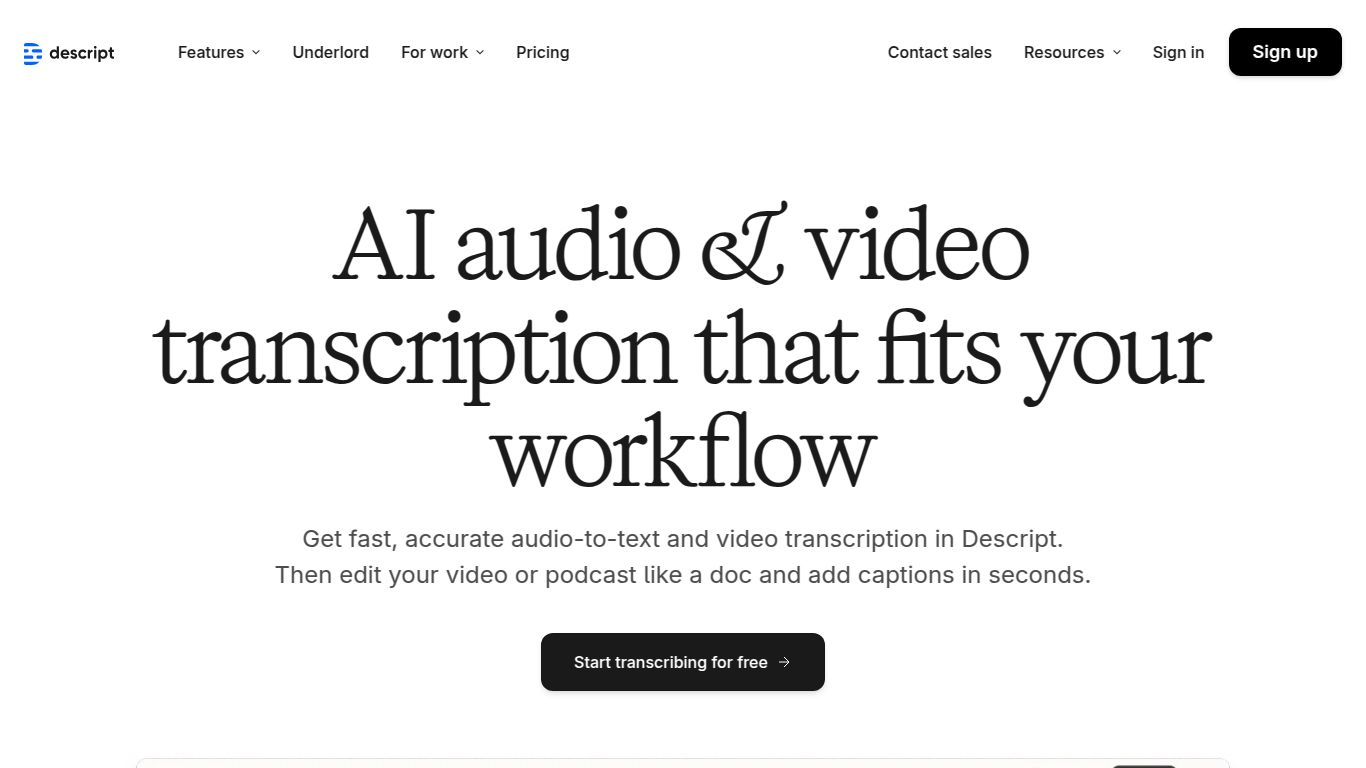
Ever wished you could edit your podcasts, interviews, or video clips just by editing a text document? Stop dreaming, because that’s exactly what Descript delivers. Developed by Descript, Inc., this revolutionary tool is an all-in-one audio and video editor that revolves around its powerful, AI-driven transcription service. It flips the traditional editing process on its head, making content creation faster, more collaborative, and incredibly intuitive for everyone, not just seasoned professionals. Forget complex timelines and confusing waveforms; if you can edit text, you can now professionally edit media.
What Can You Do with Descript?
AI-Powered Transcription: At its core, Descript provides lightning-fast and remarkably accurate automated transcription for your audio and video files. It supports over 22 languages and includes speaker detection, making it easy to see who said what.
Text-Based Video & Audio Editing: This is the magic. Your media is transcribed, and you can edit the audio or video simply by deleting words or sentences in the text. Cut out a mistake in the transcript, and it’s instantly removed from the video. It’s that simple.
Screen Recording: Easily capture your screen and webcam to create tutorials, presentations, or team updates. Once recorded, your video is instantly transcribed and ready for editing.
Overdub & AI Voices: Made a mistake? No need to re-record! With Overdub, you can create an ultra-realistic clone of your own voice and type to generate new audio. Simply correct the typo in the script, and Descript will generate the corrected audio in your voice.
Podcasting Suite: Descript is a podcaster’s paradise. It offers multitrack recording, automatic filler word removal, and one-click audio enhancement to give your show a professional studio-quality sound.
Standout Features
Studio Sound: With a single click, this magical feature removes background noise, eliminates echo, and enhances voice frequencies. It makes recordings sound as if they were captured in a professional studio, even if you recorded in a noisy room.
Filler Word Removal: Banish all the “ums,” “ahs,” “you knows,” and other repetitive filler words from your entire recording in seconds. You can search for them and delete them all at once.
Remote Recording: Record with multiple guests from anywhere in the world. Descript captures high-fidelity audio and video for each participant on separate tracks, giving you complete control during the editing process.
Publishing & Export: Once you’re done, you can publish your video directly to various platforms or export it in multiple formats. You can also export the transcript as a text file, subtitles (SRT/VTT), or a rich document.
Collaborative Workflow: Just like a Google Doc, you can share your projects with team members, leave comments, and work together in real-time.
Pricing Plans for Every Creator
Free Plan
Perfect for trying out the core features. It includes 1 hour of transcription per month, limited Studio Sound, and watermark-free video export at 720p. Price: $0
Creator Plan
Ideal for individuals creating regular content. You get 10 hours of transcription per month, unlimited Studio Sound, and watermark-free video export up to 4K. Price: $12/user/month (billed annually)
Pro Plan
The ultimate toolkit for professionals and teams. It comes with 30 hours of transcription per month, unlimited Overdub, and advanced features like Filler Word Removal Pro. Price: $24/user/month (billed annually)
An Enterprise plan is also available for larger organizations needing advanced security, onboarding, and dedicated support.
Who is Descript For?
Podcasters: The multitrack recording, text-based editing, and Studio Sound make it an end-to-end solution for podcast production.
YouTubers & Video Creators: Dramatically speeds up the editing workflow for vlogs, tutorials, and interviews.
Marketers: Quickly create and edit promotional videos, webinars, and customer testimonials.
Journalists & Researchers: Transcribe interviews and easily pull key quotes and soundbites.
Educators & Corporate Trainers: Effortlessly produce online course materials, training videos, and presentations.
Anyone Who Works with Spoken Word Media: If you record your voice or others, Descript will save you a massive amount of time.
Alternatives & Comparison
While there are many transcription services and video editors on the market, few combine both in such a seamless way. Here’s how Descript stacks up:
Otter.ai & Trint: These are powerful, dedicated transcription tools. They excel at transcribing meetings and interviews but lack Descript’s integrated audio/video editing capabilities. They give you a script; Descript gives you a full production studio based on that script.
Adobe Audition & Final Cut Pro: These are traditional, professional-grade editors that offer immense power but come with a steep learning curve. Descript is designed for speed and ease of use, democratizing media editing for creators who aren’t full-time editors.
In essence, Descript carves its own niche. It’s not just a transcription service, and it’s not just a video editor—it’s a new, text-first way of creating media. If your workflow involves transcribing audio or video and then editing it, Descript doesn’t just improve a step in the process; it revolutionizes the entire workflow, saving you countless hours of tedious work.